
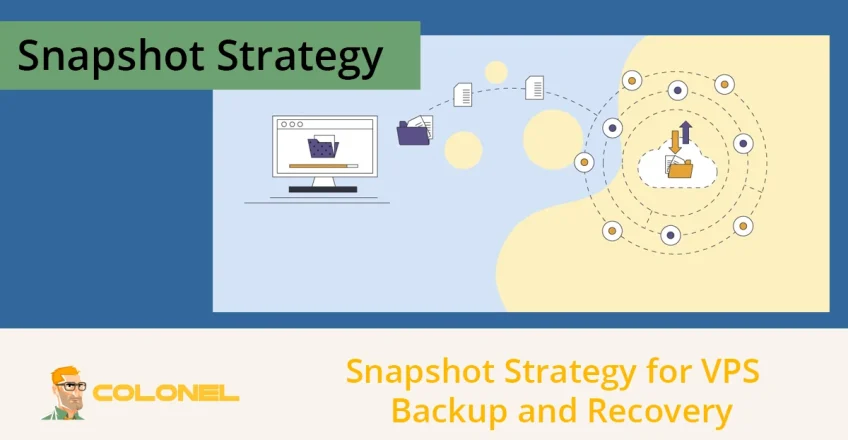

Implementing a robust server snapshot strategy is the most critical step in safeguarding your virtual server’s integrity and ensuring business continuity. Now that data corruption, failed updates, or cyberattacks can strike at any moment, relying solely on traditional file backups is no longer enough.
Snapshots provide a unique « time machine » capability that captures the entire state of your server. This guide explores the technical depths of VPS snapshots and how to integrate them into a professional disaster recovery framework. Donc, you can minimize downtime and prevent catastrophic data loss.
Understanding the Role of Snapshots in Data Protection
A VPS snapshot is a point-in-time image of your virtual server that acts as a fundamental tool for both data protection and development testing. Unlike standard backups, which may take hours to copy large volumes of files, snapshots are created in seconds using advanced block-level technology.
This allows administrators to freeze the server’s state before risky operations, providing a reliable safety net that traditional file-based methods cannot offer. By capturing the complete environment from Hébergement VPS géré, snapshots ensure that if an update fails or a configuration error occurs, the system can be reverted to a functioning state without the need for a full reinstallation or long data recovery windows.

How Copy-on-Write Works?
The efficiency of a server snapshot strategy relies on « Copy-on-Write » (CoW) technology, which allows for instantaneous creation without duplicating all existing data blocks immediately. When a snapshot is initiated, the current data blocks are marked as read-only, and any new changes made to the disk are written to a new space (the delta file).

Hébergement Web WordPress
À partir de 3,99 $/mois
This mechanism ensures that the snapshot only consumes additional storage space as changes are made, keeping the initial impact on storage capacity very low while maintaining a perfect replica of the system at that specific moment.
When to Create Server Snapshots?
Creating snapshots randomly can lead to storage overflow and confusion; plutôt, they must be triggered based on significant system lifecycle events. A proactive approach involves capturing the server’s state immediately before any action that could introduce instability, such as a major OS patch or a database schema migration.
For high-traffic production environments, these snapshots should be complemented by a regular schedule that aligns with your Recovery Point Objective (RPO). This ensures that the gap between the latest snapshot and current data is never unacceptably large. Key scenarios that demand snapshot creation include:
- Pre-Update Guard: Always take a snapshot before installing major software patches or operating system updates.
- Configuration Testing: Create a restore point before modifying critical network settings or server firewalls.
- Application Deployment: Capture the state before pushing new code or deploying secondary services.
- Planned Maintenance: Use snapshots as a fallback during hardware migrations or disk repartitioning.
Full vs. Incremental Backup Types
A full backup copies all data and configurations, consuming significant time and space. Incremental backups only save the data blocks that have changed since the last backup, dramatically reducing backup time and storage. Snapshots combine the speed of incremental storage with the system-state capture of a full backup, offering superior flexibility and faster recovery options, even though recovery from older incremental chains can be time-consuming. Here are the differences:
| Backup Type | Data Included | Vitesse & Stockage | Primary Use Case |
| Full Backup | All data and configs | Lent, High Storage | Comprehensive disaster recovery |
| Incremental Backup | Changes since last backup | Rapide, Low Storage | Daily or hourly data retention |
| Instantané | Full system state (CoW) | Instantaneous, Moderate Storage | Rapid rollback before changes |
How to Revert the VPS State?
Most VPS management platforms, like Colonel, provide a direct interface for this, but it is vital to pause current services before starting the restoration to maintain data consistency. Because a snapshot rollback overwrites all current files, configurations, and active user sessions, administrators must document any vital changes that occurred after the snapshot was taken, as these will be lost upon restoration.

Serveur VPS pas cher
À partir de 2,99 $/mois
The standard restoration process generally follows these steps:
- Pause Production: Stop critical services or put the server in maintenance mode to prevent data corruption.
- Snapshot Selection: Choose the most recent « known good » snapshot from your management console.
- Execute Rollback: Trigger the restoration; the system will replace the current data blocks with those from the snapshot.
- Post-Restoration Audit: Verify that system logs are clear, services are running, and database integrity is intact before going live.
Retention Policy for Snapshot Frequency and Cost Management
An effective server snapshot strategy must include a strict retention policy to prevent older, outdated snapshots from consuming excessive storage and inflating hosting bills. Storage costs are often calculated based on the size of the « delta » (the volume of data changed since the snapshot).
This means snapshots taken before large write operations can grow significantly over time. Automated retention policies help by rotating older snapshots out, keeping only the necessary recovery points—typically a mix of daily points for the last week and weekly points for the last month.
Testing Recovery Validation Capabilities
Having a snapshot is not enough; the core of a professional server snapshot strategy is the ability to prove that the recovery process actually works when needed. Organizations that skip regular testing often face catastrophic failures during a real disaster because they discover procedural gaps or technical conflicts too late.
Regular restoration drills should be conducted monthly or quarterly, restoring the snapshot to a separate staging environment to validate application consistency, configuration réseau, and data integrity without impacting the live production server.
Selon Zerto:

Hébergement VPS Windows
Remote Access & Full Admin
« Organizations conducting quarterly recovery tests achieve 95% successful restoration rates compared to only 60% for untested backup systems. Automated snapshot verification is the key difference between having a backup and actually being protected. »
Snapshot Security and Data Integrity
Snapshots represent the absolute state of your server, making them sensitive assets that require high levels of encryption and access control. If an unauthorized user gains access to your snapshot repository, they could restore your entire environment to a server under their control, exposing all your databases and encrypted keys.
Professional strategies implement AES-256 encryption at rest for all snapshot storage and utilize multi-factor authentication (MFA) for the management dashboard to ensure that only verified administrators can initiate rollbacks or deletions.
VPS Scenarios Where Snapshots Are Crucial
A server snapshot strategy moves beyond simple file protection to guarantee business continuity across various real-world scenarios, illustrating its strategic value. This instant recovery capability ensures that business operations can quickly resume after disruptive events, safeguarding revenue and customer experience. The ability to instantly roll back saves revenue, brand trust, and significant recovery time is crucial for:
- Software Developers: A freelance developer uses a snapshot before implementing critical, experimental changes to a customer’s application. If a bug crashes the system, they can instantly revert to a stable version, saving hours of debugging.
- E-commerce Shops: During a holiday sales rush, a server error corrupts recent transactions. The snapshot allows the owner to quickly restore the server to its state just minutes before the crash, minimizing lost sales and customer data.
- Petites entreprises: A business website and email service suffer a hacking attack that deletes important files. Using a recent system snapshot, the business can restore its entire operational environment within minutes, quickly resuming communication.
Snapshot vs. Off-site Backup
While snapshots are incredibly fast and provide full system state capture, they are not a total replacement for robust off-site backups; a comprehensive server snapshot strategy must use both tools in tandem to cover all potential disaster scenarios. Snapshots reside locally for rapid recovery from common operational issues, but they remain vulnerable to infrastructure-wide failures. Traditional backups, stored remotely, serve as the final line of defense against catastrophic events like regional outages or sophisticated ransomware attacks, making a hybrid approach essential for complete resilience.
| Fonctionnalité | VPS Snapshot | Off-site Backup |
| Recovery Time Objective (RTO) | Très faible (Minutes) | Haut (Hours or Days) |
| Storage Location | Local/Shared Storage Array | Remote Object Storage (Different Geographic Location) |
| What It Captures | Complete System State (VM, Système d'exploitation, Apps, Data) | Fichiers, Folders, and often Database Dumps |
| Idéal pour | Failed updates, erreurs de configuration, quick rollback | Major hardware failure, regional disaster, ransomware attacks |
| Vulnerability | Primary hardware failure, local corruption | Network latency during large restorations |
The Role of Server Snapshot Strategy in Automation
Implementing an automated and well-documented server snapshot strategy provides the essential peace of mind required to manage modern, mission-critical VPS infrastructure. By leveraging Copy-on-Write technology, snapshots offer an immediate, full-system safety net against human error, software updates, or configuration mistakes, drastically reducing downtime.
While snapshots are perfect for immediate rollback, they must be paired with geographically redundant, traditional backups to create a truly robust defense against every potential disaster scenario. Automating both the snapshot creation and retention lifecycle ensures consistent execution, allowing administrators to focus on development and operations with a guaranteed quick path back to a stable environment.
Foire aux questions (FAQ)
Is a server snapshot strategy a replacement for regular backups?
Non, a snapshot is a point-in-time copy stored locally for quick recovery, while a regular backup is often an off-site copy of files intended for disaster recovery.
How long should I keep VPS snapshots?
Best practices suggest keeping daily snapshots for 7 jours. Keeping them longer can lead to performance degradation and high storage costs, as the « delta » file grows larger with every new write operation on the server.
Does restoring a snapshot delete my current data?
Oui, restoring a snapshot overwrites the entire current state of your VPS. Any files, database entries, or settings changed after the snapshot was created will be permanently lost unless you have backed them up separately.
Can I create snapshots while the server is running?
Oui, modern copy-on-write technology allows for « hot » snapshots while the server is active. Cependant, for maximum database consistency, it is sometimes recommended to briefly pause the database or use application-aware snapshot tools.