

WordPress Kubernetes scaling is the most effective way to run WordPress in a cloud-native architecture that can handle millions of visitors without performance degradation. Traditional single-server deployments struggle to cope with sudden traffic spikes, but combining containerization with orchestration enables horizontal scalability, resilience, and operational consistency.
In this ColonelServer guide, we will break down the architecture, explain the technical building blocks, and explore best practices for implementing WordPress Kubernetes scaling in high-traffic environments.
Containerization with Docker in WordPress Kubernetes Scaling
Docker plays a central role in WordPress Kubernetes scaling by encapsulating WordPress into isolated containers. Each container runs independently, ensuring consistency across development, mise en scène, and production environments.
Portability
Containers package WordPress core, thèmes, plugins, and dependencies together. This guarantees that deployments behave identically across cloud providers and infrastructure nodes. Portability reduces configuration drift and simplifies migration.
Personnalisation
Using a Dockerfile or the official WordPress image allows teams to automate plugin installation, configure PHP settings, and define environment variables. This makes WordPress Kubernetes scaling deployments reproducible and predictable.

Hébergement Web WordPress
À partir de 3,99 $/mois
Configuration Management
Environment variables, tel que WORDPRESS_DB_HOST et WORDPRESS_DB_USER, allow for centralized configuration without editing core files. This improves security posture and keeps deployments flexible.
Reliability Through Replication
Docker enables multiple identical WordPress containers. In WordPress Kubernetes scaling, these replicas form the basis of horizontal scaling, allowing traffic to be distributed evenly across instances.
How WordPress Runs Inside a Kubernetes Architecture?
A proper WordPress Kubernetes scaling setup separates application, base de données, mise en cache, and storage layers into independently managed services. This separation increases reliability, simplifies scaling operations, and reduces single points of failure.
“Kubernetes is an open-source system for automating the deployment, mise à l'échelle, and management of containerized applications.”_ Kubernetes

WordPress Pods
In a WordPress Kubernetes scaling architecture, each WordPress instance runs inside a Pod. These Pods are typically configured as stateless containers, allowing Kubernetes to replicate them automatically when traffic increases. Horizontal Pod Autoscaler monitors CPU or memory metrics and adjusts the number of running instances accordingly.

Serveur VPS pas cher
À partir de 2,99 $/mois
This design prevents performance degradation during peak loads. Instead of overloading one server, Kubernetes distributes requests across multiple Pods, maintaining consistent response times.
Load Balancing and Ingress
Load balancing is a core component of WordPress Kubernetes scaling. An Ingress Controller routes incoming traffic to available WordPress Pods, ensuring no single instance becomes overwhelmed. Dans environnements cloud such as AWS, Google Cloud, or Azure, managed load balancers integrate seamlessly with Kubernetes services.
This configuration improves availability and supports SSL termination, traffic routing rules, and domain management at scale (Recherche & register Domain Name here).
Database Layer
The database layer in WordPress Kubernetes scaling is usually externalized. Instead of running MySQL inside the same Pod as WordPress, production setups rely on managed database services such as Amazon RDS or Cloud SQL. This separation guarantees persistent storage and automated backups independent of application scaling events.
By decoupling the database from application containers, scaling WordPress Pods does not interfere with data integrity.
Persistent Storage
WordPress stores media uploads inside the wp-content directory. In a WordPress Kubernetes scaling deployment, this requires persistent storage accessible by all Pods. Persistent Volumes or external object storage services, such as Amazon S3, are commonly used.

Hébergement VPS Windows
Remote Access & Full Admin
This ensures that uploaded media remains synchronized across replicas, preventing file inconsistency when Pods scale up or down.
Key Benefits of WordPress Kubernetes Scaling in Cloud Environments
WordPress Kubernetes scaling delivers technical and operational advantages, such as introducing automation at the infrastructure level that traditional VPS hosting cannot match. This automation removes manual intervention during scaling events and system failures.
The following benefits directly impact performance, fiabilité, et évolutivité à long terme.
- Automatic Horizontal Scaling: Pods increase or decrease based on real-time traffic and resource consumption.
- Haute disponibilité: If one Pod fails, Kubernetes replaces it automatically without affecting overall service availability.
- Improved Resource Utilization: Compute resources are allocated dynamically instead of remaining idle.
- Streamlined CI/CD Pipelines: Deployments become predictable and repeatable using containerized workflows.
- Enhanced Security Isolation: Application layers are isolated, reducing the attack surface.
These benefits make WordPress Kubernetes scaling a preferred architecture for high-traffic websites and enterprise-level WordPress deployments.
Real-World Deployment Scenarios for WordPress Kubernetes Scaling
WP Kubernetes Scaling is most effective in environments where traffic fluctuates, uptime is critical, and deployment speed directly impacts business performance. Organizations that experience seasonal spikes, marketing-driven surges, or international traffic distribution benefit significantly from a Kubernetes-based WordPress architecture. This model supports elasticity without requiring constant manual server upgrades.
In practical implementations, WordPress Kubernetes scaling is commonly used in the following scenarios:
- High-Traffic eCommerce Stores: Online shops running WooCommerce often experience extreme traffic during promotions. Kubernetes scales Pods automatically to prevent checkout failures and slow page loads.
- Media and Publishing Platforms: News portals handling breaking stories require instant scalability. Kubernetes prevents downtime when traffic surges unexpectedly.
- Multi-Region SaaS Dashboards: WordPress used as a marketing front-end for SaaS products benefits from global load balancing and cloud-native distribution.
- Enterprise Content Hubs: Large organizations hosting multilingual WordPress portals rely on Kubernetes for reliability and controlled deployment cycles.
These scenarios demonstrate that WordPress Kubernetes scaling is not only about handling traffic but also about maintaining operational stability and predictable infrastructure growth.
Common Challenges in WordPress Kubernetes Scaling
Although WordPress Kubernetes scaling provides significant advantages, it introduces architectural complexity that requires careful planning. Without proper configuration, performance issues or storage conflicts may occur. Understanding these challenges helps prevent costly deployment mistakes.
Stateful Data Management
WordPress is traditionally stateful due to file uploads and session handling. In WordPress Kubernetes scaling, failing to configure shared storage or object storage can lead to inconsistent media availability across Pods. A centralized storage strategy is mandatory to maintain file synchronization.
Database Bottlenecks
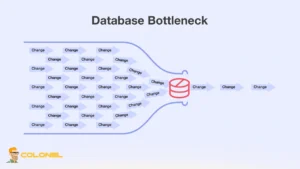
Scaling application Pods does not automatically scale the database layer. If the database is under-provisioned, it becomes the performance bottleneck. Production-ready WordPress Kubernetes scaling setups rely on managed database services with read replicas and automated backups.
Caching Complexity
Caching becomes more important in distributed environments. Without proper object caching and page caching layers, scaling alone may not deliver expected performance gains. Integrating Redis or Memcached improves response times and reduces database pressure.
Operational Overhead
Kubernetes requires DevOps expertise. Surveillance, enregistrement, and maintaining cluster health demand structured processes. For teams without container experience, WordPress Kubernetes scaling may increase operational learning curves initially.
Recognizing these challenges early allows teams to design a resilient and optimized Kubernetes environment for WordPress.
Performance Optimization Strategies
WordPress Kubernetes scaling performs best when combined with structured optimization practices. Kubernetes handles orchestration, but performance tuning ensures that resources are used efficiently.
Before applying advanced optimizations, the infrastructure must include proper autoscaling policies and monitoring dashboards. After that foundation is in place, the following enhancements strengthen performance:
- Implement Redis Object Caching: Reduces database queries and improves dynamic page response times.
- Use a Content Delivery Network: Offloads static assets and reduces latency for global users.
- Enable Horizontal Pod Autoscaler: Automatically scales Pods based on CPU or memory metrics.
- Adopt Read Replicas for Databases: Distributes read-heavy traffic and improves scalability.
- Optimize Container Images: Lightweight Docker images reduce startup time during scaling events.
These optimizations ensure that WordPress Kubernetes scaling delivers measurable performance improvements rather than simply increasing infrastructure size.
Security Best Practices in WordPress Kubernetes Scaling
Sécurité in WordPress Kubernetes scaling requires layered protection at both the container and cluster levels. Cloud-native environments offer powerful isolation features, but they must be configured intentionally.
D'abord, container images should be minimal and regularly updated to reduce vulnerabilities. Role-Based Access Control within Kubernetes restricts cluster access and prevents unauthorized configuration changes. Network policies should isolate services and limit internal communication paths.
En plus, secrets such as database credentials must be stored securely using Kubernetes Secrets or external secret management systems. SSL termination at the Ingress layer ensures encrypted traffic. Lorsqu'il est correctement configuré, WordPress Kubernetes scaling strengthens the overall security posture compared to traditional single-server deployments.

Why WordPress Kubernetes Scaling Is the Future of High-Traffic WordPress Infrastructure?
WordPress Kubernetes scaling transforms traditional WordPress hosting into a cloud-native, resilient infrastructure capable of handling high and unpredictable traffic. By distributing WordPress across containerized Pods and leveraging Kubernetes orchestration, this architecture ensures automatic scaling, fault tolerance, and consistent availability.
For organizations planning long-term growth, portée mondiale, or enterprise-grade reliability, WordPress Kubernetes scaling provides both performance stability and operational flexibility. When combined with proper database management, shared storage configuration, and advanced caching strategies, it becomes a scalable foundation that supports sustainable expansion without compromising uptime or user experience.
Foire aux questions
Is WordPress Kubernetes Scaling necessary for small websites?
Small websites with stable traffic usually do not require WordPress Kubernetes scaling. A well-configured VPS can handle moderate traffic efficiently, but growing platforms benefit from Kubernetes when scalability and uptime become critical.
Does Kubernetes improve WordPress speed automatically?
Kubernetes itself does not directly increase speed. WordPress Kubernetes scaling improves availability and scalability, while performance gains depend on caching, database optimization, et allocation des ressources.
Is WordPress Kubernetes scaling expensive?
Costs depend on cluster size and cloud provider pricing. While infrastructure expenses may increase, automated scaling often reduces wasted resources compared to over-provisioned servers.
Can WordPress plugins work in Kubernetes environments?
Most plugins function normally in WordPress Kubernetes scaling deployments, provided shared storage and caching systems are correctly configured.