

Install OpenLiteSpeed Web Server on VPS can be a very effective means of gaining maximum performance and speed on your websites and applications. Through this tutorial, we will explain to you the steps needed to install and configure OpenLiteSpeed Web Server in your virtual private server. Even if you are new in developing websites, you will gain great tips from this guide.
What is OpenLiteSpeed Web Server?
OpenLiteSpeed is a powerful and efficient web server software created by LiteSpeed Technologies. This open-source solution is based on the LiteSpeed Enterprise version and is optimized to withstand huge amounts of traffic while remaining extremely quick and effective. OpenLiteSpeed features a wide array of innovations such as support of HTTP/3, QUIC protocols, as well as efficient caching systems, which make it a worthy competitor to classic Apache or Nginx servers.
The main reason why many programmers prefer to use the OpenLiteSpeed Web Server installation in their VPS environments is the efficiency and lightweight nature of the software. Unlike other servers, OpenLiteSpeed relies on an event-driven model which helps it cope with thousands of simultaneous connections using minimum resources. That is why OpenLiteSpeed becomes especially relevant for VPS hosting.
Another notable advantage of OpenLiteSpeed is the presence of a fully featured web-based control panel. This software allows users to configure settings, create virtual hosts, add SSL certificates, and perform numerous other operations without much reliance on console commands.
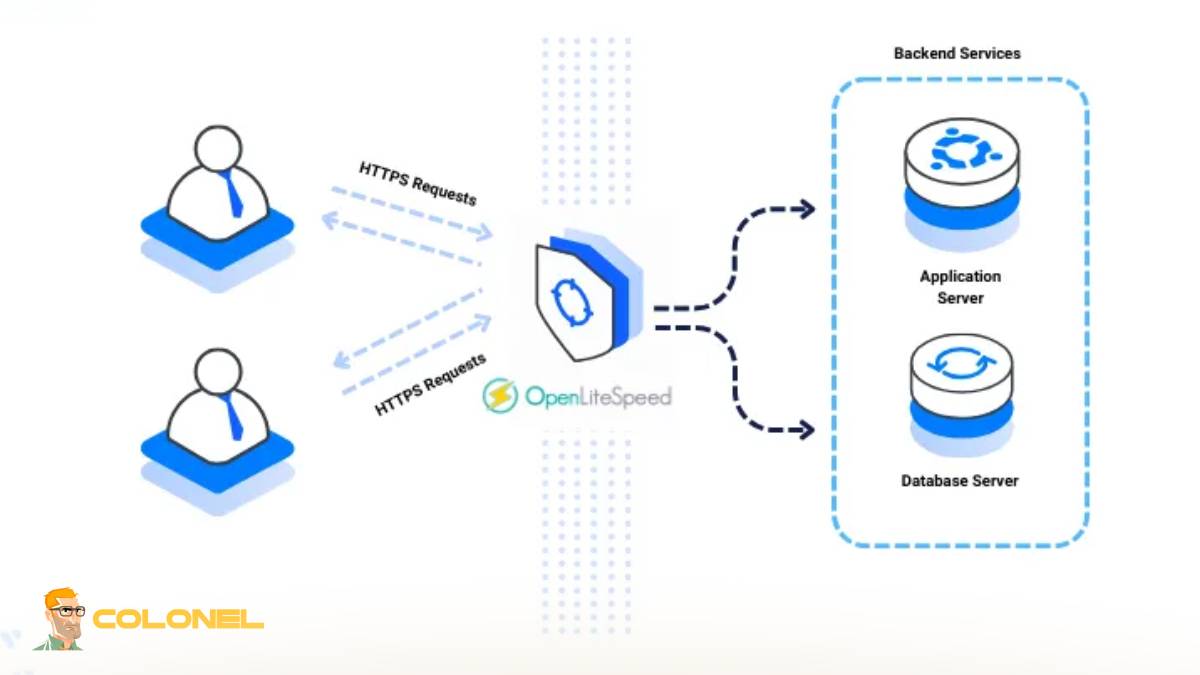
Advantages of Using OpenLiteSpeed on a VPS
If you use OpenLiteSpeed Web Server on your VPS, there are plenty of advantages which positively affect your website in terms of speed, sécurité, et évolutivité. The latter plays an important role in VPS environment and needs to be considered carefully.

Hébergement Web WordPress
À partir de 3,99 $/mois
The first thing you should note about OpenLiteSpeed is its ability to work great under caching conditions. In particular, LSCache enables OpenLiteSpeed users to experience fast loading time and reduced server workload, which may be especially helpful if your website is dynamic (WordPress).
There are a lot of other advantages, y compris:
- Increased performance due to event-driven technology
- Less consumption of CPU and RAM resources in comparison with traditional server solutions
- Built-in cache (LSCache)
- Good compatibility with various applications (WordPress, etc.)
- Advanced technologies (HTTP/3 and QUIC)
It is also worth mentioning that security features, which are inherent to OpenLiteSpeed, such as anti-DDoS protection, bandwidth throttling, real-time request filtering, etc., are also important and deserve attention.
System Requirements for OpenLiteSpeed Setup
Il’s important that your server complies with the required specifications before proceeding with the OpenLiteSpeed Web Server installation on VPS. Although OpenLiteSpeed is small and efficient, being prepared helps achieve the best results.
Here is a short summary of the required specifications:
| Composant | Minimum Requirement | Recommended Requirement |
|---|---|---|
| Processeur | 1 Cœur | 2+ Cores |
| BÉLIER | 512 Mo | 1 GB or higher |
| Stockage | 10 FR | 20 Go SSD |
| Système d'exploitation | Ubuntu 20.04+ | Ubuntu 22.04 / CentOS |
| Réseau | Stable connection | High-speed bandwidth |
In general, OpenLiteSpeed supports most Linux distributions, y compris Ubuntu, Debian, et CentOS. Cependant, Ubuntu is often preferred due to its ease of use and strong community support.

Serveur VPS pas cher
À partir de 2,99 $/mois
You’ll also need root or sudo access to install and configure the server. En plus, having a domain name pointed to your VPS IP is recommended if you plan to host a live website.

Preparation Before Installing OpenLiteSpeed Web Server On VPS
It is necessary to prepare your VPS before the Install OpenLiteSpeed Web Server on VPS because ignoring this stage may result in future problems.
D'abord, make sure that all your system packages are updated, since it will eliminate any possible problems. It would be better if you created a non-root account with sudo permissions.
Some of the steps you need to follow before installing include the following:
- Updating and upgrading your system packages
- Creating a firewall (par ex., UFW) to regulate inbound connections
- Setting up SSH security features (par ex., changing port and disabling root connection)
- Installing some dependencies (such as curl and wget), etc..
- Making sure that your domain DNS is pointing to your VPS
Par ici, the installation procedure will go without any disruptions when you Install OpenLiteSpeed Web Server on VPS.

Hébergement VPS Windows
Remote Access & Full Admin
Timezone and hostname setting is another step to undertake.
How to Install OpenLiteSpeed Web Server on VPS
This is where the main work begins: How to Install OpenLiteSpeed Web Server on VPS. It is a fairly simple task that anyone can do.
Install OpenLiteSpeed Web Server on VPS
The first thing you have to do is log into your VPS via SSH and execute the installation script for OpenLiteSpeed. The script will install the web server and all its dependencies.
Start and Enable the Service
The second step is to enable and start OpenLiteSpeed services so that they stay running even after rebooting the system.
Login to Admin Control Panel
You can access the control panel for OpenLiteSpeed using your username and password.
Setup of Virtual Hosts
The usage of virtual hosts enables the creation of numerous sites at once using one VPS. You will be able to create virtual hosts via the control panel interface by defining domains, document root folders, etc..
Installation of Web Applications
By this step, you may proceed with the installation of some web applications such as WordPress and Laravel. Some one-click installers are available through OpenLiteSpeed.
If you want to start your own business in the future, you may need to read the article “Comment démarrer une entreprise en ligne dans 2026?»

Setting Up OpenLiteSpeed For Optimum Performance
Once you Install OpenLiteSpeed Web Server on VPS, there comes the process of configuring OpenLiteSpeed in order to ensure maximum performance of the server under various loads.
Cache Configuration
LSCache is considered as one of the most useful tools in OpenLiteSpeed. This tool will greatly help you decrease the page loading time.
PHP Configuration
It is known that the PHP processor in OpenLiteSpeed is called lsphp. Therefore, you need to optimize PHP configurations in terms of memory limit, execution time etc.
Connection Settings
Connection settings should also be adjusted in accordance with the needs of the site.
Compression and HTTP/3
The implementation of GZIP compression and HTTP/3 enhances data transfer rate and decreases latency.
An important fact from Google shows the necessity of improving performance:
« Speed plays an essential role in user experience and search results. » — Google Developers
It confirms that it is critical to configure everything correctly after Installing OpenLiteSpeed Web Server on VPS.
Secure Your OpenLiteSpeed Server
When Installing OpenLiteSpeed Web Server on VPS, securing your server must always be a priority because it will help keep your information and identity safe.
First of all, make sure that SSL certificates are enabled via Let’s Encrypt. This is necessary for encrypting all communication with your server.
It is also a good idea to set up the rules for your firewall in order to open only required ports (tel que 80, 443, and your SSH port). Another step that can protect your server is to change the ports of your admin panel.
The other ways of securing the server include the following:
- Installing updates regularly
- Creating strong passwords and implementing two-factor authentication
- Closing unnecessary services and ports
- Checking server logs to detect any suspicious activity

Common Problems When Installing OpenLiteSpeed Web Server on VPS
While the installation procedure for setting up the OpenLiteSpeed Web Server on VPS is simple and clear, there could be some problems to consider.
Port Clashes
At times, some services, such as Apache or Nginx, might be using the ports 80 ou 443. You have to disable them if you want to proceed with the installation process.
Ownership Permissions
Another common problem that you may encounter during the installation of the web server is that your website will not load correctly due to incorrect ownership permissions.
Problem with PHP Not Running
For any problem with running PHP script, make sure that lsphp is correctly set up in the OpenLiteSpeed application.
Most problems can be solved through the logs present in the OpenLiteSpeed folder. The log files are a great source of information for troubleshooting.
Conclusion
Choosing to Install OpenLiteSpeed Web Server on VPS is a smart decision for anyone looking to achieve high performance, évolutivité, et efficacité. From its lightweight architecture to its powerful caching system, OpenLiteSpeed offers everything needed for modern web hosting.
Throughout this guide, we explored what OpenLiteSpeed is, its benefits, system requirements, installation steps, and optimization techniques. We also covered essential security practices and troubleshooting methods to ensure a smooth experience.
By following these steps and best practices, you can create a fast, sécurisé, and reliable hosting environment tailored to your needs. Que vous’re running a personal blog, une boutique e-commerce, or a growing online business, OpenLiteSpeed provides the tools and performance required to succeed.