
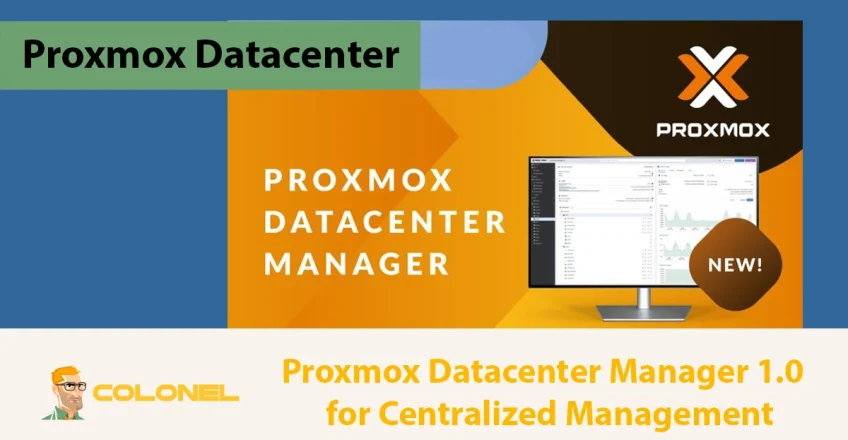

Proxmox has officially launched Proxmox Datacenter Manager (PDM) 1.0, marking the first stable release of its new centralized management platform. Designed for administrators overseeing multiple Proxmox-based environments, PDM provides a unified interface to monitor, gérer, and optimize complex infrastructures.
From local setups to globally distributed data centers, PDM simplifies operations with modern web interface tools, centralized metrics, and enhanced automation. This release follows extensive beta testing and community feedback, mises à jour de sécurité, and feature enhancements to support modern enterprise deployments.
What is Proxmox Datacenter Manager?
Proxmox Datacenter Manager is an open-source, centralized management solution that connects multiple independent Proxmox clusters and nodes under a single interface. Unlike traditional cluster-based management, PDM enables multi-cluster oversight, allowing live migrations of virtual machines without requiring a shared cluster network.
The platform is fully developed in Rust, ensuring a robust and high-performance backend API, command-line tools, and a responsive frontend. PDM leverages a custom widget toolkit to deliver a modern web interface that enhances speed, accessibility, et expérience utilisateur.
Licensed under GNU AGPLv3, PDM maintains the open-source philosophy, inviting global collaboration for future improvements. Selon proxmox.com:
« Proxmox Datacenter Manager 1.0 provides a centralized interface for managing multiple independent Proxmox clusters, supporting both local and globally distributed infrastructures. »

Hébergement Web WordPress
À partir de 3,99 $/mois
Key Features of Proxmox Datacenter Manager 1.0
Proxmox Datacenter Manager 1.0 introduces a collection of core capabilities designed to streamline multi-cluster administration and improve visibility across large-scale infrastructures.
These features provide centralized control, sécurité renforcée, and greater operational efficiency for environments running Proxmox VE and Backup Server. This makes it a highly scalable solution for enterprises seeking unified, real-time data center management.
Modern Infrastructure Support
PDM is built on Debian Trixie 13.2 with the latest security updates and a Linux 6.17 kernel featuring ZFS 2.3.4. This ensures compatibility with current Proxmox VE and Backup Server environments while maintaining high stability and security.
Advanced Authentication
Security is central to PDM’s design. The platform supports multiple authentication mechanisms, y compris:

Serveur VPS pas cher
À partir de 2,99 $/mois
- LDAP
- Annuaire actif
- OpenID Connect
These integrations allow enterprises to manage user access efficiently across clusters and sites.
Customizable Views
Administrators can create custom views to monitor resources by tags, types, or remote clusters. This level of customization simplifies navigation in complex infrastructures with hundreds or thousands of virtual machines.
Centralized Metrics and Search
PDM collects centralized metrics from all connected remotes, offering real-time insights into system performance. Its advanced search functionality allows filtering by resource type, statut, or cluster location, drastically reducing troubleshooting times.
Privilege Management and Updates
The platform provides comprehensive privilege management, letting admins control user access to clusters and individual resources directly from the web interface. En plus, PDM offers a centralized update overview, simplifying maintenance across multiple environments.
Software-Defined Networking Integration
Le 1.0 release introduces initial SDN support, including EVPN configurations for inter-cluster networking. This allows data centers to manage virtual networks efficiently without manual routing configurations.
Integration with Proxmox VE and Backup Server
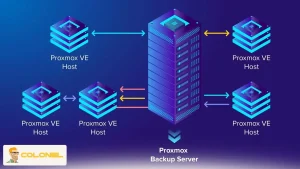
PDM can connect to any number of Proxmox VE hosts or clusters as remotes. Once connected, it monitors performance metrics and provides basic management via the Proxmox API. This integration ensures a seamless connection to existing infrastructure, supporting Proxmox VE 8.4+ and Backup Server 3.4+.

Hébergement VPS Windows
Remote Access & Full Admin
Administrators can scale PDM to manage thousands of remotes and virtual machines, with testing confirming that over 5,000 remotes and 10,000 virtual guests can be efficiently handled.
Installation and System Requirements
A proper installation ensures optimal performance for multi-cluster management, centralized metrics collection, and high-density virtual workloads. Proxmox Datacenter Manager supports any standard x86-64 Debian system, offering compatibility with both virtual and bare-metal deployments. The platform is designed to scale efficiently, making hardware selection critical for smooth operation.
The recommended setup includes:
- Minimum 8 Go de RAM (16 GB for larger setups): sufficient memory ensures stable operation when monitoring multiple clusters or running real-time analytics. Higher RAM is recommended for environments with hundreds of virtual machines.
- 4 CPU cores or more: required to handle simultaneous API queries and processing tasks efficiently across all connected remotes.
- 100 GB SSD for system and data storage: SSD storage enhances system responsiveness, particularly when handling logs, mise en cache, and metrics.
- Stable network connection to all remote clusters: direct connectivity is critical for API requests, live migrations, and real-time monitoring.
For network setups, PDM requires direct connections to all Proxmox VE remotes; reverse proxies are not supported. Administrators managing distributed or cloud-hosted environments are encouraged to implement secure VPN tunnels such as WireGuard or OpenVPN.
Organizations looking for high-performance servers optimized for PDM deployments can check out solutions like our Serveurs dédiés to ensure reliable infrastructure.
Upgrading and Compatibility
Users can upgrade from beta versions to 1.0 via apt or the GUI. Those on PDM Alpha versions can follow the official upgrade instructions to migrate smoothly without data loss. While installing alongside Proxmox VE or Backup Server is possible, it is recommended only for expert users due to potential configuration conflicts.
Frequent upgrades are encouraged to leverage all features and security enhancements, maintaining compatibility with actively supported Proxmox releases.
Enterprise Support and Licensing
Proxmox Datacenter Manager 1.0 provides enterprise support to organizations holding active Basic or higher subscriptions, ensuring mission-critical environments remain stable, sécurisé, and optimized. Enterprise support is designed to assist administrators in handling complex multi-cluster infrastructures efficiently.
Support includes:
- Dedicated troubleshooting: expert assistance for resolving configuration, performance, or connectivity issues.
- Bug fixes and patches: timely updates to maintain system security and reliability.
- Assistance with multi-cluster deployments: guidance for scaling operations, implementing live migrations, and optimizing network configuration.
PDM is licensed under GNU AGPLv3, allowing free use, modification, and contribution while maintaining open-source principles. Enterprises can integrate Proxmox-ready server solutions from providers like Colonel Serveur to enhance performance in production environments.
Community Contribution and Feedback
The release of PDM 1.0 reflects extensive global community participation. Feedback and contributions during the beta phase helped identify bugs, optimiser les performances, and refine features for real-world enterprise requirements.
Community involvement ensures that PDM evolves alongside user needs and technological advancements. Contributions include:
- Stress testing high-scale deployments: validating system performance under thousands of virtual guests and hundreds of remotes.
- Submitting bug reports and patches: improving stability and reliability before the stable release.
- Suggesting feature enhancements: including improvements to metrics dashboards, SDN integration, and multi-cluster operations.
Leveraging community-tested best practices allows administrators to deploy highly reliable, évolutif, and secure infrastructures.
Conclusion
Proxmox Datacenter Manager 1.0 represents a significant leap in centralized infrastructure management for Proxmox environments. Its modern architecture, multi-cluster support, advanced authentication, and real-time monitoring capabilities make it ideal for enterprises managing distributed or large-scale data centers. By combining community-driven development with robust enterprise features, PDM sets a new standard for open-source, centralized data center management.
For administrators seeking a scalable, sécurisé, and user-friendly solution, PDM 1.0 provides a powerful toolset that simplifies operations while offering flexibility and control.
Foire aux questions (FAQ)
Which operating systems support PDM 1.0?
PDM runs on any standard x86-64 Debian system, including virtualized instances and bare-metal servers, ensuring flexibility for small to enterprise-scale deployments.
How many Proxmox VE clusters can PDM manage?
While the platform is still expanding, tests have successfully managed over 5,000 remotes and 10,000 virtual guests, making it suitable for very large-scale infrastructures.
Can I upgrade from Beta or Alpha versions to 1.0?
Oui, upgrades from Beta can be done via APT or GUI, while Alpha users should follow the official upgrade instructions to ensure configurations and remote connections are preserved.
What authentication options are available?
PDM supports LDAP, Annuaire actif, and OpenID Connect, allowing secure and centralized user management across multiple clusters.