

Plesk control panel is a web-based hosting management platform that allows users to manage servers, sites Web, domaines, sécurité, and applications from a centralized graphical interface without relying on command-line operations. It acts as an abstraction layer between the operating system and the administrator, translating complex system-level tasks into structured, accessible workflows suitable for developers, les hébergeurs, and site owners.
What Is Plesk Control Panel?
Plesk Control Panel is a commercial server management solution that simplifies web hosting on both Linux and Windows. Instead of dealing directly with services like Apache, NGINX, bases de données, or mail servers, users manage everything through a single dashboard.
It consolidates website deployment, gestion de domaine, email configuration, database handling, and security into one interface, making it suitable for both small websites and large hosting providers. Unlike lightweight panels, Plesk’s modular extensions allow administrators to customize functionality based on business needs without being limited by rigid workflows.

How Does the Plesk Control Panel Work?
Plesk acts as a bridge between system-level services and user actions. When administrators create a domain, installer WordPress, or configure SSL, Plesk translates these requests into safe system commands executed on the server.
It uses role-based access, giving different layers of control to server admins, resellers, and end customers, ensuring security and accountability. Plesk also centralizes management across multiple sites while keeping each domain isolated, allowing a single server to host many independent websites without conflicts or excessive manual work.

Hébergement Web WordPress
À partir de 3,99 $/mois
Plesk Control Panel Features
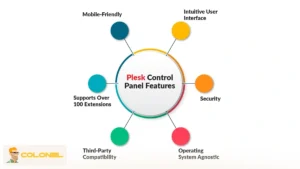
The primary strength of the Plesk control panel lies in its ability to centralize essential hosting operations while preserving granular control. It enables full lifecycle control over websites and servers, starting from initial deployment to long-term maintenance. This includes DNS configuration, email service management, sauvegardes planifiées, et suivi des performances, all accessible through the same interface. Key functional areas include:
- Centralized management: Manage servers, domaines, and websites from one intuitive interface, eliminating the need to access multiple control panels or system services.
- Automation of routine tasks: Plesk handles updates, correctifs, and scheduled maintenance automatically, reducing human error and saving time.
- Integrated monitoring: Built-in performance and configuration monitoring allows early detection of potential issues, helping prevent downtime or service degradation.
- Structured workflows: Plesk provides predefined processes for common administrative actions, reducing dependency on direct shell access and simplifying operations for less technical users.
This consolidation is one of the reasons why the Plesk control panel is frequently adopted by managed hosting providers and agencies responsible for multiple client environments.
Modern Web Stack Support in Plesk
Plesk includes a modern web stack that supports contemporary development workflows without locking users into legacy configurations. It accommodates multiple web servers, durées d'exécution, and containerized applications, allowing diverse projects to coexist on a single infrastructure.
Developers can run PHP, Noeud.js, Python frameworks, and containerized workloads together, reducing the need for separate servers. Native integrations with Docker, Compositeur, Git, and popular databases streamline the path from development to production, providing operational simplicity while maintaining flexibility.
Security Architecture of Plesk Control Panel
Security is integral to Plesk, not an add-on. The platform includes built-in Web Application Firewall management, brute-force attack mitigation, and automated vulnerability detection, all configurable without deep security expertise.

Serveur VPS pas cher
À partir de 2,99 $/mois
Administrators can define security policies at the server, subscription, or domain level, ensuring that in shared hosting, a single compromised site does not affect others. This layered approach makes Plesk suitable for both small businesses and enterprise environments. As noted in Plesk’s official documentation:
“Plesk enables administrators to secure servers and websites through integrated firewalls, intrusion prevention systems, and automated security updates, significantly reducing the attack surface.”
WordPress Management Through Plesk Control Panel
WordPress management is one of the most widely adopted use cases of the Plesk control panel due to its dedicated Boîte à outils WordPress. This toolkit transforms WordPress administration from a manual, error-prone process into a structured and automated workflow.
Through the Plesk interface, users can install WordPress instances, manage plugins and themes, enforce security policies, and apply updates across multiple sites simultaneously. This centralized control is especially valuable for agencies and freelancers managing dozens of WordPress projects.
Beyond basic management, the WordPress Toolkit includes automated vulnerability scanning and staging environments, allowing changes to be tested before deployment. This reduces downtime risk and improves overall site reliability, particularly in production environments with high traffic.


Hébergement VPS Windows
Remote Access & Full Admin
Why Do Businesses Use a Plesk Control Panel?
Businesses use the Plesk control panel because it reduces operational complexity while increasing control and visibility across hosting environments. For organizations managing multiple websites or client projects, manual server administration does not scale effectively. Key reasons why businesses adopt Plesk include:
- Operational Efficiency: Routine tasks such as domain provisioning, SSL installation, backup scheduling, and system updates can be automated, reducing manual work and the risk of errors.
- Économies de coûts: By minimizing the time and resources required for server management, Plesk helps organizations lower operational costs and allocate resources to growth-focused activities.
- User Accessibility: Plesk’s intuitive interface allows non-technical staff to perform essential tasks safely, democratizing server management without sacrificing control.
- Évolutivité: Businesses managing numerous websites or client accounts can centralize administration, ensuring consistent workflows across all environments and avoiding conflicts or configuration issues.
Extension Ecosystem and Customization
One of the defining characteristics of the Plesk control panel is its extension-driven architecture. Instead of shipping with a rigid feature set, Plesk allows administrators to expand functionality through modular extensions.
These extensions cover a wide range of use cases, including SEO tools, security enhancements, performance optimization, and CMS-specific utilities. This approach ensures that the control panel adapts to business needs rather than forcing businesses to adapt to the software.
Plesk Control Panel vs Command-Line Server Management
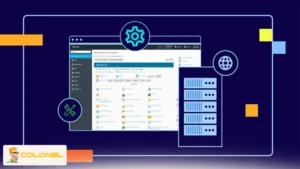
Plesk control panel fundamentally differs from traditional command-line server management by focusing on automation, abstraction, and operational safety. While shell-based management offers maximum flexibility, it introduces higher risk of errors, especially when multiple users are involved.
Plesk validates configuration changes before applying them, maintains comprehensive logs, and provides structured workflows that reduce manual mistakes while enhancing accountability. This approach allows teams to leverage technical expertise more efficiently without compromising stability.
| Fonctionnalité | Plesk Control Panel | Command-Line Server Management |
| Facilité d'utilisation | User-friendly GUI, minimal coding required | Requires advanced technical knowledge and shell commands |
| Error Prevention | Validates actions, sauvegardes automatisées, and rollback options | High risk of misconfigurations and manual errors |
| Évolutivité | Centralized management of multiple domains and servers | Complex to scale across many sites without scripts or automation |
| Audit and Accountability | Built-in logging and role-based access control | Logging depends on manual configuration, harder to track |
| Task Automation | Mises à jour automatiques, SSL, sauvegardes, and domain provisioning | Tasks must be scripted or executed manually |
| Multi-User Management | Permissions and roles allow safe collaboration | Direct shell access can create conflicts or security issues |
Types of Plesk Licenses and Choosing the Right One
Plesk control panel offers multiple license types to fit different hosting needs, from personal projects to large-scale businesses. Choosing the right license depends on the number of domains you manage, your operational requirements, and whether you use a dedicated or virtual server.
Each edition provides specific features tailored to your scale of operations, ensuring efficiency and security. Upgrading is also possible as your business grows, so scalability is seamless.
- Édition Administrateur Web: Best for users managing fewer than ten domains. Includes essential server and website management tools, basic security features, and is cost-effective for small business owners or freelancers.
- Web Pro Edition: Supports up to thirty domains. Ideal for growing businesses, it adds the WordPress Toolkit, extended security features, and additional website management tools.
- Édition hôte Web: Designed for hosting providers or large portfolios. Supports unlimited domains, advanced reseller tools, automated workflows, and full access to all Plesk extensions.
Dedicated vs VPS Server Licenses
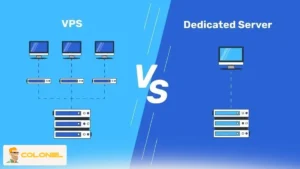
Plesk control panel can be installed on both dedicated servers and VPS (Virtual Private Servers). Dedicated server licenses are for physical servers exclusively owned and operated by the user, providing full performance and resources. VPS licenses are intended for virtualized environments such as OpenVZ, VMware, or Xen, allowing multiple virtual servers to share hardware efficiently.
Choosing the correct server type is critical for performance, licensing compliance, et évolutivité. Dedicated environments offer maximum control, while VPS setups provide cost-effective flexibility for hosting multiple clients or smaller projects.
Step-by-Step Plesk Installation and Access
Installing Plesk control panel is straightforward and can be completed in a few steps, whether on a Linux or Windows server:
- After purchasing the desired license, navigate to “Plesk Licenses” → “Order new Plesk license.»
- Select the license version that matches your server type (VPS or dedicated).
- Enter the server’s IP address. Note that each license is valid for a single server.
- En option, add a title or comment to identify the license.
- Confirm the order and obtain the activation code.
- Install Plesk on your server using official instructions for your OS.
- Activate the license via Tools & Settings → License Management → Install Key, entering the activation code.
Une fois activé, you gain full access to Plesk’s control panel interface, ready to configure domains, sites Web, comptes de messagerie, and extensions according to your business needs.
How to Access and Navigate the Plesk Dashboard
The Plesk dashboard is designed to be intuitive while exposing powerful features. Upon login, users can access:
- Website management: create, configurer, and monitor domains and hosting services.
- Application management: install CMS platforms like WordPress, Joomla, and Drupal with one click.
- Outils de sécurité: enable SSL, règles de pare-feu, fail2ban protection, and automated security updates.
- Resource monitoring: track server performance, stockage, bande passante, and email usage in real-time.
The dashboard layout adapts to the role of the user, providing administrators, resellers, and end-users with the appropriate permissions while keeping the interface uncluttered.
Plesk vs cPanel
Plesk and cPanel are two of the most widely used control panels in web hosting, but each has unique strengths. Plesk is designed for users who need a modern, centralized interface and support for both Linux and Windows servers, while cPanel excels in traditional Linux hosting environments and has a long-established reputation. Choosing the right control panel depends on your server environment, technical skills, and business requirements.
| Fonctionnalité | S'il te plaît | cPanel |
| Operating System Compatibility | Linux & Fenêtres | Linux only |
| Interface utilisateur | Modern and cleaner design | Traditional but functional layout |
| Multi-Site Management | Strong automation and centralized workflow | Supports multiple websites, more CLI-focused |
| Ease of Use for Beginners | Very user-friendly for non-technical users | Slightly more technical, may require CLI knowledge |
For beginners or those managing multiple websites across different operating systems, Plesk’s interface simplifies operations and reduces the learning curve. For organizations needing Windows compatibility or a streamlined, modern interface, Plesk is often the preferred choice. Entre-temps, cPanel remains a solid option in Linux-dominant environments but may feel less flexible for hosting setups with diverse requirements.

Who Should Use Plesk Control Panel
Plesk control panel is ideal for users who need to manage multiple websites or clients efficiently, providing a centralized and user-friendly interface. It is particularly beneficial for web developers, hosting resellers, and website owners who want robust management tools without extensive technical knowledge. By automating routine tasks such as backups, mises à jour, et configurations de sécurité, Plesk significantly reduces the complexity of server and website administration.
- Web developers managing client sites can centralize WordPress installations, handle automated backups, and streamline website maintenance, saving considerable time and effort.
- Hosting resellers offering services to multiple clients benefit from Plesk’s scalable tools, including advanced reseller management, automated workflows, and centralized monitoring, allowing them to grow their business with minimal manual intervention.
- Website owners who prefer to maintain control over their hosting environment without deep technical expertise can use Plesk to manage domains, comptes de messagerie, bases de données, and applications easily, ensuring security and performance are maintained.
- Users managing only a single, simple website may not need Plesk, especially if they are comfortable with command-line operations or prefer alternative control panels like cPanel.
This structured approach ensures that each user category understands how Plesk addresses their specific needs, while keeping management straightforward and efficient.
Conclusion
Plesk control panel is not merely a dashboard; it is an operational ecosystem that streamlines, sécurise, and scales website and server management. By combining centralized administration, automation, extensibility, and robust security, Plesk enables businesses to focus on core goals rather than repetitive technical tasks.
Whether managing a small portfolio of sites or running a large hosting enterprise, Plesk offers a flexible, user-friendly solution that adapts to evolving needs while maintaining operational reliability and efficiency. Its modular architecture, prise en charge multiplateforme, and extensive extension library ensure that administrators can tailor their environment precisely, making Plesk an indispensable tool for modern web management.
Frequently Asked Questions About Plesk Control Panel
Can I install Plesk on multiple servers with a single license?
Non, each license is valid for one server only, whether VPS or dedicated.
Is Plesk suitable for beginners?
Oui, Plesk’s intuitive interface and one-click tools make it accessible even to non-technical users.
Can I manage WordPress sites through Plesk?
Absolument. The WordPress Toolkit allows installation, mises à jour, plugin management, and vulnerability scans.
Does Plesk support Linux and Windows servers?
Oui, Plesk works seamlessly across both operating systems.
Can I automate server maintenance with Plesk?
Oui, mises à jour, sauvegardes, and patches can be scheduled and automated to reduce manual workload.
Does Plesk include security tools?
Oui, integrated tools like ModSecurity and fail2ban protect servers and websites.