

Le VPS Kali Linux offre une forte, sécurisé, et plateforme hautement flexible pour les professionnels qui ont besoin d'un contrôle total sur leurs tests d'intrusion, cybersécurité, et travaux de développement. Avec le VPS Kali Linux, les utilisateurs peuvent bénéficier d'un accès à distance à une plate-forme dédiée qui offre des performances élevées et une confidentialité accrue, leur permettant de travailler de n'importe où sans avoir besoin de dépendre des ordinateurs locaux. Le VPS Kali Linux est parfait pour les hackers éthiques, chercheurs en sécurité, et les utilisateurs avancés qui ont besoin de ressources évolutives, disponibilité ininterrompue, et la possibilité de personnaliser les outils et les configurations en fonction de leurs besoins.

Qu'est-ce qu'un VPS Kali Linux?
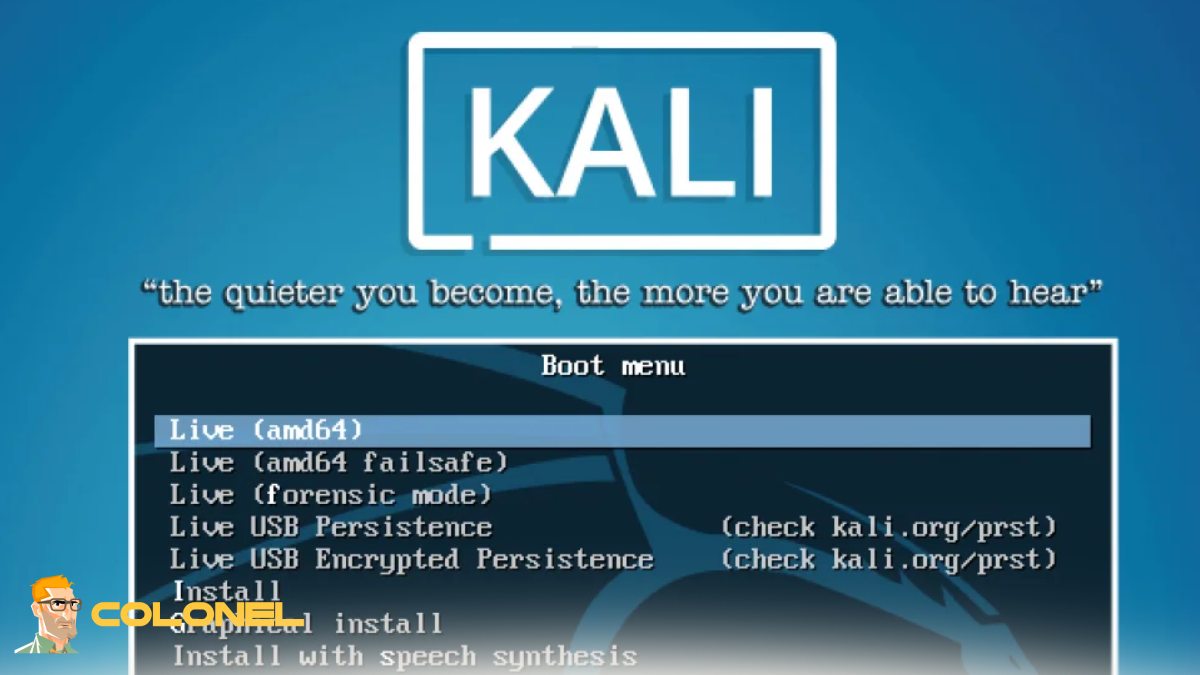
Un VPS Kali Linux est un serveur privé virtuel fonctionnant avec Kali Linux, a famous penetration testing and security auditing Linux distribution. Instead of installing the operating system on your own computer, the environment is running on the cloud, providing you with dedicated resources, accès à distance, and constant availability. This means security researchers, ethical hackers, and developers can perform scans, execute tools, and test networks from anywhere in the world without being constrained by local computer capabilities. The virtualization environment also enables users to dynamically adjust CPU, BÉLIER, and storage according to project needs, making it a versatile solution for short-term projects and long-term cybersecurity endeavors.
Principales caractéristiques d'un VPS Kali Linux
The main advantage of this environment is its unique toolkit and server-level infrastructure. A Kali Linux VPS usually comes with pre-configured security tools, accès root, excellent uptime, et la possibilité d'exécuter des scripts ou des frameworks personnalisés. Puisqu'il fonctionne dans une configuration virtualisée, il est possible de créer des instantanés et des sauvegardes avant les activités de tests à grande échelle, vous assurer que vous pouvez revenir en arrière en toute sécurité en cas de problème.
Avant de revoir les spécifications, il est utile de voir comment les configurations typiques sont structurées:
| Fonctionnalité | Description | Pourquoi c'est important |
|---|---|---|
| Ressources dédiées | Processeur alloué, BÉLIER, SSD | Performances stables pour les analyses lourdes |
| Accès racine complet | Contrôle administratif complet | Personnalisation avancée |
| Accès à distance | SSH ou bureau à distance | Travaillez de n'importe où |
| Forfaits évolutifs | Mettez à niveau à tout moment | Gère des charges de travail croissantes |
| Protection contre les attaques DDoS | Défense au niveau du réseau | Assure la disponibilité pendant les tests |
Ces caractéristiques rendent l'environnement adapté aux opérations de niveau professionnel qui nécessitent fiabilité et contrôle..

Hébergement Web WordPress
À partir de 3,99 $/mois
Avantages de l'utilisation d'un VPS Kali Linux pour la cybersécurité
En matière d’opérations de cybersécurité, avoir un VPS Kali Linux offre des avantages qui vont au-delà de la simple commodité. Il permet aux testeurs de travailler à partir d'une plage IP non native, par opposition à leur réseau domestique, ce qui est essentiel au maintien de la ségrégation opérationnelle. Analyses de vulnérabilités de longue durée, audits de mots de passe, et les opérations de collecte de données OSINT peuvent être effectuées 24/7 sans impact sur les performances du système local.
Les principaux avantages sont:
- Fonctionnement continu pour les évaluations à grande échelle
- Isolation sécurisée des appareils personnels
- Traitement plus rapide avec le matériel serveur
- Emplacements de déploiement mondiaux pour les tests de latence
Ces avantages le rendent idéal pour les professionnels gérant des évaluations au niveau de l'entreprise ou des programmes de bug bounty..
Kali Linux VPS vs installation locale
Le choix d'opter pour un VPS ou une installation locale dépend du flux de travail. Un VPS Kali Linux élimine les contraintes matérielles et le besoin d'énergie. Vos analyses ne seront pas interrompues même si votre ordinateur portable tombe en panne, and you won’t have to worry about overheating and resource depletion.
Local installations, d'autre part, give you direct hardware interaction and offline functionality. Cependant, for most contemporary penetration testing engagements, remote hosting is more conducive to collaboration, management, and resource scaling.

Serveur VPS pas cher
À partir de 2,99 $/mois
Qui devrait utiliser un VPS Kali Linux?
A Kali Linux VPS is not limited to penetration testers. A Kali Linux VPS is beneficial for a variety of users, including security researchers, red teamers, administrateurs système, and even students studying ethical hacking.

Meilleurs cas d'utilisation pour le VPS Kali Linux
The versatility of Kali Linux VPS makes it capable of handling a variety of professional tasks:
- Penetration testing of web applications
- Network vulnerability scanning
- OSINT and reconnaissance
- Security training environments
- Hosting CTF practice sites
The fact that it is always connected makes it ideal for automated tasks and team exercises as well.
Avantages en termes de performances et d'évolutivité
Performance is one of the best reasons to switch to Kali Linux VPS. Cloud hosting offers business-grade CPUs, NVMe drives, and fast bandwidth, making scans and tool interactivity much faster. Scalability ensures you only pay for what you use while still having the ability to scale up for bigger projects as well.
Before choosing a plan, it is essential to understand how resource utilization impacts performance:

Hébergement VPS Windows
Remote Access & Full Admin
| Resource | Small Projects | Large Security Assessments |
|---|---|---|
| Processeur | 2–4 cores | 8+ noyaux |
| BÉLIER | 4–8 GB | 16–32 Go |
| Stockage | 80–160 GB SSD | 320+ GB NVMe |
| Bande passante | 1 tuberculose | 5 TB+ |
This structure helps align your server configuration with your operational needs.
Confidentialité et anonymat dans les tests de sécurité à distance
Operational privacy is another major advantage. A Kali Linux VPS allows testers to separate their personal identity from their professional activities. By using remote infrastructure, your home IP address and local network remain untouched during assessments. This is especially important for OSINT operations, reconnaissance, and accessing geographically restricted targets.
As noted by Offensive Security:
“Kali Linux is a powerful platform for penetration testing and security auditing, designed to provide professionals with the tools they need in a reliable environment.”
This reliability becomes even more impactful when deployed in a remote VPS setup.
Comment choisir le meilleur fournisseur VPS Kali Linux
Selecting the right provider requires evaluating performance, sécurité, et un soutien. A Kali Linux VPS should be hosted on infrastructure with strong uptime guarantees, SSD or NVMe storage, and multiple global locations. Root access, snapshot capability, and DDoS protection are essential.
If you’re comparing operating systems for your virtual infrastructure, you can also explore our guide to Meilleures distributions Linux pour serveurs virtuels to understand how Kali fits into a broader server strategy.
Outils essentiels que vous pouvez exécuter sur un VPS Kali Linux
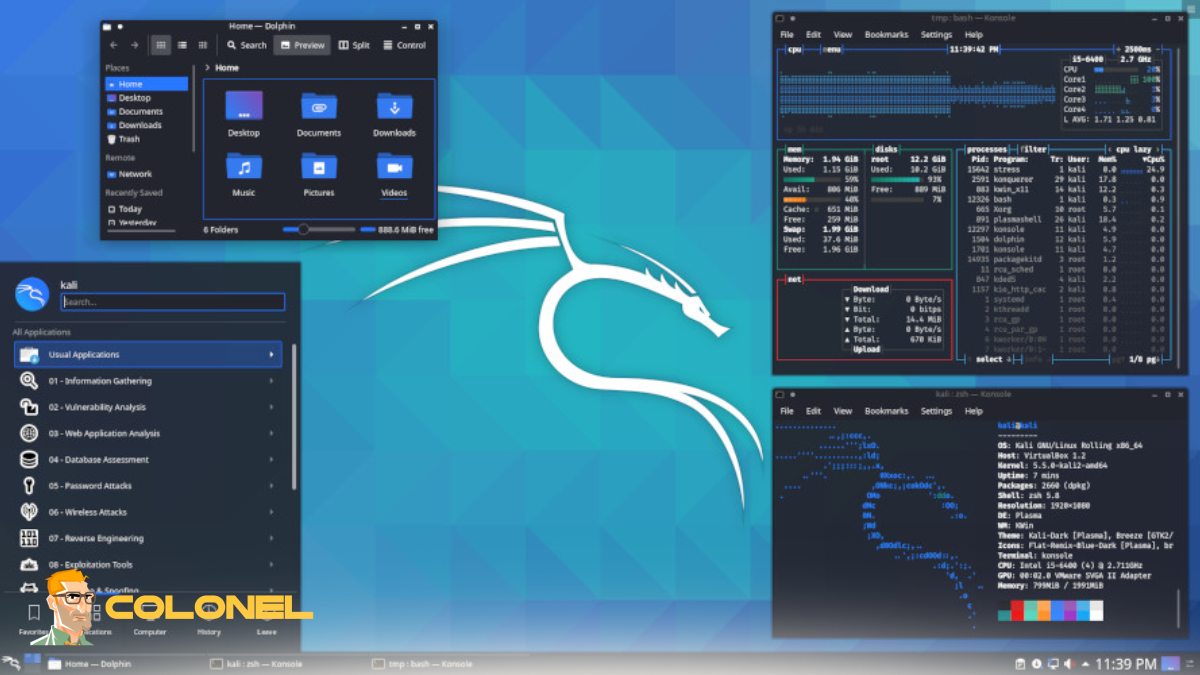
One of the biggest strengths of the platform is its toolset. A Kali Linux VPS can run hundreds of preinstalled tools without additional configuration, including scanners, exploitation frameworks, password auditing utilities, and wireless testing suites. This eliminates the need for manual installation and allows professionals to start working immediately after deployment.
Meilleures pratiques de sécurité pour le VPS Kali Linux
Even though the environment is designed for security work, hardening the server itself is critical. A Kali Linux VPS should always be protected with SSH key authentication, configuration du pare-feu, mises à jour régulières, and restricted access policies. Monitoring login attempts and disabling unused services significantly reduces attack surfaces.
VPS Kali Linux gérés ou non gérés
Managed servers come with support, update, and monitoring services, which are very helpful for new users or organizations that do not have system administrators. Unmanaged servers are cost-effective and give complete control to the user but require expertise in Linux.
Facteurs de coût et tarification
Pricing is based on resource allocation, storage options, bande passante, et gestion. The basic plan is suitable for learning and small lab setups, while the enterprise plan is suitable for professional red team engagements. Hourly pricing plans are also available, which makes the service cost-effective.
Commencer: Comment configurer un VPS Kali Linux
Setting up a Kali Linux VPS involves:
- choosing a hosting provider
- picking a plan
- creating the Kali image
- and accessing the system through SSH or remote desktop.
Étape 1: Choisissez un fournisseur d'hébergement fiable
Start by selecting a VPS provider that offers good uptime, SSD or NVMe storage, accès root, and multiple server locations. Make sure the provider supports Kali Linux images or allows custom ISO deployment.
Étape 2: Sélectionnez le bon plan VPS
Pick a plan based on your workload. For basic learning and small projects, lower CPU and RAM are enough. For penetration testing, automation, or large scans, choose higher resources to ensure smooth performance.
Étape 3: Déployer l'image Kali Linux
From the provider’s control panel, choose Kali Linux as the operating system. If it’s not available, upload a custom image or install it manually using an ISO and follow the standard installation process.
Étape 4: Connectez-vous à votre serveur
Once the deployment is complete, access your server using:
- SSH for command-line control
- Bureau à distance (RDP/VNC) if you prefer a graphical interface
- Use the credentials provided by your hosting service.
Étape 5: Mettre à jour le système
After the first login, update the package list and upgrade installed packages to ensure your system is secure and running the latest versions of all tools.
Étape 6: Créer un nouvel utilisateur et sécuriser l'accès
Add a non-root user, configure SSH key authentication, and disable password login for better security. You can also change the default SSH port to reduce unauthorized access attempts.
Étape 7: Installer des outils et des dépendances supplémentaires
Although Kali comes with many preinstalled tools, you may need extra packages depending on your workflow. Install only what you need to keep the system clean and fast.
Étape 8: Configurer le pare-feu et la sécurité de base
Enable a firewall, allow only required ports, and set up intrusion prevention if needed. This protects your environment during long-term operations.
Étape 9: Créer un instantané avant des tests approfondis
Before running large scans or making major changes, take a snapshot of your VPS. This allows you to quickly restore the system to a stable state if something goes wrong.
Étape 10: Commencez à travailler et évoluez si nécessaire
Your Kali Linux environment is now ready. As your projects grow, vous pouvez mettre à niveau le processeur, BÉLIER, or storage without reinstalling the system.
Pensées finales: Un VPS Kali Linux en vaut-il la peine?
For modern cybersecurity workflows, remote infrastructure provides unmatched flexibility, évolutivité, and operational security. It enables professionals to work without hardware limitations, collaborate globally, and run long-term assessments without interruption. Whether you are an ethical hacker, researcher, or advanced learner, moving your lab to the cloud can significantly improve efficiency and performance while maintaining full control over your testing environment.