
Colonel Server

Microsoft 365 Business Email Solutions

Work smarter with full access to Microsoft applications like Outlook, Word, Excel, Teams, and OneDrive (cloud storage).


Enhance team collaboration, manage documents in real-time, and stay connected — all from a unified business platform. 😍

✅ Price refers to Microsoft 365 mailbox with 50 GB space

✅ including Outlook Web App

✅ 1TB OneDrive storage included with Business licenses

microsoft365-hosting

Microsoft365
Exchange Online

€7.80per user / month

Professional email hosting with secure, reliable communication and seamless access across all devices.

Purchase Plan
  • 50 GB Storage
  • Spam filter
  • Outlook WebApp
  • Sync with Mobile

Microsoft365
Business Basic

€7.60per user / month

Essential cloud tools for email, storage, and collaboration — perfect for teams getting started.

Purchase Plan
  • 50 GB Storage
  • Spam filter
  • Outlook WebApp
  • Sync with Mobile
  • Online Cloud Storage
  • Office WebApps

Microsoft365
Business Standard

€15.90per user / month

Advanced productivity with desktop apps, cloud storage, and full collaboration tools for growing businesses.

Purchase Plan
  • 50 GB Storage
  • Spam filter
  • Outlook WebApp
  • Sync with Mobile
  • Online Cloud Storage
  • Office WebApps
  • Office Desktop Apps
  • Appointment module

Take a look at our available email solutions and choose the one that works best for your workflow.

How to Set Up Microsoft 365 Business Email

Credibly supply 24/365 web services with customer directed methods of empowerment. Collaboratively
extend sustainable e-markets architectures.

icon pricing

Choose a Microsoft 365 Plan

Whether you're a solo professional or managing a large team, pick the Microsoft 365 plan that fits your needs. Start with Business Basic for essential tools and cloud access, or upgrade to Business Standard or Business Premium for full access to desktop apps like Outlook, Word, Excel, Teams, and more.

icon checkout

Proceed to checkout

Select the number of users and choose your billing cycle (monthly or yearly). Once you complete your purchase, you’ll receive immediate access to your Microsoft 365 Admin Center, where you can assign licenses and set up your business accounts.

icon email

Set Up Your Microsoft 365 Email

Create custom email addresses using your domain (e.g. [email protected]) and configure DNS records (MX, SPF, DKIM) to ensure reliable delivery. Sync your mail across devices and start using Outlook, Teams, OneDrive, and more — everything your business needs to communicate and collaborate securely.

Simple Yet Powerful Business Applications

Microsoft 365 brings together the tools you already know in a more powerful and connected environment. With Outlook business email, you can create a professional identity using your own domain ([email protected] ) while managing emails, calendars, and tasks in one place. The built-in calendar seamlessly integrates with your inbox, helping you schedule meetings, track events, and stay organized without switching between tools.

Microsoft Outlook detials

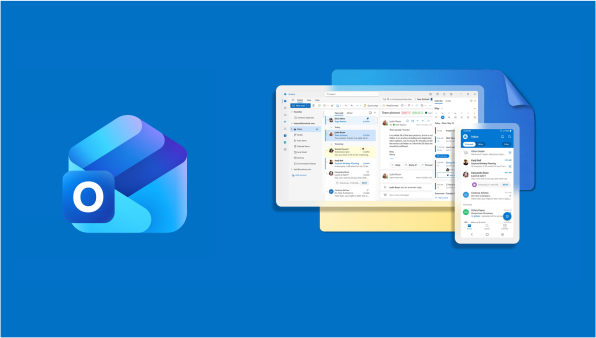
Outlook – Professional Email for Business

Outlook delivers a complete email solution designed for modern businesses. With advanced features, strong reliability, and seamless integration across devices, you can manage all your communication efficiently from a single platform.

Outlook Calendar – Stay Organized & On Time

Never miss an important meeting or deadline again. Outlook Calendar allows you to schedule, manage, and track events effortlessly, helping you stay productive and in control of your daily workflow.
Complete Office Suite for Productivity

Work Smarter with Microsoft 365 Apps Microsoft 365 includes industry-leading tools like Word, Excel, and PowerPoint, enabling your team to create, edit, and collaborate from anywhere. All files are automatically saved in the cloud, so you always have access to the latest version, whether you're working from the office or remotely.

Word – Create Professional Documents

Write, edit, and format documents with ease using Microsoft Word. Perfect for reports, proposals, and business documentation with powerful editing tools.

Excel – Advanced Data & Analysis

Analyze data, build reports, and make smarter business decisions with Excel’s powerful spreadsheet features and automation tools.

PowerPoint – Present with Impact

Design professional presentations with ease. PowerPoint provides everything you need to deliver clear, engaging, and visually compelling slides.

Microsoft 365 service detail
Microsoft cloud and office

Secure Cloud Storage with OneDrive

Keep Your Files Safe & Accessible Anywhere OneDrive provides secure cloud storage for all your business files. Store, access, and share documents from any device while maintaining full control over your data. With automatic syncing and version control, your files are always up-to-date and protected against data loss.

OneDrive – Centralized File Management

Store all your company files in one secure location. Easily manage, share, and access data without relying on local storage or outdated systems.

Use Case of Microsoft365?

Business Email & Communication

Microsoft 365 is ideal for businesses that need professional email hosting with Outlook. It provides secure, reliable communication with custom domain email addresses.

Remote Work & Team Collaboration

Perfect for distributed teams working from different locations. Tools like Microsoft Teams, OneDrive, and SharePoint enable seamless collaboration and file sharing.

Corporate & Enterprise Environments

Designed for organizations that require structured workflows, user management, and advanced security features across departments.

Document Management & Productivity

Create, edit, and manage documents using Word, Excel, and PowerPoint with real-time collaboration and cloud storage integration.

Secure Data & Compliance Workloads

Suitable for businesses that need data protection, compliance features, and enterprise-grade security for sensitive information.

Why Use Microsoft365 Mail

icon 01

Easy Email Management

Manage all your email accounts with ease through a simple and intuitive control panel. Configure devices, update DNS settings, organize folders, and send emails directly using our built-in webmail client.

icon 02

Hassle-Free Configuration

Set up your email with Apple Mail, Outlook, Thunderbird, or any email app — no technical skills required. We support IMAP, POP3, and SMTP for smooth and fast auto-configuration.

icon 03

Smart Email Automation

Enable auto-replies while you're away, forward incoming emails to multiple addresses, and use catch-all mailboxes to ensure no message is lost due to typos.

icon 04

Advanced Email Security

Protect your inbox with built-in SPF, DKIM, and DMARC protocols. Automatically block spam, phishing attempts, and malicious content, with extra layers of internal email security.

icon 05

Full Access Logs & Activity Tracking

Monitor all user activity with detailed logs. See who logged in, when, from where, and what actions they performed — including sent and received messages.

icon 06

Scalable Mailbox Storage

Easily expand your storage as your team grows. Assign additional space to specific users or distribute it across multiple accounts — all based on your business requirements.

Ready to get started? Help or migrate?

Professional Email Address That Builds Trust

Your email address is more than just a way to communicate — it’s a reflection of your brand. With a domain-based business email address (like [email protected]), you instantly present a trustworthy and professional image to your customers. Stand out from the crowd, look credible, and make every message count.

man

Microsoft365 email FAQs

Find clear answers to the most frequently asked questions about our business email hosting

Exchange Online is the cloud version of Microsoft Exchange. You get professional email, calendar and contacts, without your own mail server.

Microsoft 365 is a cloud-based productivity suite by Microsoft that includes apps like Outlook, Word, Excel, PowerPoint, Teams, OneDrive, and more. It allows users to work, communicate, and collaborate from anywhere on any device.

Yes. We provide email migration services to help you transfer emails, contacts, calendars, and documents from your current provider to Microsoft 365 with minimal downtime.

In addition to Exchange Online, you get Teams, OneDrive, and web versions of Office apps. No desktop installs included.

A business email account uses your own domain name — like [email protected] — instead of a free email provider such as Gmail or Yahoo.
This instantly makes your business appear more professional, credible, and trustworthy.

Customers are often hesitant to trust businesses that use personal email addresses, as anyone can create them for free. By using a branded email, you set yourself apart from unverified companies, reinforce your brand identity, and show that you're serious about your business.

Yes, absolutely.
Once you purchase a plan and set up your email account, you can use our simple Email Import Tool to transfer emails from your previous provider — no technical skills required.
Migration takes just a few clicks, and your old messages, folders, and structure will stay intact.

Need help? Check out our step-by-step guide on how to migrate business emails to ColonelServer.

Yes, your business email works seamlessly on both Android and iOS devices.
You can set it up using any standard email app available in the App Store or Google Play, including Apple Mail, Gmail, Outlook, and others.

Yes, we offer automated daily backups with easy recovery options. You can restore full mailboxes or individual emails anytime from the control panel.

Our servers are equipped with advanced spam filters, anti-virus engines, and email authentication protocols (SPF, DKIM, DMARC) to ensure maximum protection from threats and unsolicited messages.

Yes, you can scale your mailbox storage anytime. Simply choose a higher tier or purchase additional storage blocks based on your needs.

Yes, all our email plans include access to a secure and modern webmail interface, allowing you to send, receive, and organize your emails directly from your browser.

Only with Business Standard. Business Basic works with online versions of the Office apps.