
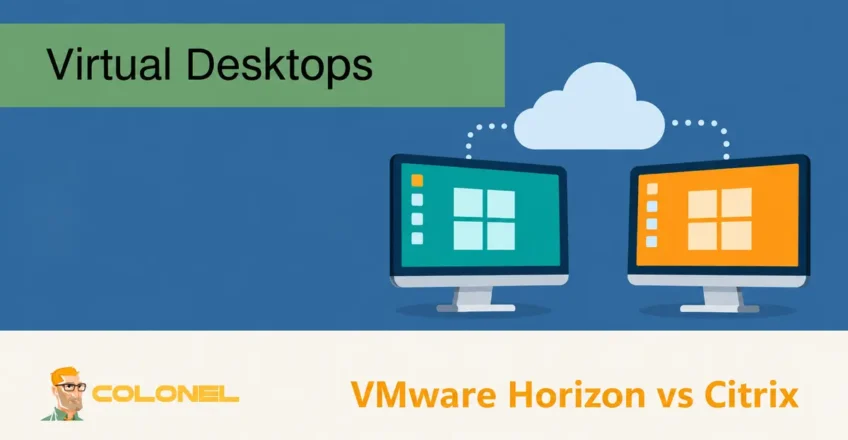
Understanding Virtual Desktop Infrastructure (VDI)
Virtual Desktop Infrastructure (VDI) enables organizations to deliver desktop environments and applications from centralized servers rather than relying solely on local devices. Users can securely access their desktops from virtually any location while administrators maintain centralized control over resources, sécurité, et gestion.
As remote work, hybrid environments, and cloud adoption continue to expand, VDI solutions have become a critical component of modern IT infrastructure.
Among the most widely deployed platforms are VMware Horizon and Citrix Virtual Apps and Desktops. Both solutions provide virtual desktop and application delivery capabilities, but they differ significantly in architecture, gestion, évolutivité, licensing, and deployment strategies.
This guide examines the key differences between these two platforms to help organizations determine which solution aligns best with their operational requirements.
Why Organizations Adopt VDI Solutions
Virtual desktop environments offer several benefits over traditional desktop deployments.
Common advantages include:

Hébergement Web WordPress
À partir de 3,99 $/mois
- Centralized desktop management
- Improved security controls
- Simplified software deployment
- Enhanced support for remote work
- Reduced endpoint dependency
- Better disaster recovery capabilities
- Consistent user experiences across devices
By hosting desktops and applications in centralized infrastructure, organizations can maintain greater control over data while reducing administrative complexity.
VMware Horizon and Citrix at a Glance
Both VMware Horizon and Citrix Virtual Apps and Desktops are mature enterprise-grade VDI solutions used worldwide.
While they share many capabilities, their design philosophies differ.
VMware Horizon
VMware Horizon is built around the VMware virtualization ecosystem and is designed to deliver desktops and applications across on-premises, hybride, et environnements cloud.
Key strengths include:
- Deep VMware integration
- Gestion simplifiée
- Strong performance
- Rapid desktop provisioning
- Consistent administration experience
Citrix Virtual Apps and Desktops
Citrix focuses heavily on application delivery and remote access technologies.
Serveur VPS pas cher
À partir de 2,99 $/mois
Key strengths include:
- Multi-cloud flexibility
- Advanced remote access optimization
- Broad hypervisor compatibility
- Mature application virtualization features
- Extensive protocol optimization
Typical Use Cases
Both platforms are used across a variety of industries, although deployment patterns often differ.
VMware Horizon Deployments
VMware Horizon is commonly used for:
- Education environments
- Organisations de santé
- Research and development teams
- Engineering departments
- Creative and design workloads
- Enterprise desktop virtualization
Its flexibility makes it suitable for both small businesses and large enterprises.
Citrix Deployments
Citrix is frequently deployed in:
- Grandes entreprises
- Distributed organizations
- Multi-site environments
- Remote workforce deployments
- Highly regulated industries
Its remote access capabilities have historically made it a popular choice for organizations with geographically dispersed users.
Hébergement VPS Windows
Accès à distance et administrateur complet
Hypervisor Support
The underlying hypervisor plays a major role in performance, gestion, et évolutivité.
VMware Horizon Hypervisor Support
VMware Horizon is tightly integrated with VMware ESXi.
This close integration provides:
- Optimized performance
- Simplified lifecycle management
- Unified administration
- Advanced automation capabilities
Organizations already invested in VMware infrastructure often benefit from seamless deployment and management experiences.
VMware also provides support for selected third-party hypervisors in specific deployment scenarios.
Citrix Hypervisor Support
Citrix supports multiple hypervisors, y compris:
- VMware ESXi
- Microsoft Hyper-V
- Citrix Hypervisor
- Nutanix AHV
This flexibility allows organizations to leverage existing infrastructure investments and avoid dependence on a single virtualization platform.
Cependant, supporting multiple hypervisors may increase operational complexity and administrative overhead.
Architecture and Core Components
Understanding the architecture behind each platform helps explain how they differ operationally.
VMware Horizon Architecture
VMware Horizon relies on several core components.
Horizon Control Plane
Provides centralized management across hybrid and cloud environments.
Connection Server
Handles user authentication and desktop assignment.
Horizon Agent
Installed on virtual desktops to facilitate communication with Horizon services.
Unified Access Gateway
Provides secure remote access for external users.
App Volumes
Delivers applications dynamically without modifying base desktop images.
Dynamic Environment Manager
Manages user settings and personalization across sessions.
Instant Clones
Rapidly creates desktops from a master image while reducing storage consumption.
Citrix Architecture
Citrix Virtual Apps and Desktops uses the FlexCast Management Architecture (FMA).
Les composants clés comprennent:
Delivery Controllers
Manage desktop and application delivery.
Virtual Delivery Agent (VDA)
Installed on virtual machines that provide applications or desktops.
Citrix StoreFront
Handles authentication and user access.
Citrix Workspace
Provides centralized access to resources.
Citrix Studio
Used for configuration and administration.
Citrix Director
Provides monitoring, diagnostics, and troubleshooting capabilities.
This architecture supports both Fenêtres and Linux workloads while providing considerable deployment flexibility.
Performance and Resource Efficiency
Performance remains one of the most important considerations when selecting a VDI platform.
VMware Horizon Performance
VMware Horizon is known for:
- Strong graphical performance
- GPU virtualization support
- High desktop density
- Reliable scalability
- Utilisation efficace des ressources
The VMware OS Optimization Tool helps administrators reduce unnecessary operating system resource consumption, allowing hosts to support more virtual desktops.
Integration with VMware vSphere and vSAN further enhances performance and resilience.
Instant Clones
Instant Clones significantly reduce deployment times by rapidly creating desktops from a parent image.
Les avantages incluent:
- Faster provisioning
- Reduced storage requirements
- Simplified image management
Citrix Performance
Citrix has long been recognized for its remote session optimization technologies.
HDX Technology
HDX is Citrix’s proprietary display protocol designed to provide responsive user experiences across:
- High-latency connections
- Limited bandwidth environments
- Mobile networks
- Remote locations
Additional optimization tools include:
- Citrix Profile Management
- Workspace Environment Management (WEM)
- Machine Creation Services (MCS)
- Citrix Provisioning Services (PVS)
These technologies help improve performance while minimizing resource consumption.
Cloud Integration and Scalability
Cloud flexibility has become increasingly important as organizations adopt hybrid infrastructure strategies.
VMware Horizon Cloud Integration
VMware Horizon integrates with:
- VMware Cloud on AWS
- Azure VMware Solution
- Google Cloud VMware Engine
- Oracle Cloud VMware Solution
- Alibaba Cloud VMware Service
These integrations allow organizations to extend existing VMware environments into public cloud platforms while maintaining operational consistency.
Citrix Cloud Integration
Citrix supports:
- Amazon Web Services
- Microsoft Azure
- Google Cloud Platform
Its architecture is designed for hybrid and multi-cloud deployments, allowing organizations to deploy workloads across multiple providers simultaneously.
For businesses prioritizing cloud flexibility, Citrix may offer broader native cloud deployment options.
Fonctionnalités de sécurité
Security is a major consideration when delivering desktops and applications remotely.
VMware Horizon Security
VMware Horizon integrates with several VMware security technologies.
Les fonctionnalités incluent:
- Multi-factor authentication support
- Conditional access policies
- VMware NSX integration
- Micro-segmentation capabilities
- Secure remote access gateways
- FIPS 140-2 soutien
Organizations already using VMware security products often benefit from tighter integration and simplified deployment.
Citrix Security
Citrix provides:
- Adaptive authentication
- Application protection controls
- Security analytics
- Policy-based access controls
- Secure remote access capabilities
Citrix offers a highly capable security framework, although certain advanced configurations may require additional setup and ongoing administration.
User Experience and Management
Ease of use impacts both administrators and end users.
VMware Horizon User Experience
VMware Horizon is frequently praised for:
- Intuitive administration
- Simplified deployment
- Consistent management workflows
- Tight integration with VMware tools
Administrators familiar with VMware products often experience a shorter learning curve.
Display Protocols
VMware Horizon supports:
- Blast Extreme
- PCoIP
- RDP
Blast Extreme is optimized for modern remote desktop workloads and provides strong performance across a variety of network conditions.
Citrix User Experience
Citrix utilizes HDX technology, which is widely regarded as one of the most advanced remote display protocols available.
Les avantages incluent:
- Excellent performance on slower connections
- Broad device compatibility
- Strong multimedia optimization
Cependant, administrators often report a steeper learning curve compared to VMware Horizon.
Image and Application Management
Desktop and application provisioning efficiency directly affects operational costs.
VMware Horizon
VMware provides:
- Instant Clones
- App Volumes
- Dynamic Environment Manager
These technologies simplify image maintenance while enabling rapid deployment.
Citrix
Citrix offers:
- Machine Creation Services (MCS)
- Provisioning Services (PVS)
- App Layering
These tools provide powerful image management capabilities and allow administrators to separate operating systems, candidatures, and user settings.
Licensing and Cost Considerations
Cost structures differ significantly between the two platforms.
VMware Horizon Licensing
VMware licensing is generally easier to understand and predict, particularly for organizations already invested in the VMware ecosystem.
Les avantages incluent:
- Straightforward licensing models
- Simplified budgeting
- Strong integration with existing VMware deployments
Initial costs may be higher in some scenarios, but management complexity is often reduced.
Citrix Licensing
Citrix offers flexible subscription-based licensing options.
Les avantages incluent:
- Usage-based flexibility
- Multiple deployment models
- Broad feature availability
Cependant, licensing structures can become more complex, particularly when multiple Citrix products and components are involved.
Organizations should carefully evaluate long-term operational and licensing costs before making a decision.
Choosing the Right VDI Platform
Selecting the best VDI solution depends on organizational priorities.
VMware Horizon is often a strong fit for organizations that:
- Already use VMware infrastructure
- Prefer simplified administration
- Need high-performance desktop delivery
- Require rapid desktop provisioning
- Value predictable management and licensing
Citrix may be more suitable for organizations that:
- Operate across multiple cloud platforms
- Require advanced remote access optimization
- Support highly distributed workforces
- Need extensive hypervisor flexibility
- Have existing Citrix expertise
Final Considerations
Both VMware Horizon and Citrix Virtual Apps and Desktops are mature enterprise VDI platforms capable of supporting large-scale deployments.
Citrix excels in remote access optimization and multi-cloud flexibility, while VMware Horizon stands out through its deep VMware ecosystem integration, simplified management, strong performance, and streamlined deployment processes.
The ideal solution depends on existing infrastructure investments, administrative expertise, cloud strategy, performance requirements, and long-term operational goals. Evaluating these factors carefully will help ensure the selected VDI platform aligns with both current needs and future growth plans.