

Web accessibility is no longer optional for modern WordPress websites, as an accessible site directly impacts usability, search visibility, and legal compliance. Understanding the best WordPress accessibility plugins allows you to remove barriers for users with disabilities while simultaneously improving SEO signals such as usability, engagement, and content clarity.
An accessible WordPress website ensures that users with visual, auditory, motor, or cognitive limitations can navigate, read, and interact with your content without friction. From an SEO perspective, accessibility aligns with Google’s focus on user experience, making accessibility plugins a practical investment rather than a cosmetic feature.
Types of WordPress Accessibility Plugins Explained
WordPress accessibility plugins generally fall into two categories because they address accessibility challenges in different ways. Understanding this distinction helps you choose the right solution based on your site’s goals.
Accessibility overlay plugins focus on user-controlled adjustments, while accessibility enhancer plugins focus on code-level improvements. Each category has its strengths and limitations, and in many cases, combining both provides better coverage.

Accessibility Overlays
Accessibility overlays work by adding a floating interface to your website that allows visitors to customize how content appears. These plugins are often visually noticeable and prioritize user preference controls.

WordPress Web Hosting
Starting From $3.99/Monthly
Before listing features, it is important to understand that overlays do not fix underlying code issues. Instead, they modify the presentation layer for each visitor session. Common overlay features are:
- Font size and spacing adjustments
- Color contrast and grayscale modes
- Reading guides and cursor enhancements
- Pause animations and visual effects.
Overlays are useful for quick improvements but should not be treated as full compliance solutions.
Accessibility Enhancers
Accessibility enhancers focus on improving the website’s HTML structure and semantic markup as pages load. These plugins strengthen accessibility at the code level, which benefits screen readers and keyboard navigation directly.
Unlike overlays, enhancers work behind the scenes and improve long-term accessibility foundations. They align more closely with WCAG principles and technical SEO standards. Typical enhancer features include:
- Skip-to-content links
- Proper form labeling
- ARIA attributes and landmarks
- Focus indicators and heading hierarchy fixes.
Top 10 Best WordPress Accessibility Plugins Overview
The best WordPress accessibility plugins, such as One Click and Userway, stand out because they combine usability, performance, and compliance support. The following sections analyze each plugin individually, highlighting strengths, limitations, and ideal use cases.
Rather than listing features mechanically, each plugin is evaluated based on how it contributes to real accessibility outcomes and SEO alignment.

Cheap VPS Server
Starting From $2.99/Monthly
1. One Click Accessibility
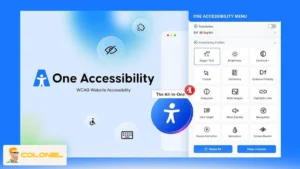
One Click Accessibility is one of the most widely used WordPress accessibility plugins because it delivers immediate improvements with minimal configuration. It focuses on simplicity while covering essential accessibility needs.
| Attribute | Details |
| Best for | Quick accessibility improvements |
| Pricing | Free |
| Plugin type | Accessibility overlay |
| Performance impact | Minimal |
This plugin adds a user-friendly toolbar that enhances navigation and readability without requiring coding knowledge. Its lightweight nature makes it suitable for content-heavy WordPress websites. Core strengths of One Click Accessibility include:
- Skip-to-content links for keyboard users
- Font resizing and readable font options
- High contrast and negative contrast modes
- Outline focus for improved navigation visibility.
2. Accessibility Widget by UserWay
Accessibility Widget by UserWay positions itself as a comprehensive overlay solution designed to improve accessibility coverage quickly. It is often chosen by site owners seeking visible accessibility controls. Key features include:
- Screen reader support
- Text display customization
- Color inversion and desaturation
- AI-generated alt text in premium plans
The plugin offers a freemium model, with advanced compliance features available in paid plans. While the free version provides limited coverage, the premium plans significantly expand functionality.
| Attribute | Details |
| Best for | User-controlled accessibility overlays |
| Pricing | Freemium |
| Plugin type | Accessibility overlay |
| Compliance focus | ADA and WCAG |
3. WP Accessibility
WP Accessibility is a code-focused solution created by an accessibility specialist, making it one of the most trusted WordPress accessibility plugins for structural improvements.

Windows VPS Hosting
Remote Access & Full Admin
Unlike overlays, this plugin improves markup and navigation logic directly, supporting screen readers and keyboard users more effectively. Notable capabilities include:
- Language and text direction attributes
- Skip navigation links
- Accessible form labeling
- Color contrast testing tools
Its flexible settings allow administrators to enable only the features they need, reducing unnecessary complexity. Here are more details:
| Attribute | Details |
| Best for | Code-level accessibility fixes |
| Pricing | Free |
| Plugin type | Accessibility enhancer |
| Developer focus | High |
4. WP Accessibility Helper (WAH)
WP Accessibility Helper is designed for site owners who want deeper visibility into accessibility issues across pages and posts. It focuses on detection first, then controlled remediation, making it suitable for larger WordPress websites. Key capabilities include:
- Full-page DOM accessibility scanning
- Sidebar-based accessibility controls
- Readable font and contrast modes
- CSS animation and effect suppression
The plugin scans content using DOM-based analysis and highlights accessibility barriers that often go unnoticed in manual reviews. This approach supports informed decision-making rather than blind automation.
| Attribute | Details |
| Best for | Accessibility audits and diagnostics |
| Pricing | Freemium |
| Plugin type | Accessibility enhancer + overlay |
| Use case | Medium to large content sites |
5. WP ADA Compliance Check Basic
WP ADA Compliance Check Basic focuses on regulatory compliance by scanning WordPress content against ADA, WCAG 2.1, and Section 508 standards. It is especially valuable for organizations operating in regulated environments.
| Attribute | Details |
| Best for | Compliance-focused websites |
| Pricing | Freemium |
| Plugin type | Accessibility auditor |
| Compliance scope | ADA, WCAG 2.1, Section 508 |
Instead of offering visual widgets, this plugin emphasizes structured error reporting, making accessibility issues measurable and trackable inside the WordPress dashboard. The most important features of WP ADA are:
- Automated post and page scanning
- Detailed accessibility error reports
- Contrast ratio and heading order checks
- Theme-level accessibility detection (premium)
6. Equalize Digital Accessibility Checker
Equalize Digital Accessibility Checker integrates directly into the WordPress editor, allowing content creators to identify accessibility issues during the publishing process.
By providing real-time feedback, the plugin reduces the risk of publishing inaccessible content and supports long-term accessibility consistency across teams. Notable strengths include:
- In-editor accessibility warnings
- Bulk page scanning (paid plans)
- Readability analysis
- Centralized issue tracking
This makes it one of the most workflow-friendly WordPress accessibility plugins. Also, consider the following:
| Attribute | Details |
| Best for | Editorial teams and content workflows |
| Pricing | Freemium |
| Plugin type | Accessibility enhancer |
| Feedback timing | Real-time in editor |
7. accessWidget by accessiBe
accessWidget by accessiBe is an AI-driven accessibility overlay designed for automated, continuous accessibility adjustments. It performs daily scans and applies changes dynamically to improve compliance coverage. Key elements include:
- AI-powered accessibility adjustments
- Multi-language support
- Daily compliance scans
- Visual and cognitive accessibility modes
This solution targets organizations that prefer minimal manual involvement, although it should be used with an understanding of overlay limitations.
| Attribute | Details |
| Best for | Automated accessibility overlays |
| Pricing | Freemium |
| Plugin type | Accessibility overlay |
| Automation level | High |
8. Enable Accessibility
Enable Accessibility delivers a toolbar-based solution that prioritizes usability and visitor control. It is particularly useful for sites that want visible accessibility options without complex configuration.
| Attribute | Details |
| Best for | Visitor-controlled accessibility |
| Pricing | Freemium |
| Plugin type | Accessibility overlay |
| Setup complexity | Low |
The plugin places controls directly on the front end, empowering users to adjust their experience independently. Core functionality includes:
- Font size and contrast control
- Improved keyboard navigation
- Animation pause options
- Link highlighting
9. Accessibility Lite
Accessibility Lite is optimized for performance-sensitive websites that require accessibility improvements without adding heavy scripts. Despite its minimal footprint, the plugin covers essential accessibility functions and allows advanced customization through CSS. Key features of Accessibility Lite include:
- Font scaling and zoom controls
- Link highlighting
- Focus mode enhancements
- Optional custom CSS integration
Its lightweight structure makes it suitable for speed-focused WordPress installations.
| Attribute | Details |
| Best for | Lightweight accessibility needs |
| Pricing | Freemium |
| Plugin type | Accessibility overlay |
| Performance impact | Very low |
10. Accessibility Press
Accessibility Press rounds out the list as a visually refined accessibility toolbar with strong multilingual support. Its RTL and LTR compatibility makes it a solid option for international WordPress websites.
| Attribute | Details |
| Best for | Multilingual WordPress sites |
| Pricing | Freemium |
| Plugin type | Accessibility overlay |
| Language support | High |
The plugin focuses on clarity, usability, and broad language coverage rather than aggressive automation. Main highlights include:
- Grayscale and contrast modes
- Zoom and font size controls
- Custom cursor options
- RTL and LTR language support
Factors to Consider When Choosing the Best WordPress Accessibility Plugins
Choosing the best WordPress accessibility plugins requires evaluating more than popularity because accessibility needs vary by site type and audience. A structured evaluation prevents performance issues and compliance gaps.
Before examining plugin lists, consider how each factor contributes to sustainable accessibility improvements rather than surface-level fixes.
Feature Coverage and Depth
A strong accessibility plugin addresses multiple accessibility barriers rather than focusing on a single feature. Plugins that combine navigation, readability, and assistive technology support offer better long-term value.
Look for solutions that support WCAG guidelines, ARIA labels, keyboard navigation, and visual accessibility adjustments without creating conflicts with your theme.
Compatibility and Performance Impact
Accessibility plugins must integrate smoothly with your WordPress theme, page builder, and existing plugins. Compatibility issues can break layouts or introduce usability problems.
Performance also matters because heavy JavaScript overlays can slow page load times. Lightweight enhancers often perform better on high-traffic or SEO-sensitive websites.
Usability for Administrators and Visitors
An effective accessibility plugin balances simplicity with control. Administrators should be able to configure features without technical friction, while visitors should experience intuitive controls without confusion.
Plugins with clear dashboards, logical settings, and documentation tend to perform better in real-world usage.
Why Accessibility Matters for WordPress Websites
Accessibility matters because it ensures digital inclusivity while improving overall site quality and search performance. When accessibility principles are applied through the best WordPress accessibility plugins, your website becomes easier to navigate for both users and search engines.
From a compliance standpoint, accessibility helps align your site with WCAG guidelines and ADA requirements. From a business standpoint, it expands your audience reach, reduces bounce rates, and strengthens trust. Accessibility is not only about disabilities; it improves usability for mobile users, aging audiences, and users in challenging environments.
How WordPress Accessibility Plugins Impact SEO
WordPress accessibility plugins influence SEO because search engines increasingly reward sites that deliver clear, inclusive user experiences. Accessibility improvements often overlap with technical and on-page SEO best practices.
When a site uses accessibility plugins to improve heading structure, alt text, keyboard navigation, and content clarity, it sends stronger usability signals to search engines. These signals support higher engagement metrics, which indirectly affect rankings.
From a technical perspective, accessibility plugins often clean up markup, enforce semantic HTML, and enhance navigation logic. These improvements make it easier for crawlers to understand content hierarchy and relevance, supporting long-term SEO performance. According to W3C:
“Web accessibility is essential for developers and organizations that want to create high-quality websites and web tools, and not exclude people from using their products and services.”

Choosing the Right WordPress Accessibility Plugin
Choosing the right WordPress accessibility plugin depends on how deeply you want to address accessibility requirements and how much control you need over compliance. Some plugins focus on surface-level user interface adjustments, while others improve the underlying code structure to support assistive technologies more effectively.
Overlay-based solutions such as One Click Accessibility or UserWay are suitable for website owners who want quick visual improvements and user-controlled settings with minimal setup. In contrast, plugins like WP Accessibility focus on structural fixes that improve keyboard navigation, semantic markup, and screen reader compatibility at a deeper level.
Frequently Asked Questions About WordPress Accessibility Plugins
What is a WordPress accessibility plugin?
A WordPress accessibility plugin is a tool designed to improve website usability for users with disabilities by supporting screen readers, keyboard navigation, contrast control, and semantic HTML.
Are accessibility overlay plugins enough for WCAG compliance?
Accessibility overlays alone are not sufficient for full WCAG compliance because they do not fix underlying code-level issues. While overlays improve visual accessibility and user control, structural fixes and accessible theme development are still required for comprehensive compliance.
Do WordPress accessibility plugins affect website performance?
Most well-built WordPress accessibility plugins have minimal performance impact, especially lightweight solutions that avoid heavy scripts.
Is accessibility important for SEO?
Yes, features such as proper heading hierarchy, readable text, and keyboard-friendly navigation contribute to better search engine understanding and improved rankings.
Can I use more than one accessibility plugin at the same time?
Using multiple accessibility plugins is possible but not always recommended, as overlapping features may conflict.