


Linux Services and Daemon play a critical role in maintaining the stability, Leistung, and automation of a Linux system. Nearly every background operation—whether it’s handling network connections, running a web server, managing system logs, or scheduling tasks—relies on these essential components. Understanding how they work, how to control them, and how to troubleshoot common issues is fundamental for system administrators and developers alike. This practical guide explores the structure, management, and real-world usage of Linux Services and Daemon, helping you gain confident control over your Linux environment.
What Are Linux Services and Daemons?
Linux Services and Daemons form the operational backbone of any Linux-based system. Whether you are running a personal laptop, a production web server, or a large-scale cloud infrastructure, background services quietly ensure that everything functions smoothly. These components handle networking, Protokollierung, Authentifizierung, scheduled tasks, Datenbankverbindungen, web hosting processes, and countless other operations that users often take for granted. Without them, the operating system would not be able to provide persistent functionality or respond to incoming requests reliably.
In praktischer Hinsicht, services and daemons represent the automation layer of Linux. They allow systems to run continuously without user intervention, respond to events in real time, and recover gracefully from errors. Understanding them is not just theoretical knowledge—it is an essential skill for system administrators, DevOps engineers, Entwickler, and anyone managing Linux environments.

Definition of a Linux Service
A Linux service is a program that runs in the background and provides specific functionality to other programs or users. Services are designed to start at boot time or when triggered by certain events. They may remain active indefinitely or run until a particular task is completed.
Unlike interactive applications that require user input through a graphical interface or terminal, services operate silently in the background. Zum Beispiel, a web server service waits for HTTP requests, a database service listens for client queries, and a mail service processes incoming and outgoing email.

WordPress-Webhosting
Ab 3,99 $/Monat
Services are typically managed by the system’s init system (such as systemd) and are defined through configuration files that specify how and when they should run. They can be controlled, überwacht, and configured without directly interacting with the application code itself.
What Is a Daemon in Linux?
A daemon in Linux is a specialized type of background process that runs independently of user sessions. The term “daemon” originates from Greek mythology and was later adopted in computing to describe processes that work silently in the background.
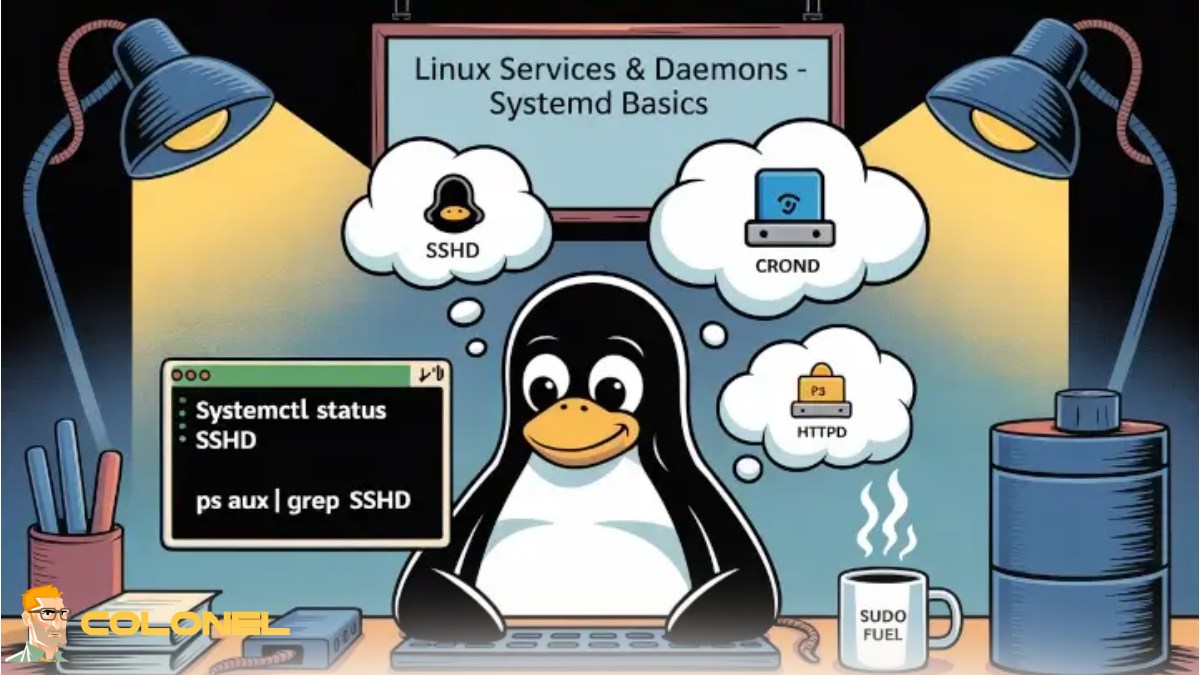
Daemons usually start during system boot and continue running until the system shuts down. They are often identified by a trailing “d” in their names, such as:
- sshd (Secure Shell Daemon)
- httpd (HTTP Server Daemon)
- crond (Cron Scheduler Daemon)
These processes detach from any controlling terminal and operate autonomously. Their primary purpose is to handle requests, monitor system events, or provide persistent services.
Als Roter Hut explains in its official documentation:
“A daemon is a service process that runs in the background and supervises the system or provides functionality to other processes.” — Red Hat
Jetzt kaufen
Günstiger VPS-Server
Ab 2,99 $/Monat
This definition highlights the supervisory and service-oriented nature of daemons within Linux systems.

Difference Between Services and Daemons
Although the terms are often used interchangeably, there is a subtle distinction between services and daemons. A daemon refers specifically to the background process itself, while a service refers to the broader functionality provided by that process.
Zum Beispiel, sshd is the daemon process running in memory, while the SSH service refers to the secure remote access capability provided by that daemon.
In modern Linux systems managed by systemd, both services and daemons are typically controlled through service units, making the distinction less critical from a management perspective. Jedoch, understanding the conceptual difference helps clarify how Linux structures its background operations.
How Linux Services and Daemons Work
Linux services and daemons operate through a structured initialization and process management system. When a Linux machine boots, the kernel loads first, followed by the init system. The init system is responsible for launching essential services and ensuring they remain operational.

Windows VPS-Hosting
Remote Access & Full Admin
These services may depend on one another. Zum Beispiel, a web server service might require the network service to be active before it can start. The init system ensures dependencies are resolved in the correct order.
Background Processes and the init System
The init system is the first process that starts after the Linux kernel boots. Traditionally, Linux used SysVinit, but most modern distributions now use systemd.
The init system performs several critical functions:
- Starting essential services during boot
- Managing service dependencies
- Monitoring and restarting failed services
- Controlling system states (runlevels or targets)
Without the init system, services would not be automatically launched or supervised. This centralized management improves reliability and simplifies administrative tasks.

The Role of systemd in Modern Linux
systemd has become the standard init system for most major Linux distributions, einschließlich Ubuntu, CentOS, Debian, and Fedora. It replaces older init systems with a more powerful and parallelized service management framework.
systemd introduces the concept of units, which represent system resources such as services, sockets, Geräte, and mounts. Service units define how services should behave, including startup order, dependencies, restart policies, and resource limits.
One of systemd’s major advantages is its ability to start services in parallel, significantly reducing boot time. It also provides centralized logging through the journal system, making troubleshooting more efficient.
Service Lifecycle and States
Every Linux service follows a lifecycle. It can exist in various states, such as active, inactive, failed, or restarting. Understanding these states is essential for diagnosing problems.
A typical service lifecycle includes:
- Initialization
- Activation
- Running state
- Stopping
- Failure or restart
If a service crashes, systemd can automatically restart it based on its configuration. This resilience is particularly important for production environments where downtime must be minimized.
Managing Linux Services and Daemons
Effective management of Linux services is crucial for maintaining system stability and performance. Administrators must know how to control services, configure startup behavior, and verify operational status.
Starting, Stopping, and Restarting Services
Controlling services allows administrators to apply updates, troubleshoot issues, or temporarily disable functionality.
Common actions include:
- Starting a service to activate functionality
- Stopping a service to halt operations
- Restarting a service after configuration changes
These operations ensure that system changes take effect without requiring a full system reboot, which is particularly important in production servers.
Enabling and Disabling Services at Boot
Not all services need to run at startup. Enabling unnecessary services can increase attack surfaces and consume system resources.
Administrators can configure whether a service:
- Starts automatically at boot
- Starts only when manually triggered
- Is completely disabled
Proper boot configuration improves system efficiency and security.
Checking Service Status
Monitoring service status provides insight into system health. Administrators can check whether a service is active, when it started, how much memory it uses, and whether it has encountered errors.
Regular status checks help detect issues early before they escalate into system-wide failures.
Understanding systemctl Commands
The systemctl command is the primary tool for managing services in systemd-based systems. It provides a unified interface for controlling and querying service units.
Basic systemctl Commands Explained
Some fundamental systemctl commands include starting, stopping, enabling, disabling, and checking status. These commands allow granular control over system services without editing configuration files directly.
Zum Beispiel, administrators can reload configurations or isolate specific targets (runlevels) for maintenance tasks.
Viewing Logs with journalctl
The journalctl command allows administrators to view logs collected by systemd’s journal service. Unlike traditional log files stored in /var/log, journalctl centralizes log access.
You can filter logs by:
- Service name
- Time range
- Priority level
This centralized logging significantly simplifies troubleshooting efforts.
Troubleshooting Failed Services
When a service fails, administrators should examine logs, verify configuration files, and check dependency services.
Common causes of failure include:
- Incorrect configuration syntax
- Missing dependencies
- Port conflicts
- Insufficient permissions
By systematically analyzing these factors, most service-related issues can be resolved efficiently.
If you are managing a web server and encounter application-level issues, you may also benefit from reading “Häufige WordPress-Fehler und schnelle Lösungen.” Many service-related problems manifest as web application errors, and understanding both layers helps accelerate diagnosis.
Configuring and Customizing Services
Linux allows extensive customization of service behavior through unit files and configuration settings.
Service Unit Files Explained
Service unit files define how a service behaves. These files typically reside in /etc/systemd/system/ or /lib/systemd/system/.
Below is a simplified structure of a service unit file:
| Section | Zweck |
|---|---|
| [Unit] | Defines dependencies and metadata |
| [Service] | Specifies execution parameters |
| [Installieren] | Controls boot-time activation |
Understanding this structure enables administrators to modify startup order, define restart policies, and set environment variables.
Editing and Reloading Configuration Files
When changes are made to service unit files, systemd must reload its configuration to apply updates. Failing to reload may cause outdated settings to persist.
After editing a configuration file, administrators typically reload the daemon and restart the affected service to implement changes safely.
Creating a Custom Service
Creating a custom service allows administrators to automate proprietary scripts or applications. This is especially useful in DevOps environments where automation is critical.
The process generally involves:
- Writing a service unit file
- Defining execution paths and user permissions
- Reloading systemd
- Enabling and starting the service
Custom services enhance flexibility and support infrastructure automation strategies.
Security and Best Practices for Linux Services
Securing Linux services is essential to protect systems from unauthorized access and exploitation.
Running Services with Least Privilege
The principle of least privilege dictates that services should run with the minimum permissions necessary to function. Running services as root unnecessarily increases security risks.
By assigning dedicated service accounts and restricting access, administrators reduce potential attack vectors.
Monitoring Active Services
Regular monitoring ensures that only intended services are running. Unexpected services may indicate misconfiguration or compromise. Administrators should periodically audit active services and disable those that are unnecessary.
Preventing Unauthorized Service Execution
Security measures include:
- Restricting executable permissions
- Limiting network exposure through firewalls
- Enforcing SELinux or AppArmor policies
- Disabling unused services
These measures strengthen system integrity and reduce vulnerabilities.

Common Linux Services You Should Know
Understanding widely used Linux services is essential for practical administration.
SSH (sshd)
The SSH daemon enables secure remote access to Linux systems. It encrypts communication and supports key-based authentication for enhanced security.
Proper configuration of sshd includes disabling root login, changing default ports if necessary, and implementing firewall restrictions.
Apache / Nginx
Apache and Nginx are popular web server services responsible for delivering web content. They listen for HTTP/HTTPS requests and respond with website data.
Their performance and reliability depend heavily on proper service configuration, log monitoring, and resource management.
Cron and Scheduled Tasks
The cron daemon automates recurring tasks such as backups, Aktualisierungen, and log rotation. Scheduled tasks ensure maintenance operations occur without manual intervention.
Cron jobs must be carefully configured to avoid conflicts or excessive resource consumption.
Abschluss: Mastering Linux Services and Daemons
Mastering Linux services and daemons is fundamental to understanding how Linux systems function beneath the surface. These background processes power networking, web hosting, Automatisierung, Protokollierung, security enforcement, and countless other operations that keep servers stable and responsive.
By learning how services start, interact, fail, and recover, administrators gain deeper control over infrastructure. Tools like systemctl and journalctl provide centralized management, while service unit files offer extensive customization capabilities. Security best practices further ensure that services operate safely and efficiently.
Whether you are running a small development server or managing enterprise infrastructure, a solid grasp of Linux services and daemons empowers you to build reliable, sicher, and high-performing systems.