
Understanding Brute Force Attacks
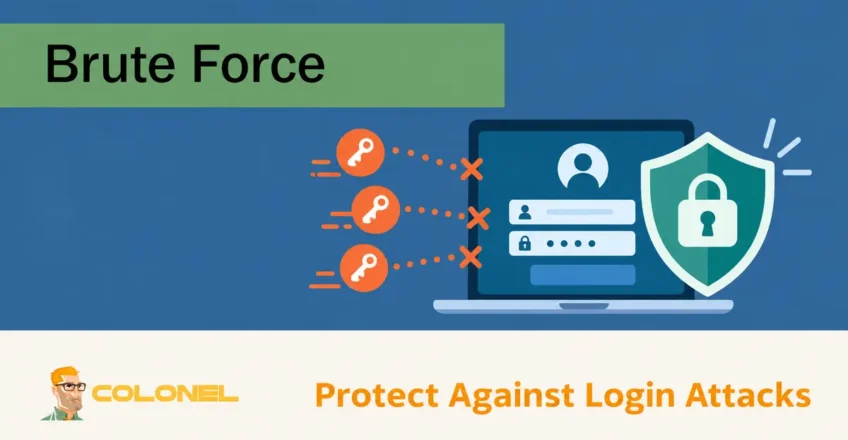
A brute force attack is a method used by attackers to gain unauthorized access to websites, Anwendungen, Server, or user accounts by repeatedly attempting different username and password combinations until the correct credentials are found.
The process is largely automated. Attackers use scripts and specialized tools capable of testing thousands or even millions of login combinations in a short period. As computing power continues to improve, weak passwords can be compromised much faster than they could in the past.
Long, unique passwords help resist guessing attacks. Current NIST guidance emphasizes length and screening against compromised passwords rather than mandatory mixtures of character types.
Brute force attacks remain one of the most common techniques used against online systems. A successful attack can lead to unauthorized access, data theft, financial losses, service disruption, und Rufschädigung.
Common Types of Brute Force Attacks
While all brute force attacks share the same goal, attackers use different techniques depending on the information available to them.
Dictionary Attacks
A dictionary attack begins with a predefined list of commonly used passwords and phrases. Rather than trying every possible combination, attackers focus on passwords that users frequently choose.

WordPress-Webhosting
Ab 3,99 $/Monat
Beispiele hierfür sind:
- Passwort
- qwerty
- 123456
- welcome
- admin123
Because many users still rely on predictable passwords, dictionary attacks can be surprisingly effective. Jedoch, unique and complex passwords that do not appear in common password lists are significantly harder to compromise using this method.
Credential Stuffing
Credential stuffing takes advantage of passwords exposed during previous data breaches.
When usernames and passwords from one compromised platform become publicly available, attackers attempt to use the same credentials on other websites and services.
This attack succeeds because many people reuse passwords across multiple accounts.
Zum Beispiel, if the same password is used for email, soziale Medien, online shopping, und Unternehmensdienstleistungen, a single breach can potentially expose all of those accounts.

Günstiger VPS-Server
Ab 2,99 $/Monat
Using a unique password for every service is one of the most effective ways to reduce this risk.
Reverse Brute Force Attacks
Traditional brute force attacks start with a username and attempt multiple passwords.
Reverse brute force attacks do the opposite.
The attacker starts with a commonly used password and attempts it against a large list of usernames or email addresses.
Weak passwords such as:
- Passwort
- 123456
- qwerty123
can expose accounts if organizations allow users to choose them.

Windows VPS-Hosting
Fernzugriff und vollständige Verwaltung
Strong password policies and login protections significantly reduce the effectiveness of this attack method.
Hybrid Brute Force Attacks
Hybrid attacks combine dictionary-based techniques with automated variations.
Instead of testing only common passwords, attackers add numbers, symbols, or predictable character combinations.
Beispiele hierfür sind:
- password123
- Password2025
- welcome01
- admin@123
Many users believe these minor modifications create strong passwords, but modern attack tools are specifically designed to test such variations.
Eight Effective Ways to Prevent Brute Force Attacks
There is no security solution that guarantees complete protection against every threat. Jedoch, implementing multiple layers of defense can dramatically reduce the likelihood of a successful attack.
1. Use Strong and Unique Passwords
Strong passwords remain one of the most important security controls.
When creating passwords:
- Use at least 12 Charaktere
- Mix uppercase and lowercase letters
- Include numbers and special characters
- Avoid predictable words and patterns
- Never reuse passwords across services
Passphrases can also be highly effective because they are longer and often easier to remember.
Zum Beispiel, a phrase composed of several unrelated words can provide stronger protection than a short password containing simple substitutions.
Password managers can simplify this process by generating and storing unique passwords for every account.
2. Enable Two-Factor Authentication (2FA)
Two-factor authentication adds an additional verification step after entering a password.
Even if an attacker successfully obtains login credentials, they still need access to the second authentication factor before they can access the account.
Common 2FA methods include:
- Authenticator applications
- Hardware security keys
- Push notifications
- SMS verification codes
Authenticator apps and hardware security keys generally provide stronger protection than SMS-based verification.
Administrative accounts should always have two-factor authentication enabled whenever possible.
3. Limit Failed Login Attempts
Restricting repeated login attempts can slow down or completely stop automated brute force attacks.
Instead of allowing unlimited attempts, systems can introduce increasing delays or temporary account lockouts.
A common approach might include:
- Delay after 3 failed attempts
- Longer delay after 5 failed attempts
- Temporary lockout after 10 failed attempts
This makes large-scale automated attacks significantly less practical while still allowing legitimate users to recover from occasional login mistakes.
Security notifications can also alert users when repeated failed login attempts occur.
4. Beschränken Sie den Zugriff nach IP-Adresse
Limiting access based on source IP addresses can significantly improve security, particularly for administrative interfaces.
Beispiele hierfür sind:
- Restricting admin access to office networks
- Allowing access only from approved VPN endpoints
- Whitelisting trusted IP addresses
For organizations with fixed internet connections, IP whitelisting can greatly reduce exposure to external attacks.
Additional geographic restrictions may also be used to block login attempts from regions where authorized users are not expected to connect.
5. Enable CAPTCHA Protection
CAPTCHA systems help distinguish legitimate users from automated bots.
They are commonly deployed on:
- Login forms
- Registration pages
- Password reset forms
- Contact forms
Modern CAPTCHA technologies often evaluate user behavior behind the scenes and only challenge visitors when suspicious activity is detected.
This improves usability while still protecting against automated attacks.
CAPTCHA should be viewed as one layer within a broader security strategy rather than a standalone solution.
6. Use Custom Login URLs
Default login pages are frequently targeted by automated scanning tools.
Using custom login paths can reduce exposure by making authentication endpoints less predictable.
Instead of common URLs such as:
/login
/admin
/wp-admin
organizations can deploy unique login locations known only to authorized users.
Additional access restrictions can then be applied to those login endpoints through server or firewall configurations.
Separate login URLs for administrative and standard users can provide further segmentation and protection.
7. Disable Direct Root SSH Access
For Linux servers, direct root logins over SSH should generally be disabled.
A more secure approach includes:
- Creating individual administrator accounts
- Granting sudo privileges where necessary
- Using SSH keys instead of passwords
- Restricting SSH access by IP address
To disable direct root login in OpenSSH:
PermitRootLogin no
This setting should be configured within the SSH daemon configuration file and applied after proper testing.
Regular audits of SSH access logs can help identify unauthorized access attempts and suspicious activity.
8. Deploy a Web Application Firewall (WAF)
A Webanwendungs-Firewall adds an additional security layer between users and web applications.
A properly configured WAF can:
- Detect brute force behavior
- Block malicious IP addresses
- Apply rate limiting
- Identify suspicious traffic patterns
- Filter known attack signatures
Both cloud-based and self-managed WAF solutions can provide effective protection when integrated into a broader security architecture.
For maximum effectiveness, WAFs should be continuously updated and monitored as threat patterns evolve.
Advanced Detection and Monitoring Techniques
Preventive controls are essential, but organizations should also focus on detecting attacks as they occur.
Early detection often reduces the impact of security incidents.
Log Analysis
System and application logs can reveal indicators of brute force activity.
Common warning signs include:
- Repeated failed login attempts
- Large numbers of requests from a single IP
- Authentication activity outside normal business hours
- Attempts targeting multiple usernames
Automated log analysis platforms can simplify this process and generate alerts when suspicious behavior is detected.
Einbruchmeldesysteme
Einbruchmeldesysteme (IDS) monitor network traffic and system activity for indicators of malicious behavior.
These systems can:
- Identify attack patterns
- Alert security teams
- Correlate events across multiple systems
- Support incident investigations
Network-based and host-based IDS solutions are both valuable components of a modern security strategy.
User Activity Monitoring
Establishing normal user behavior helps identify compromised accounts.
Monitoring may include:
- Login locations
- Access times
- Ressourcennutzung
- Data transfer activity
Unexpected changes can indicate unauthorized access and should be investigated promptly.
User and Entity Behavior Analytics (UEBA) platforms can automate this process by identifying anomalies using behavioral analysis techniques.
Real-Time Server Monitoring
Kontinuierliche Überwachung allows security teams to respond quickly to emerging threats.
Effective monitoring programs typically include:
- Automated alerts
- Centralized logging
- SIEM integration
- Incident response procedures
- Regular review of security events
Monitoring systems should be updated regularly to ensure detection rules remain effective against new attack methods.
Building a Layered Defense Against Brute Force Attacks
Brute force attacks continue to be a common threat across websites, Anwendungen, and server environments. While no single security measure can eliminate all risk, combining multiple protective controls creates a much stronger defense.
Starke Passwörter, two-factor authentication, login rate limiting, IP restrictions, CAPTCHA protection, secure SSH practices, Webanwendungs-Firewalls, and continuous monitoring all contribute to reducing attack success rates.
Organizations that adopt a layered security approach are better positioned to protect sensitive data, maintain service availability, and respond quickly when suspicious activity occurs.