
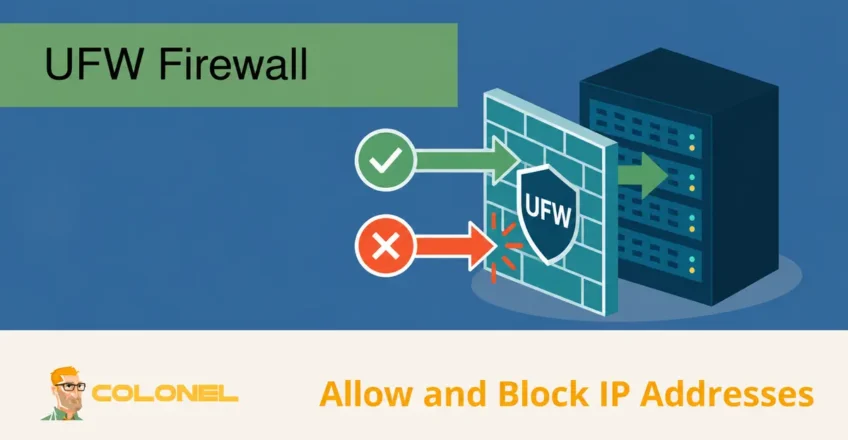
What Is UFW?
UFW, short for Uncomplicated Firewall, is a firewall management tool commonly used on Linux systems such as Ubuntu, Debian, and Arch Linux. It provides a simplified interface for configuring firewall rules while leveraging the underlying power of iptables or nftables.
System administrators use UFW to control incoming and outgoing network traffic, helping protect servers from unauthorized access, malicious activity, and network-based attacks.
Common UFW use cases include:
- Allowing trusted connections
- Blocking malicious IP addresses
- Restricting service access
- Protecting management ports
- Limiting exposure to attacks
- Implementing network security policies
Because of its simplicity and effectiveness, UFW is frequently used on VPS, Cloud-Server, dedizierte Server, und Entwicklungsumgebungen.
Why IP Blocking and IP Whitelisting Matter
Controlling which IP addresses can communicate with a server is one of the most effective methods of reducing unnecessary exposure.
Zu den Vorteilen gehören::

WordPress-Webhosting
Ab 3,99 $/Monat
- Reduzierte Angriffsfläche
- Protection against unauthorized access
- Improved administrative control
- Enhanced service security
- Better network traffic management
Proper firewall policies help ensure that only trusted traffic reaches critical services.
Understanding IP Blocking
IP blocking is the process of preventing traffic from a specific IP address or network from reaching a server.
Administrators commonly block addresses that are:
- Performing brute-force attacks
- Scanning services
- Generating suspicious traffic
- Attempting unauthorized access
- Participating in denial-of-service attacks
When an IP address is blocked, traffic originating from that address is denied according to the firewall rule.
Understanding IP Whitelisting
IP whitelisting follows the opposite approach.
Instead of allowing all traffic and selectively blocking bad actors, whitelisting allows only approved IP addresses to access specific services or systems.

Günstiger VPS-Server
Ab 2,99 $/Monat
Whitelisting is often used for:
- Administrativer Zugriff
- Database access
- VPN-Dienste
- Interne Bewerbungen
- Private APIs
- Management interfaces
This approach significantly improves security by limiting access to known and trusted sources.
Installing UFW
Many Linux distributions include UFW by default, but it can also be installed manually.
Install UFW using:
sudo apt-get install ufw
If UFW is already installed, the package manager will simply verify or reinstall the existing package.
Enabling UFW
Before creating firewall rules, UFW must be enabled.

Windows VPS-Hosting
Fernzugriff und vollständige Verwaltung
Use the following command:
sudo ufw enable
Einmal aktiviert, UFW begins enforcing configured firewall policies.
To verify status:
sudo ufw status
Blocking an IP Address Using UFW
One of the most common tasks is blocking a specific IP address.
Verwenden:
sudo ufw deny from IP_ADDRESS
Beispiel:
sudo ufw deny from 203.0.113.10
After applying the rule, all incoming traffic from that IP address will be blocked.
This method is useful for:
- Repeated login attempts
- Malicious scanners
- Known attack sources
Deny vs Reject in UFW
UFW supports both deny and reject actions.
Although they appear similar, they behave differently.
Using Deny
A deny rule silently drops traffic.
Beispiel:
sudo ufw deny from 203.0.113.10
Behavior:
- Traffic is discarded
- No response is sent back to the source
- Attackers receive no information about the target
Using Reject
A reject rule actively responds to the source.
Beispiel:
sudo ufw reject from 203.0.113.10
Behavior:
- Traffic is blocked
- A notification is sent back indicating the connection was rejected
This can help legitimate users identify connectivity issues, but it also reveals information about the system’s presence.
Blocking Access to a Specific Port
Sometimes blocking an entire IP address is unnecessary.
Stattdessen, access can be denied to a particular service port.
Syntax:
sudo ufw deny PORT/PROTOCOL
Beispiel:
sudo ufw deny 3306/tcp
This blocks access to the MySQL service port.
Other common examples:
sudo ufw deny 21/tcp
sudo ufw deny 25/tcp
sudo ufw deny 3389/tcp
Blocking a Specific IP from a Specific Port
More granular firewall rules can target both an IP address and a port.
Syntax:
sudo ufw deny from IP_ADDRESS to any port PORT
Beispiel:
sudo ufw deny from 192.168.1.50 to any port 22
This blocks the specified IP address from accessing SSH while leaving access to other services unaffected.
This approach is useful when:
- Limiting access to management ports
- Stopping targeted attacks
- Maintaining access to other services
Allowing Traffic Through UFW
Allow rules are used to permit traffic.
Basic syntax:
sudo ufw allow PORT
Beispiel:
sudo ufw allow 22
This permits incoming SSH connections.
Additional examples:
sudo ufw allow 80
sudo ufw allow 443
sudo ufw allow 53
Whitelisting an IP Address
To allow a specific IP address access:
sudo ufw allow from IP_ADDRESS
Beispiel:
sudo ufw allow from 192.168.3.2
This permits all incoming traffic from the specified IP address.
Whitelisting is commonly used for:
- Office networks
- VPN gateways
- Administrative workstations
- Trusted partners
Allowing an IP Address to Access a Specific Port
For tighter control, access can be limited to a particular service.
Syntax:
sudo ufw allow from SOURCE_IP to DESTINATION_IP port PORT proto tcp
Beispiel:
sudo ufw allow from 192.168.10.5 to 10.0.0.20 port 22 proto tcp
This allows the specified source IP to access SSH on the target server.
Zu den Vorteilen gehören::
- Reduced exposure
- Better access control
- Improved administrative security
Allowing Traffic on a Specific Network Interface
UFW can also create rules tied to a network interface.
Syntax:
sudo ufw allow in on INTERFACE from IP_ADDRESS
Beispiel:
sudo ufw allow in on eth0 from 198.51.100.25
This permits traffic from the specified IP address through the eth0 interface.
Interface-specific rules are useful for:
- Multi-homed servers
- Segmented networks
- Specialized routing environments
Viewing Existing UFW Rules
To review active firewall rules:
sudo ufw status
For a numbered list:
sudo ufw status numbered
Beispielausgabe:
[1] Anywhere           ALLOW IN    192.168.3.2
[2] Anywhere           DENY IN     203.0.113.10
Numbered output simplifies rule management and deletion.
Deleting UFW Rules
Firewall rules often need adjustment as environments change.
Delete by Rule Definition
Beispiel:
sudo ufw delete allow from 192.168.3.2
Delete by Rule Number
First list rules:
sudo ufw status numbered
Then remove the desired rule:
sudo ufw delete 1
This method is often easier when managing larger rule sets.
Common Practical Uses for UFW IP Management
UFW is frequently used to secure production environments.
Beispiele hierfür sind:
Protecting SSH Access
Allow SSH only from trusted administrator IPs:
sudo ufw allow from 198.51.100.20 to any port 22
Securing Database Servers
Allow database access only from application servers:
sudo ufw allow from 10.0.0.15 to any port 3306
Blocking Attack Sources
Block repeated brute-force attempts:
sudo ufw deny from 203.0.113.10
Restricting Administrative Panels
Limit access to hosting control panels, Überwachungssysteme, or internal tools using whitelisting rules.
UFW and DDoS Mitigation
While UFW is not a dedicated DDoS mitigation platform, it can assist in filtering malicious traffic.
Administratoren können:
- Block abusive IP addresses
- Block hostile subnets
- Restrict exposed services
- Reduce unnecessary attack surfaces
For large-scale attacks, dedicated DDoS protection solutions remain essential, but UFW provides an additional defensive layer.
Best Practices for Managing UFW Rules
To maintain a secure firewall configuration:
- Allow only necessary services
- Restrict management ports whenever possible
- Use IP whitelisting for administrative access
- Review rules regularly
- Remove obsolete entries
- Monitor authentication logs
- Document firewall changes
Periodic audits help ensure firewall policies remain aligned with operational requirements.
Strengthening Linux Server Security with UFW
UFW provides a straightforward and effective method for managing Linux firewall policies. By combining IP blocking, IP whitelisting, port restrictions, and interface-specific rules, administrators can significantly reduce server exposure and improve overall security.
Whether protecting SSH access, securing databases, limiting administrative interfaces, or controlling network traffic, UFW remains a valuable tool for building a layered security strategy on Linux servers.