


PHP OPcache configuration refers to the process of optimizing OPcache parameters to ensure that PHP scripts are efficiently precompiled and stored in memory, thereby directly increasing website speed and reducing server load. When OPcache is properly configured, PHP no longer needs to recompile scripts repeatedly.
What Is PHP OPcache?
PHP OPcache is a built-in bytecode caching engine that stores precompiled PHP script bytecode in shared memory. It allows PHP to skip the parsing and compilation stage for future requests.
The core function of OPcache is to reduce repetitive processing overhead so that the PHP engine can execute scripts directly from memory, improving performance by up to three times compared to processing uncached code. This makes OPcache one of the most impactful performance optimization layers available for PHP-based websites.

How PHP OPcache Works?
When a PHP script is executed for the first time, the engine compiles it into bytecode and saves that bytecode in OPcache so subsequent executions are significantly faster. Without OPcache, the PHP engine would recompile every script on every request, which is extremely inefficient for platforms like WordPress that depend on high file inclusion counts.
By eliminating redundant operations, OPcache dramatically increases consistency in response times and reduces CPU strain on the server. According to DediRock:

WordPress Web Hosting
Starting From $3.99/Monthly
“By caching the compiled PHP code, OpCache significantly reduces the workload on your server.”
Why PHP OPcache Is Critical for WordPress Performance
PHP OPcache is vital for WordPress because each page load requires reading, parsing, and executing a vast network of PHP files. A standard WordPress homepage can involve hundreds or even thousands of PHP files, particularly when plugins like WooCommerce, WPML, or complex themes are active.
By optimizing OPcache settings, WordPress sites can achieve faster load times, improved TTFB consistency, and more reliable performance during traffic peaks, which directly affects SEO, user engagement, and server efficiency. Here’s the most important
- Reduced CPU Usage: Optimally configured OPcache eliminates repeated compilation of the same scripts, significantly lowering CPU load and freeing server resources for handling more simultaneous visitors.
- Faster Page Loads: Cached bytecode allows PHP to execute scripts directly from memory, decreasing response times and enabling WordPress pages to render much faster, even under heavy traffic.
- Stable TTFB: Proper OPcache tuning ensures that the time to first byte (TTFB) remains consistent, preventing latency spikes that can affect both user experience and search engine rankings.
- Efficient Scaling: With OPcache, WordPress sites can handle larger traffic volumes without needing costly hardware upgrades, making it easier to scale shared or high-density hosting environments.
- Improved Plugin Performance: Plugins that include numerous PHP files, such as WooCommerce or WPML, benefit significantly from OPcache, as redundant compilation cycles are eliminated, reducing delays in dynamic content generation.
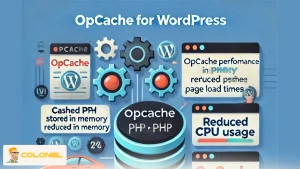
How to Identify Performance Issues Caused by Incorrect OPcache Configuration
When OPcache is misconfigured, websites experience cold cache executions, rising CPU usage, and inconsistent TTFB, especially on WordPress installations with high file-inclusion counts. Observing the signals below allows administrators to determine whether the OPcache configuration is limiting performance or not:
- OPcache memory is continuously full:
When the OPcache memory pool reaches maximum capacity, new PHP scripts cannot be stored in memory, causing the engine to fall back to cold compilation. This leads to slower page loads, inconsistent response times, and unnecessary CPU consumption. - Frequent OPcache resets or restarts:
Repeated resets indicate underlying configuration issues or external triggers flushing the cache. Each reset forces the engine to discard all stored bytecode, severely degrading performance until the cache warms up again under user traffic. - Hit rate dropping below optimal levels:
A hit rate below 100 percent suggests that OPcache is frequently missing cached bytecode due to insufficient memory, low max_accelerated_files thresholds, or timestamp validation that forces the engine to recompile scripts prematurely. - Excessive key usage above 75 percent:
When the hash table approaches three-quarters capacity, OPcache struggles to store and retrieve bytecode efficiently. This situation can cause memory fragmentation, slower lookups, and increased CPU cycles during script execution. - Timestamp validation triggering unnecessary invalidations:
Overly aggressive timestamp checking results in frequent cache invalidations even when files have not changed, reducing caching efficiency and causing repeated recompilation cycles on high-traffic websites.
OPcache Behavior on Servers Hosting Multiple Websites
When multiple websites operate under the same PHP-FPM master process, they also share a single OPcache instance. This configuration introduces both performance and security concerns, including accidental cross-site cache visibility, instability during cache resets, and unpredictable eviction behavior. With shared OPcache, clearing the cache for one website resets cached bytecode for every other site, which can severely impact performance under load.

Cheap VPS Server
Starting From $2.99/Monthly
Separating OPcache instances ensures predictable caching behavior and prevents one website from affecting another. This is typically achieved by using isolated PHP-FPM master processes for each domain, configured through advanced hosting setups or specialized control panels.
PHP OPcache in Plesk Hosting Environments
Plesk Hosting offers built-in support for isolated PHP-FPM master processes, which enables each website to have its own independent OPcache instance. This architecture ensures that OPcache resets, memory usage, and bytecode storage are fully isolated, resulting in:
Superior performance
Stability and eliminating cross-site interference
For WordPress users, this provides predictable caching behavior and eliminates several common issues found in shared hosting environments. Using Plesk’s Dedicated FPM mode enhances OPcache efficiency and improves performance consistency under high load.

Windows VPS Hosting
Remote Access & Full Admin
Administrators hosting large WordPress networks often prefer Plesk because its default configuration aligns with OPcache best practices, reducing the manual tuning required for maintaining low latency and optimized memory usage.
PHP OPcache, PHP-FPM, and cPanel Considerations
Unlike Plesk, cPanel Hosting typically assigns multiple websites to a single PHP-FPM master process, causing all of them to share the same OPcache memory space. This shared OPcache environment can lead to high CPU usage, unexpected cache resets, and performance degradation, especially when one site has heavier traffic or larger plugins.
The result is frequent spikes in TTFB and overall sluggishness across sites sharing the same opcode cache. Administrators working in cPanel environments must be aware of these limitations and may need to configure manual separation of PHP instances or migrate to more flexible architectures.
Shared OPcache space also increases potential security risks if cached paths become visible across sites. Addressing these limitations is essential for stable WordPress performance in cPanel-based hosting infrastructures.

The Best PHP OPcache Configuration Settings for High-Performance WordPress
These recommended settings focus on delivering optimal performance for a production WordPress website. They ensure sufficient memory allocation, correct key limits, safe handling of file timestamps, and stable behavior under heavy traffic.
The values below are suitable for most single-site WordPress installations, but can be adjusted for larger environments or multisite setups.
Recommended OPcache Configuration for Production WordPress
The best OPcache configuration for WordPress ensures that PHP scripts are retained in memory long enough to avoid unnecessary recompilation and that the cache has enough capacity to store all bytecode generated by the site. Each parameter below plays a direct role in controlling memory allocation, file revalidation, and runtime behavior under PHP-FPM.
- opcache.memory_consumption = 256
This amount of memory accommodates the bytecode generated by WordPress core, themes, plugins, and custom code, preventing early eviction during traffic spikes. - opcache.interned_strings_buffer = 16
This buffer improves performance for WordPress installations that rely on repeated string operations by storing frequently used strings in shared memory. - opcache.max_accelerated_files = 20000
Setting a high limit ensures that large plugin ecosystems and WooCommerce sites can cache all PHP files without reaching structural limits. - opcache.validate_timestamps = 1
Timestamp validation ensures accurate detection of code changes while still enabling efficient caching. - opcache.revalidate_freq = 60
This frequency reduces filesystem overhead and prevents constant revalidation while maintaining timely synchronization with updated files. - opcache.enable_cli = 1
Enabling OPcache for CLI improves performance for WP-CLI operations and scheduled maintenance tasks. - opcache.fast_shutdown = 1
This parameter provides faster request cleanup, supporting smoother script execution during high concurrency.
How to Size OPcache Memory Properly
Determining the ideal OPcache memory size requires evaluating the number of active plugins, theme complexity, and the PHP file count that WordPress loads during typical requests. Under-allocating memory leads to cache evictions, which decrease hit rates and cause unnecessary recompilation of scripts. Over-allocating memory, although less harmful, wastes system resources that could be better utilized by PHP-FPM workers or MySQL buffers.
A well-sized OPcache instance ensures that the entire codebase remains cached at all times. This stability eliminates volatility during cache warm-up phases, producing consistently fast TTFB. When evaluating the memory footprint, administrators should consult OPcache dashboards or native tools to review memory consumption patterns and decide whether an increase to 256 MB or 512 MB is required for larger WooCommerce deployments.
Impact of OPcache on Server CPU Efficiency
Correct OPcache tuning significantly reduces CPU usage by preventing repetitive script parsing and compilation. In high-traffic WordPress systems, this reduction directly translates to:
- Improved concurrency
- Lower response times
- Decreased load average across the server
Optimized OPcache configuration allows the server to allocate more CPU resources to database queries, background tasks, and cache layer operations instead of redundant PHP compilation. This efficiency becomes critical when hosting dynamic websites that render personalized content or operate resource-intensive plugins.

Common OPcache Misconfigurations and Their Effects
Several misconfigurations directly affect WordPress speed, reliability, and cache consistency. These issues typically arise when memory limit values are too low, timestamp validation settings are incorrect, or accelerated file limits do not accommodate the scale of the installation. Failure to correct these parameters can result in erratic performance and slow responses.
- Insufficient memory_consumption
When OPcache memory becomes full, scripts are constantly evicted, leading to cold cache executions that increase CPU usage. - Low max_accelerated_files values
If the number of cached PHP files exceeds the limit, OPcache cannot register new files, reducing hit rates and forcing repetitive compilation. - Disabled timestamp validation
Turning off validation causes stale bytecode to remain in memory, resulting in outdated code execution and unpredictable application behavior. - Overly aggressive revalidate_freq
A value that is too low causes the filesystem to be checked too frequently, adding overhead and reducing the benefits of OPcache.
Restart Frequency and OPcache Stability
OPcache stability depends on consistent memory availability and controlled invalidation behavior. Frequent restarts, whether manual or automatic, cause the entire bytecode cache to reset, forcing PHP to recompile every script on the next request. This behavior increases resource usage and creates significant performance inconsistencies.
To maintain stability, administrators should ensure that OPcache does not reach critical memory thresholds and that unnecessary reset operations are avoided. Reliable uptime enhances TTFB consistency, improves concurrency, and produces predictable performance metrics across all monitored parameters.
Conclusion
Effective PHP OPcache configuration is one of the most impactful optimization strategies for WordPress performance. By allocating the right amount of memory, setting correct revalidation intervals, and managing accelerated file limits appropriately, OPcache can deliver persistent speed improvements.
Investing in proper OPcache configuration ultimately enhances user experience, reduces infrastructure costs, and strengthens the overall performance posture of any PHP-based website.
PHP OPcache Configuration FAQ
Does OPcache improve server CPU usage for WordPress?
Yes. OPcache reduces CPU usage by eliminating repeated PHP compilation tasks, allowing the server to allocate more processing power to PHP-FPM workers, database queries, and concurrent request handling.
How much OPcache memory is recommended for a typical WordPress site?
Most production WordPress sites perform optimally with at least 256 MB of OPcache memory, while larger installations with WooCommerce or heavy plugin usage may require up to 512 MB.
Does OPcache work with CLI commands such as WP-CLI?
OPcache works with CLI operations only if explicitly enabled, and activating it for CLI significantly speeds up WordPress maintenance routines, cron jobs, and shell-based administrative tasks.
Can OPcache cause problems when hosting multiple websites under the same PHP instance?
Yes, shared OPcache can cause unpredictable performance because cache resets affect all websites, so isolating PHP-FPM master processes prevents cross-site interference.