
Understanding Block Storage
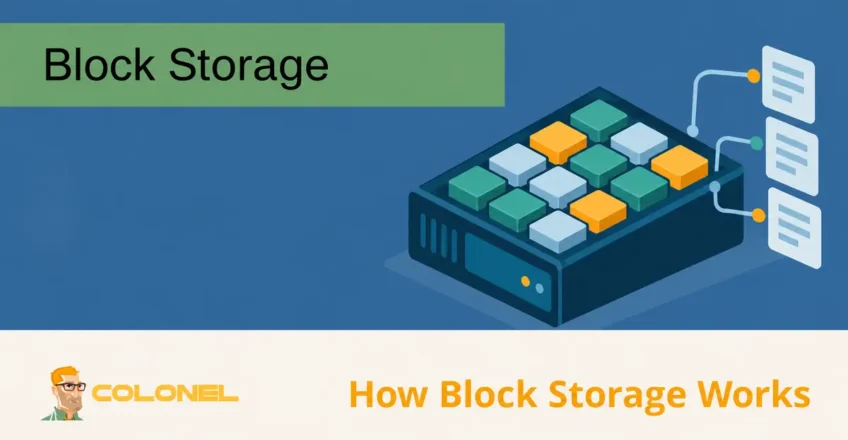
Block storage is a storage architecture that divides data into fixed-size blocks, with each block assigned a unique identifier. These blocks are stored independently and can be distributed across multiple physical storage devices while appearing as a single storage volume to the operating system.
Unlike file storage, which organizes data into folders and directories, block storage works at a lower level and provides direct access to raw storage volumes.
Because of its performance and flexibility, block storage is widely used for enterprise applications, databases, virtual machines, and high-performance computing environments.
How Block Storage Works
Block storage breaks data into equally sized chunks called blocks.
Each block:
- Has a unique address
- Exists independently
- Can be stored on separate devices
- Can be retrieved without accessing other blocks
When an application writes data, the storage system divides the information into multiple blocks and stores them across the storage infrastructure.

WordPress Web Hosting
Starting From €2.99/Monthly
When the data is requested later, the storage system locates the required blocks using their addresses and reassembles them before delivering the information to the application.
This architecture allows for fast and efficient access to stored data.
Block Storage Architecture
Modern block storage environments typically consist of several components.
Storage Volumes
Storage resources are presented to servers as logical volumes.
These volumes behave similarly to locally attached disks and can be:
- Formatted
- Partitioned
- Mounted
- Managed by the operating system
Logical Unit Numbers (LUNs)
Block storage systems often expose storage volumes as:

Cheap VPS Server
Starting From €8/Monthly
LUNs (Logical Unit Numbers)
A LUN acts as an addressable storage device that can be attached to one or more servers.
Address Mapping
The storage platform maintains a mapping system that tracks the location of every block.
This allows:
- Fast retrieval
- Efficient updates
- Flexible data placement
Independent Block Management
Each block can be modified independently.
Instead of rewriting entire files, the system only updates the blocks that have changed, improving efficiency for many workloads.
Key Features of Block Storage
Several characteristics make block storage attractive for enterprise environments.

Windows VPS Hosting
Remote Access & Full Admin
High Performance
Block storage provides direct access to storage volumes with minimal overhead.
Benefits include:
- Low latency
- Fast read operations
- Fast write operations
- Predictable performance
These characteristics make it ideal for performance-sensitive applications.
Scalability
Block storage systems can grow as business requirements increase.
Many providers allow administrators to:
- Expand storage volumes
- Create additional volumes
- Allocate storage dynamically
This flexibility supports long-term growth without requiring major infrastructure changes.
Flexibility
Storage volumes can often be attached, detached, and moved between servers.
This simplifies:
- Infrastructure upgrades
- Server migrations
- Resource allocation
Cross-Server Access
Some block storage platforms allow multiple servers to access the same storage volume.
This capability is valuable for:
- Clustering
- High-availability deployments
- Shared storage environments
Reliable Data Protection
Enterprise block storage platforms commonly include:
- Redundancy
- Replication
- Snapshot support
- Disaster recovery capabilities
These features improve availability and resilience.
Benefits of Block Storage
Consistent Performance
Applications receive predictable storage performance because they interact directly with storage blocks rather than through additional file system layers.
Efficient Updates
Only the modified blocks need to be updated when data changes.
This reduces unnecessary write operations.
Support for Critical Applications
Block storage performs particularly well with:
- Databases
- Virtual machines
- Enterprise software
- Transactional systems
Simplified Storage Expansion
Additional storage capacity can often be provisioned without disrupting existing workloads.
High Availability
Distributed storage platforms help maintain data availability even when hardware failures occur.
Potential Limitations of Block Storage
While block storage offers many advantages, it is not the ideal solution for every use case.
Higher Costs
Block storage is generally more expensive than some alternative storage models because it prioritizes performance and availability.
Increased Complexity
Deploying and managing block storage often requires specialized expertise.
Administrators must understand:
- Storage provisioning
- Performance optimization
- Volume management
- Redundancy planning
Limited Metadata
Unlike object storage, block storage includes minimal metadata capabilities.
This can make large-scale content organization more difficult.
Not Always Ideal for Massive Unstructured Data
Workloads involving large collections of unstructured content may benefit from alternative storage architectures.
Block Storage vs File Storage
Block storage and file storage solve different problems.
File Storage Overview
File storage organizes data using:
- Folders
- Directories
- File names
- Metadata
This structure resembles a traditional filing cabinet.
Users can easily navigate and manage files through familiar interfaces.
Block Storage Overview
Block storage divides data into addressable blocks and presents storage as raw volumes.
The operating system determines how the data is organized.
Key Differences
| Feature | Block Storage | File Storage |
|---|---|---|
| Structure | Fixed-size blocks | Files and folders |
| Performance | High | Moderate |
| Latency | Low | Higher |
| Scalability | High | Moderate |
| Metadata | Limited | Extensive |
| Best For | Databases, VMs | Shared files, collaboration |
Typical File Storage Use Cases
File storage is commonly used for:
- Document sharing
- Team collaboration
- Home directories
- General file storage
Typical Block Storage Use Cases
Block storage is commonly used for:
- Databases
- Virtual machines
- Enterprise applications
- High-performance workloads
Block Storage vs Object Storage
Object storage uses a fundamentally different architecture.
Object Storage Overview
Object storage stores data as objects.
Each object contains:
- The data itself
- Rich metadata
- A unique identifier
Objects are stored inside flat repositories commonly called buckets.
Key Differences
| Feature | Block Storage | Object Storage |
|---|---|---|
| Data Structure | Blocks | Objects |
| Metadata | Minimal | Extensive |
| Latency | Low | Higher |
| Scalability | High | Virtually unlimited |
| Performance | Optimized for transactions | Optimized for large datasets |
| Best For | Databases and VMs | Backups and media archives |
Object Storage Use Cases
Object storage is frequently used for:
- Backups
- Media repositories
- Data lakes
- Archive storage
- Large-scale content delivery
Block Storage Use Cases
Block storage remains the preferred option for:
- Transactional databases
- Virtualization platforms
- Enterprise applications
- Low-latency workloads
Common Block Storage Use Cases
Database Hosting
Databases require:
- Fast reads
- Fast writes
- Consistent performance
Block storage is often the preferred choice for:
- MySQL
- PostgreSQL
- MariaDB
- Microsoft SQL Server
- Oracle Database
Virtual Machines
Virtualization platforms rely heavily on block storage.
Examples include:
- VMware
- Hyper-V
- Proxmox
- KVM
Virtual machine disks are commonly stored on block storage volumes.
Enterprise Applications
Business-critical applications often require low-latency storage access.
Examples include:
- ERP systems
- CRM platforms
- Financial systems
- Analytics platforms
Storage Area Networks (SAN)
Block storage serves as the foundation for many SAN deployments.
Benefits include:
- Centralized management
- High-speed access
- Shared storage infrastructure
Disaster Recovery
Block storage can support:
- Offsite backups
- Replication
- Recovery environments
These capabilities help improve business continuity.
Performance Considerations
Block storage delivers excellent performance for many workloads, but performance characteristics depend on several factors.
Storage Media
Performance varies depending on the underlying hardware.
Examples include:
- SATA SSD
- SAS SSD
- NVMe SSD
NVMe-based block storage generally offers the lowest latency and highest throughput.
Network Connectivity
Network-attached block storage performance depends on:
- Bandwidth
- Latency
- Infrastructure design
Workload Type
Block storage performs particularly well with:
- Structured data
- Sequential operations
- Transactional applications
Extremely intensive random I/O workloads may require careful tuning and specialized infrastructure.
Choosing Block Storage
Block storage is an excellent choice when applications require low latency, predictable performance, and direct access to storage volumes. It is particularly valuable for databases, virtual machines, enterprise software, and other workloads where storage performance directly affects application responsiveness.
While file storage and object storage each serve important purposes, block storage remains one of the most powerful and versatile storage technologies available for performance-sensitive environments. Understanding its architecture, strengths, limitations, and use cases allows organizations to select the storage model that best aligns with their infrastructure requirements and business goals.