
Understanding Windows Server for VPS Hosting
Choosing the right operating system is one of the most important decisions when deploying a Windows VPS. The Windows Server version affects security, performance, software compatibility, support lifecycle, and future scalability.
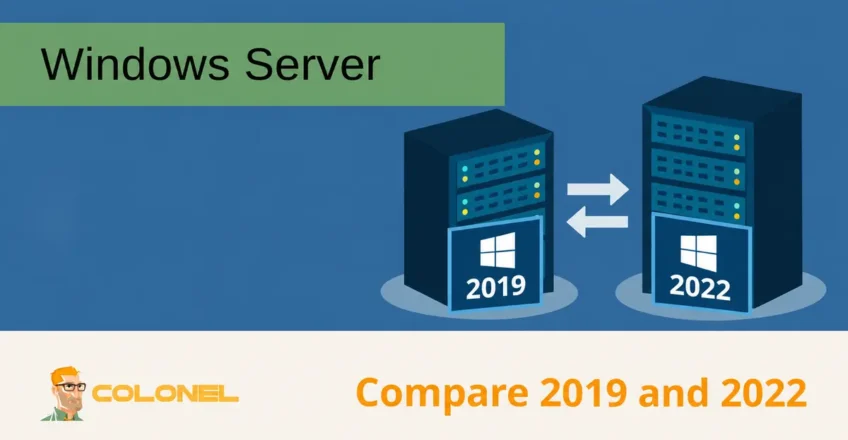
Windows Server 2019 and Windows Server 2022 are both part of Microsoft’s Long-Term Servicing Channel (LTSC), making them stable and suitable for production workloads. While they share many core capabilities, Windows Server 2022 introduces several improvements designed for modern infrastructure, cloud integration, and enhanced security.
This comparison examines both versions in detail to help determine which platform is the better fit for your workload.
What Is a Windows VPS?
A Windows VPS is a virtual private server running a licensed Windows Server operating system.
It combines the flexibility and scalability of virtualization with the familiar Windows ecosystem, making it suitable for applications that depend on Microsoft technologies.
Common use cases include:

WordPress Web Hosting
Starting From $3.99/Monthly
- ASP.NET applications
- Microsoft SQL Server
- Remote Desktop Services (RDS)
- Enterprise software
- Business applications
- Development environments
The Windows Server version installed on the VPS plays a major role in determining long-term compatibility, performance, and security.
What Is Windows Server?
Windows Server is Microsoft’s server operating system designed for enterprise workloads and infrastructure services.
Unlike desktop editions of Windows, Windows Server is optimized for:
- Multi-user environments
- Virtualization
- Active Directory
- File and storage services
- Web hosting
- Database servers
- Remote desktop environments
- Network management
Each release introduces new capabilities while maintaining compatibility with existing applications and infrastructure.
Windows Server 2019 and 2022 Overview
Windows Server 2019 was released in October 2018 and quickly became a popular platform for business workloads due to its stability and broad software compatibility.
Windows Server 2022 was released in August 2021 and builds upon the foundation of Server 2019 while introducing significant security, networking, and cloud-related enhancements.

Cheap VPS Server
Starting From $2.99/Monthly
Quick Comparison
| Feature | Windows Server 2019 | Windows Server 2022 |
|---|---|---|
| Release Date | October 2018 | August 2021 |
| Extended Support End Date | January 2029 | October 2031 |
| Default TLS Version | TLS 1.2 | TLS 1.3 |
| Security Features | Windows Defender ATP | Secured-core Server, SMB over QUIC (Azure Edition) |
| Cloud Integration | Basic Azure integration | Enhanced Azure Arc integration |
| Networking Improvements | Standard performance enhancements | Advanced TCP and UDP optimizations |
| Container Performance | Good | Improved |
| Hardware Compatibility | Excellent | Optimized for newer hardware |
Although both platforms are capable of handling demanding workloads, Server 2022 includes several improvements aimed at modern deployments.
Performance Comparison
Performance differences between the two versions may not be immediately noticeable in lightly loaded environments. However, under sustained workloads, Windows Server 2022 provides measurable enhancements.
Improved Networking
Windows Server 2022 introduces several networking optimizations that improve throughput and reduce latency.
Benefits include:
- Faster TCP connections
- Improved UDP performance
- Reduced packet processing overhead
- Better performance for distributed applications
These improvements are especially useful for:
- High-traffic websites
- Application servers
- VoIP platforms
- Streaming services
- Cloud-based applications
Enhanced Remote Desktop Performance
Many VPS users rely on Remote Desktop Protocol (RDP) for administration.
Windows VPS Hosting
Remote Access & Full Admin
Windows Server 2022 delivers a smoother experience through:
- Improved session responsiveness
- Better graphics acceleration support
- Optimized remote desktop handling
- Enhanced support for modern hardware
This can be particularly beneficial when managing resource-intensive applications remotely.
Better Storage and I/O Efficiency
Storage performance has also been improved in Windows Server 2022.
Enhancements include:
- Faster file transfers
- Improved storage replication
- Better handling of NVMe devices
- Increased storage subsystem efficiency
Organizations running databases or file-intensive workloads may benefit from these optimizations.
Security Improvements in Windows Server 2022
Security is one of the most significant reasons organizations choose Windows Server 2022.
Microsoft introduced several features specifically designed to address modern cyber threats.
Secured-Core Server
Secured-core Server combines multiple security technologies into a hardened server platform.
Key protections include:
- Secure Boot
- Trusted Platform Module (TPM) integration
- Hardware root of trust
- Virtualization-based security
These technologies help protect systems against firmware attacks and advanced threats.
SMB over QUIC
In Windows Server 2022, SMB over QUIC requires Datacenter: Azure Edition; it is not included in the regular Standard or Datacenter editions.
This feature allows secure file sharing over the internet without requiring a VPN.
Benefits include:
- Encrypted file access
- Improved remote work support
- Simplified connectivity
- Reduced VPN dependency
Organizations with remote employees can significantly benefit from this capability.
TLS 1.3 Support
Windows Server 2022 includes TLS 1.3 support by default.
Advantages include:
- Faster encrypted connections
- Improved security
- Better resistance against modern attack techniques
- Reduced connection establishment times
This is particularly important for:
- Web servers
- APIs
- Ecommerce platforms
- Secure communications
Credential Protection Enhancements
Windows Server 2022 strengthens credential protection through:
- Credential Guard
- Hypervisor-Protected Code Integrity (HVCI)
- Improved virtualization-based security
These features help reduce the risk of credential theft and privilege escalation attacks.
Cloud and Hybrid Infrastructure Support
Organizations increasingly operate across both on-premises and cloud environments.
Windows Server 2022 introduces stronger integration with Microsoft’s cloud ecosystem.
Azure Arc Integration
Windows Server 2022 provides enhanced support for Azure Arc.
This allows administrators to:
- Manage servers centrally
- Apply policies consistently
- Monitor resources across environments
- Simplify hybrid infrastructure management
For businesses pursuing hybrid cloud strategies, this can significantly reduce administrative complexity.
Hybrid Cloud Features
Additional cloud-focused improvements include:
- Improved migration tools
- Enhanced monitoring capabilities
- Better cloud management integration
- Simplified infrastructure deployment
Organizations planning future cloud adoption may benefit from choosing Server 2022 from the beginning.
Application Compatibility
Compatibility remains one of the strongest reasons some organizations continue using Windows Server 2019.
Windows Server 2019 Advantages
Server 2019 remains an excellent choice for:
- Legacy applications
- Older line-of-business software
- Existing enterprise deployments
- Applications with strict certification requirements
Many vendors have spent years certifying their software on Server 2019.
As a result, organizations running older applications may prefer to remain on this platform.
Windows Server 2022 Compatibility
Most modern applications that support Windows Server 2019 also support Windows Server 2022.
However, before upgrading, organizations should verify compatibility with:
- Legacy software
- Custom applications
- Older drivers
- Third-party integrations
Testing in a staging environment is recommended before migration.
Support Lifecycle Comparison
Long-term support is an important consideration when selecting a server operating system.
Windows Server 2019
Extended support continues until:
January 2029
Windows Server 2022
Extended support continues until:
October 2031
This provides nearly three additional years of security updates and support.
Organizations deploying new infrastructure today often prefer Server 2022 because of its longer lifecycle.
Resource Scalability
Both operating systems support large-scale deployments.
Supported memory and processor limits depend on the Windows Server release, edition and hardware configuration. Verify the applicable Microsoft limits before sizing a deployment.
Licensing and Cost Considerations
Licensing models remain largely consistent between the two versions.
When using managed VPS hosting, licensing costs are typically included within the monthly service fee.
Potential differences include:
- Slightly higher licensing costs for newer versions
- Improved efficiency reducing infrastructure requirements
- Longer support lifecycle reducing future migration costs
For most VPS users, licensing differences are relatively minor compared to the operational benefits provided by the operating system.
Which Version Should You Choose?
The best choice depends on your workload requirements.
Choose Windows Server 2022 If:
- You’re deploying a new VPS
- Security is a priority
- You want the longest support lifecycle
- You plan to use hybrid cloud services
- You require modern networking features
- You want the latest Microsoft technologies
Choose Windows Server 2019 If:
- You rely on legacy software
- Application certification requires Server 2019
- Existing infrastructure is standardized on 2019
- Migration testing has not yet been completed
Selecting the Right Windows Server Platform
Both Windows Server 2019 and Windows Server 2022 are mature, reliable operating systems capable of supporting business-critical workloads. Windows Server 2019 remains a dependable choice for established environments and legacy applications, while Windows Server 2022 offers stronger security, enhanced networking, better cloud integration, and a longer support lifecycle.
For most new VPS deployments, Windows Server 2022 is generally the preferred option due to its modern feature set and future-focused improvements. Organizations with existing applications or compatibility requirements may continue to benefit from the stability and familiarity of Windows Server 2019 while planning future upgrades.