
Die Anleitung zum Kauf einer Plesk-Lizenz ist einfach, wenn Sie die richtigen Vorgehensweisen kennen. Egal, ob Sie einen kleinen Blog oder eine kleine Website für sich selbst haben oder mit vielen Kunden zusammenarbeiten, getting the right license of Plesk is crucial for ensuring optimal functionality and reliability. By following this comprehensive step-by-step tutorial, you will be able to make an informed decision about which license suits you best and proceed to make your purchase without any problems.
What Is a Plesk License and Why Would You Need It?
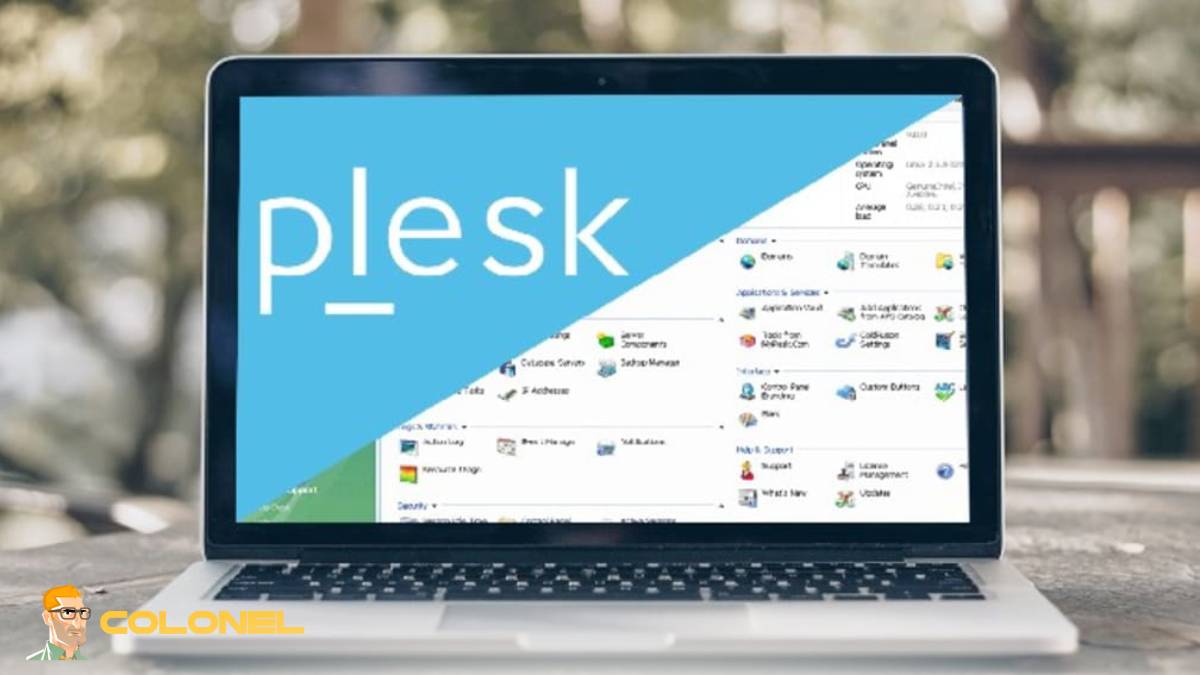
Plesk license refers to the tool that gives you access to all functionalities of Plesk control panel, one of the most popular WebOps systems for controlling servers, Websites, Apps, and hosting infrastructures. No matter whether you host one single site or hundreds of projects for various clients, the Plesk platform will provide you with an all-in-one dashboard to deal with all your complicated server operations. Learning about the essence of a Plesk license will help you get started with How to Buy Plesk License.
The significance of the Plesk license can be explained by its practical benefits. By using the license you will have access to all server operations that you could usually do via command-line interfaces. This means that by buying such a license you’ll be able to simplify everything in terms of configuration, application deployment, Datenbankverwaltung, usw.
Why am i need Plesk License?
One more vital reason for opting for a Plesk license is security. Thanks to the inclusion of a wide array of built-in security measures such as firewall management, SSL support, antivirus capabilities, and auto-updates, Plesk guarantees the safety of your hosting services. Darüber hinaus, Plesk allows installing numerous extensions that contribute to both performance and security enhancements.
When searching for How to Buy Plesk License, it is important to understand that there are multiple types of licenses designed for diverse purposes. Daher, it is necessary to pick a license that fits your requirements best.

WordPress-Webhosting
Ab 3,99 $/Monat
So kaufen Sie eine Plesk-Lizenz (Schritt-für-Schritt-Anleitung)
Lernen So kaufen Sie eine Plesk-Lizenz is not complicated, but following a structured approach ensures you make the right decision and avoid unnecessary costs. This step-by-step guide walks you through the entire process, from evaluating your current setup to activating your new license.
Schritt 1: Check Your Current License
Before purchasing a new license, it is crucial to review your existing Plesk setup. Determine which edition you are currently using, how many domains are hosted, and what features are actively in use. This step helps you identify whether you need an upgrade, Herabstufung, or a completely new license.
Understanding your current usage also prevents overpaying for features you do not need. Zum Beispiel, if you are managing only a few domains, upgrading to a high-tier license may not be necessary. This evaluation plays a key role in mastering How to Buy Plesk License efficiently.
Schritt 2: Cancel Your Existing License
Once you have assessed your current license, the next step is to cancel it properly. This ensures you avoid being billed for overlapping licenses. Depending on your provider, cancellation may require submitting a request or disabling automatic renewal.
Timing is important here. Make sure your current license remains active until you are ready to switch, so your websites and services do not experience downtime. Proper planning at this stage is a critical part of How to Buy Plesk License without disruptions.

Günstiger VPS-Server
Ab 2,99 $/Monat
Schritt 3: Wählen Sie den richtigen Plan
Selecting the right plan is one of the most important steps in How to Buy Plesk License. You need to consider factors such as the number of domains, required features, and whether you need reseller capabilities.
For individuals and small businesses, entry-level plans may be sufficient. Developers and agencies often require more advanced tools such as WordPress management and staging environments. Hosting providers typically need unlimited domains and reseller management features.
Schritt 4: Complete Purchase and Get Instant Activation
After choosing the appropriate plan, proceed with the purchase. Many providers offer instant activation, meaning your license key is delivered immediately after payment. This allows you to start using your new license without delays.
Während dieser Phase, ensure that you are purchasing from a reliable provider that offers genuine licenses, wettbewerbsfähige Preise, und reaktionsschneller Support. This is a crucial factor in successfully navigating How to Buy Plesk License.
Schritt 5: Apply the License Key
The final step in How to Buy Plesk License is applying the new license key to your Plesk installation. This process is straightforward and usually involves entering the key in the Plesk dashboard.
Einmal angewendet, your new license becomes active, and you can immediately access its features. An dieser Stelle, you should verify that everything is functioning correctly, including domains, Datenbanken, und Erweiterungen.

Windows VPS-Hosting
Fernzugriff und vollständige Verwaltung
Plesk License Pricing and Plans Overview
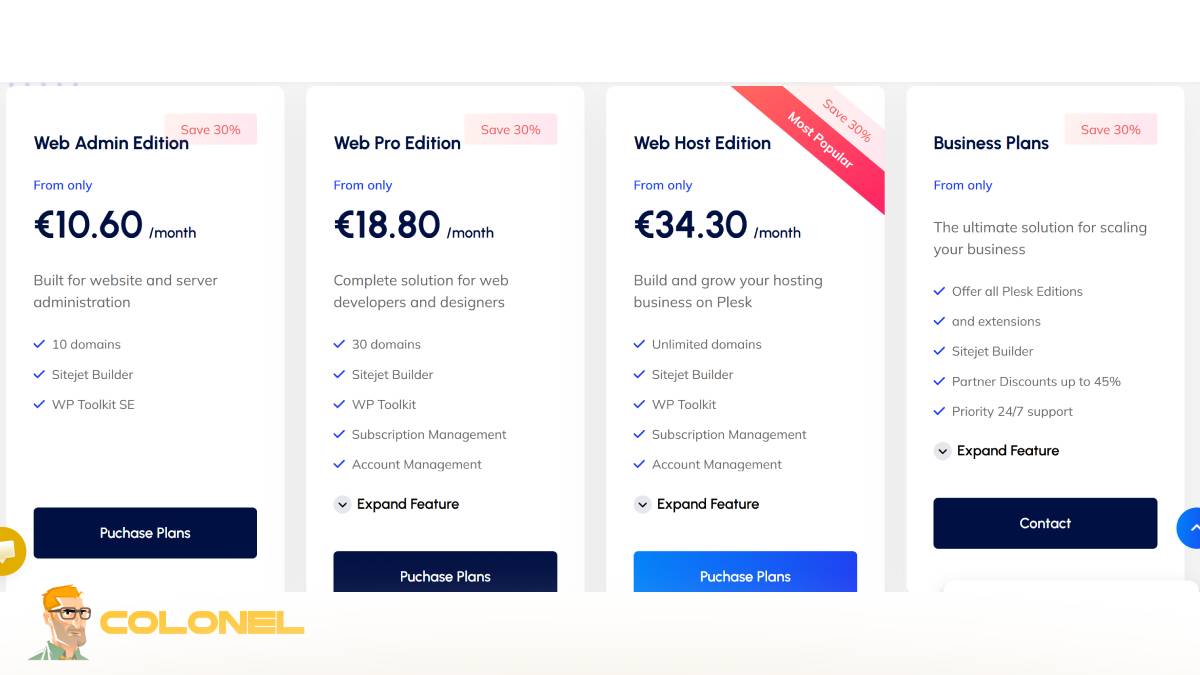
Plesk offers a variety of pricing options designed to accommodate different user needs. The cost of a license typically depends on the number of domains, available features, and the level of support included. Understanding pricing is essential when learning How to Buy Plesk License wisely.
Below is a simplified overview of common Plesk license plans in Colonelserver:
| Plan Name | Domain-Limit | Am besten für | Hauptmerkmale |
|---|---|---|---|
| Webadministrator | Bis zu 10 Domänen | Small websites and personal use | Basic management tools |
| Web-Profi | Bis zu 30 Domänen | Developers and agencies | WordPress-Toolkit, Kontoverwaltung |
| Web Host | Unbegrenzt | Hosting providers and resellers | Reseller tools, full features |
Pricing can vary depending on the provider, and discounts are often available. This is why understanding How to Buy Plesk License from the right source can significantly reduce costs while maintaining quality.
Types of Plesk Licenses Explained
Choosing the correct license type is a fundamental aspect of How to Buy Plesk License. Each edition is designed with a specific audience in mind, ensuring that users only pay for what they need.
Web Admin-Edition (Best for Small Projects)
The Web Admin Edition is ideal for individuals and small businesses managing a limited number of websites. It provides essential tools for server and website administration without unnecessary complexity.
This edition is cost-effective and easy to use, making it a great starting point for beginners learning How to Buy Plesk License.
Web Pro Edition (Ideal for Developers & Agenturen)
The Web Pro Edition is tailored for professionals who manage multiple client websites. It includes advanced features such as the full WordPress Toolkit, Abonnementverwaltung, and staging environments.
For developers and agencies, this edition offers the flexibility and efficiency needed to handle client projects effectively. Understanding this option is key when exploring How to Buy Plesk License for professional use.
Webhost-Edition (For Hosting Businesses & Wiederverkäufer)
The Web Host Edition is designed for large-scale operations, including hosting providers and resellers. It supports unlimited domains and includes tools for managing customer accounts and reseller packages.
This edition is essential for businesses looking to scale their hosting services. It represents the most comprehensive option when considering How to Buy Plesk License for enterprise-level needs.
Anwendungsfälle für Plesk-Lizenzen
Plesk licenses are versatile and can be used in various scenarios. Understanding these use cases helps you align your choice with your specific requirements, making How to Buy Plesk License a more strategic decision.
Shared Hosting-Umgebungen
In Shared-Hosting Umgebungen, Plesk simplifies the management of multiple users on a single server. It ensures efficient resource allocation and maintains system stability.
Reseller-Hosting-Unternehmen
Reseller businesses benefit from Plesk’s ability to create and manage hosting packages. This allows them to offer branded services without managing physical infrastructure.
VPS and Dedicated Server Providers
For VPS and Dedizierter Server Anbieter, Plesk automates server management tasks, reducing administrative workload and improving efficiency.
Webdesigner & Agenturen
Web designers and agencies use Plesk to manage multiple client websites from a single dashboard. This streamlines workflows and enhances productivity.
Entwickler & DevOps-Teams
Developers and DevOps teams rely on Plesk for its support of modern technologies such as Docker and Git. It simplifies deployment and application management.
E-Commerce & Hochfrequentierte Websites
For eCommerce platforms and high-traffic websites, Plesk ensures performance optimization and reliability, which are critical for user experience and revenue generation.
So wählen Sie die richtige Plesk-Lizenz aus
Selecting the right license requires a clear understanding of your current and future needs. Factors such as domain count, required features, and business model play a significant role.
If you are managing a small number of websites, a basic plan is sufficient. For growing businesses, mid-tier plans offer more flexibility. Large-scale operations should opt for advanced plans with unlimited domains and reseller capabilities.
When learning How to Buy Plesk License, always consider scalability. Choosing a license that can grow with your business prevents the need for frequent upgrades.
Why Choose ColonelServer for Cheap Plesk License?
Choosing the right provider is just as important as choosing the right license. ColonelServer stands out by offering affordable pricing without compromising quality. Their licenses are genuine, fully compatible, and come with instant activation.
In addition to competitive pricing, they provide reliable customer support and seamless integration across various platforms. This makes them a strong option for anyone exploring How to Buy Plesk License at a lower cost.
Benefits of Buying a Cheap Plesk License with Discount
Purchasing a discounted Plesk license allows you to save money while still accessing all essential features. This is particularly beneficial for startups and small businesses with limited budgets.
Cost savings can be reinvested into other areas of your business, such as marketing or infrastructure upgrades. Understanding How to Buy Plesk License with discounts ensures you maximize value without sacrificing performance.
Letzte Gedanken: Get the Best Plesk License for Your Needs
Choosing and purchasing a Plesk license does not have to be complicated. By understanding your requirements, comparing available options, and following a structured approach, you can make an informed decision.
Mastering How to Buy Plesk License ensures that you select the right plan, avoid unnecessary expenses, and create a reliable hosting environment. Whether you are an individual, Entwickler, or hosting provider, the right Plesk license can significantly enhance your workflow and overall efficiency.
