
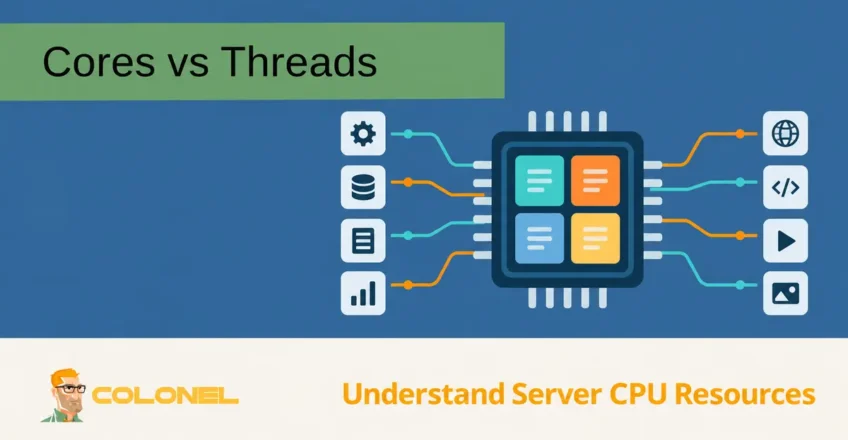
Why CPU Specifications Matter
When selecting a server, VPS, dedicated machine, workstation, or even a personal computer, one of the most important hardware components to evaluate is the processor.
Many people focus on CPU model numbers while overlooking specifications such as:
- Core count
- Thread count
- Clock speed
- Cache size
- Processor architecture
Understanding the relationship between CPU cores and threads can help you make better decisions when purchasing infrastructure, optimizing workloads, or upgrading existing systems.
The right processor configuration can significantly improve performance while ensuring you get the best value from your hardware investment.
What Is a CPU?
A CPU (Central Processing Unit) is the primary processing component of a computer system.
Its job is to:

WordPress-webhosting
Vanaf $ 3,99/maandelijks
- Execute instructions
- Perform calculations
- Process data
- Manage system operations
- Coordinate hardware resources
The CPU acts as the command center of the system, communicating with components such as:
- RAM
- Storage devices
- Network interfaces
- Graphics processors
- Peripheral devices
Every application running on a computer ultimately depends on the CPU to execute its instructions.
Understanding CPU Cores
A CPU core is a physical processing unit located inside the processor.
Each core can independently execute instructions and process workloads.
In the early days of computing, processors contained only a single core.
Modern processors typically contain multiple cores, allowing them to perform many tasks simultaneously.

Goedkope VPS-server
Vanaf $ 2,99/maandelijks
What Does a Core Do?
Each core can:
- Execute instructions
- Process calculations
- Run applications
- Handle operating system tasks
As the number of cores increases, the processor gains the ability to handle more workloads at the same time.
Single-Core Processors
A single-core processor contains one physical processing unit.
Because only one core is available, it can generally perform one processing task at a time.
Voordelen zijn onder meer:
- Lager stroomverbruik
- Lower cost
- Simpler architecture
Echter, single-core processors are limited when handling multiple demanding applications simultaneously.

Windows VPS-hosting
Toegang op afstand en volledig beheer
They are rarely used in modern server environments.
Multi-Core Processors
A multi-core processor contains multiple physical cores within a single CPU package.
Veel voorkomende configuraties zijn onder meer:
- Dual-core (2 cores)
- Quad-core (4 cores)
- Hexa-core (6 cores)
- Octa-core (8 cores)
- 12-core
- 16-core
- 24-core
- 32-core and beyond
Each core can process tasks independently, allowing the processor to handle significantly more work simultaneously.
Benefits of Multi-Core CPUs
Multi-core processors provide:
- Improved multitasking
- Faster application performance
- Better virtualization support
- Increased workload capacity
- Improved responsiveness
For servers and modern workloads, multi-core CPUs are essential.
CPU vs Core: What’s the Difference?
Many people use the terms CPU and core interchangeably, but they are not the same thing.
CPU
The CPU refers to the complete processor package installed in a system.
Kern
A core is an individual processing unit contained within the CPU.
Think of it like this:
- CPU = entire office building
- Cores = employees working inside the building
A single CPU may contain:
- 2 cores
- 4 cores
- 8 cores
- 16 cores
- 64 cores
or even more depending on the processor model.
Understanding CPU Threads
Distinguish a software thread from a hardware thread. Software can create many threads that the scheduler time-slices. A CPU specification such as “8 cores / 16 threads” describes hardware execution contexts exposed as logical processors, not a limit of 16 application threads.
A thread represents a sequence of instructions that can be executed by the processor.
Applications are often divided into multiple threads to improve efficiency.
Voorbeelden zijn onder meer:
- Web browsers
- Databases
- Video rendering software
- Virtual machines
- Ontwikkelingshulpmiddelen
The more threads a CPU can process simultaneously, the greater its potential workload capacity.
What Is a Thread?
A thread is essentially a stream of executable tasks generated by software.
Bijvoorbeeld, a web browser may create separate threads for:
- Rendering webpages
- Downloading files
- Running JavaScript
- Processing user input
Instead of forcing all tasks through a single execution path, threads allow work to be divided and processed more efficiently.
What Is Multithreading?
Multithreading is the ability to execute multiple threads concurrently.
Modern operating systems and applications are designed to take advantage of multithreading to improve performance.
Voordelen zijn onder meer:
- Better CPU utilization
- Faster processing
- Improved responsiveness
- Reduced waiting time
When applications are optimized for multithreading, performance can improve dramatically on modern processors.
Hyper-Threading and Simultaneous Multithreading
Modern processors often support technologies that allow each physical core to handle multiple threads.
Depending on the manufacturer, this technology may be called:
- Hyper-Threading (Intel)
- Simultaneous Multithreading (SMT) (AMD)
These technologies allow a single physical core to manage multiple instruction streams simultaneously.
Voorbeeld
A processor with:
8 Cores
16 Threads
contains:
- 8 physical cores
- 16 logical processing threads
Each physical core can execute two threads simultaneously.
How Hyper-Threading Works
A CPU core contains several internal resources:
- Execution units
- Registers
- Cache
- Scheduling logic
During normal operation, some of these resources may remain idle.
Hyper-Threading improves efficiency by allowing a second thread to use otherwise unused resources.
This helps maximize processor utilization and improve overall throughput.
Core Count vs Thread Count
When evaluating CPUs, you will often see specifications such as:
4 Cores / 8 Threads
of
16 Cores / 32 Threads
The first number refers to physical cores.
The second number refers to total logical threads.
Voorbeeld 1
4 Cores / 4 Threads
It exposes one hardware thread per core; SMT may be unsupported or disabled.
Each core handles one thread.
Voorbeeld 2
4 Cores / 8 Threads
It exposes two hardware threads per core through SMT; Intel calls its implementation Hyper-Threading.
Each core handles two threads.
Voorbeeld 3
16 Cores / 32 Threads
This processor contains:
- 16 physical cores
- 32 logical threads
making it highly suitable for demanding workloads.
CPU-kernen versus threads: Belangrijkste verschillen
| CPU Core | CPU Thread |
|---|---|
| Physical processing unit | Logical execution path |
| Exists as hardware | Exists as a software-visible resource |
| Performs actual processing | Represents work assigned to a core |
| More cores increase true processing power | More threads improve resource utilization |
| Requires additional silicon | Created through CPU architecture |
In simple terms:
- Cores provide raw processing power.
- Threads improve efficiency and workload handling.
Which Is More Important: Cores or Threads?
The answer depends on the workload.
Workloads That Benefit From More Cores
Voorbeelden zijn onder meer:
- Virtualisatie
- Videoweergave
- Wetenschappelijk computergebruik
- Databaseservers
- Container platforms
- Machinaal leren
These workloads often scale extremely well with additional physical cores.
Workloads That Benefit From More Threads
Voorbeelden zijn onder meer:
- Webservers
- General multitasking
- Kantoorproductiviteit
- Development environments
- Applicatiehosting
Threads help improve responsiveness and resource utilization.
Server Workloads and CPU Selection
A VPS vCPU is a virtual scheduling resource, not automatically an exclusive physical core. Check whether CPU time is shared, dedicated or limited by the plan. Single-thread performance, memory bandwidth, cache contention and software licensing can matter more than the advertised core count.
Different server types place different demands on processors.
Web Hosting Servers
Web hosting environments often benefit from:
- Moderate to high core counts
- Hyper-Threading support
This helps handle multiple concurrent visitors efficiently.
Database Servers
Database workloads generally benefit from:
- More cores
- Large cache sizes
- Hoge kloksnelheden
Virtualization Hosts
Virtual machines require significant CPU resources.
Higher core counts allow:
- More virtual machines
- Better workload distribution
- Improved performance
Application Servers
Application hosting often benefits from both:
- Multiple cores
- Multiple threads
depending on application architecture.
How More Cores Improve Performance
Imagine a workload requiring eight independent tasks.
Single-Core Processor
Task 1
Task 2
Task 3
Task 4
Task 5
Task 6
Task 7
Task 8
Tasks must be processed sequentially.
Eight-Core Processor
Task 1 → Core 1
Task 2 → Core 2
Task 3 → Core 3
Task 4 → Core 4
Task 5 → Core 5
Task 6 → Core 6
Task 7 → Core 7
Task 8 → Core 8
All tasks can execute simultaneously.
This dramatically reduces completion time.
Does Hyper-Threading Double Performance?
Nee.
Although a core can execute two threads, Hyper-Threading does not double processing power.
Real-world performance improvements typically vary depending on workload.
SMT gains are workload-dependent and can be small, positive or occasionally negative when threads compete for shared resources. Compare the actual processors and application benchmarks; equal logical-thread counts do not imply equal throughput.
Choosing the Right CPU
When selecting a processor, overwegen:
Number of Cores
Higher core counts generally benefit:
- Servers
- Virtualisatie
- Heavy multitasking
Number of Threads
More threads help improve:
- Efficiency
- Concurrent workloads
- Resource utilization
Clock Speed
Higher frequencies improve:
- Single-thread performance
- Application responsiveness
Cache Size
Larger caches help reduce memory access delays.
Power Consumption
Balance performance requirements against power and cooling considerations.
Why Understanding Cores and Threads Matters
CPU cores and threads work together to determine overall processor performance. Cores provide the physical processing capability needed to execute workloads, while threads help maximize the efficiency of those resources by allowing multiple instruction streams to run simultaneously.
When evaluating servers, VPS platforms, dedicated infrastructure, or workstations, understanding the difference between cores and threads helps ensure that the selected processor aligns with the intended workload. Whether running virtual machines, databases, websites, ontwikkelomgevingen, or enterprise applications, choosing the right balance of cores and threads can significantly impact performance, schaalbaarheid, and overall return on investment.