
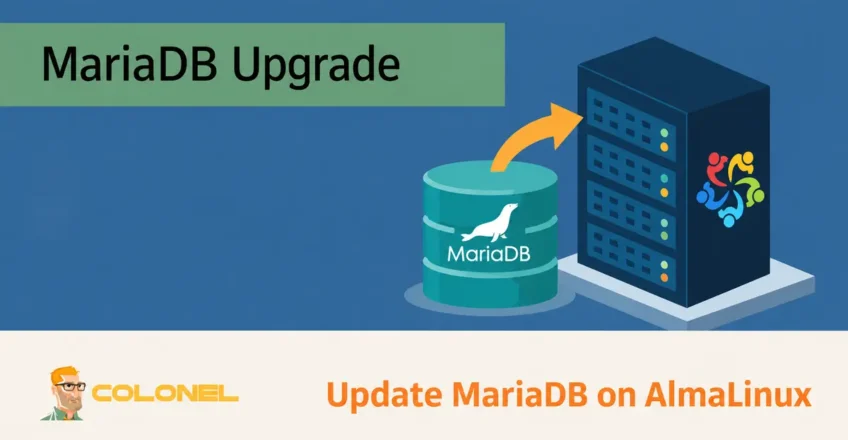
Why Keeping MariaDB Updated Matters
MariaDB is one of the most widely used open-source relational database management systems. Created by the original MySQL developers, it has become the default database platform for many Linux distributions and hosting environments.
Regular MariaDB upgrades are important for maintaining:
- Beveiliging
- Stabiliteit
- Prestatie
- Compatibility
- Access to new features
Each release typically introduces improvements to query optimization, replicatie, storage engines, security mechanisms, and database administration tools.
Running outdated database software can expose systems to known vulnerabilities and may eventually create compatibility issues with modern applications and frameworks.
Before Upgrading MariaDB
Database upgrades should always be planned carefully. Although MariaDB upgrades are generally straightforward, preparation helps minimize downtime and reduces the risk of data loss.
Voordat u verdergaat, verifieer het volgende:

WordPress-webhosting
Vanaf $ 3,99/maandelijks
Besturingssysteem
This guide applies to:
- AlmaLinux 8
Required Access
You should have:
- Root access
- Sudo privileges
- Terminal access
- Internet connectivity
Existing MariaDB Installation
A currently installed MariaDB version must already exist on the server.
Stap 1: Check Current Versions
Voordat u wijzigingen aanbrengt, determine both the operating system version and the installed MariaDB version.
Check the MariaDB version:
mysql -V
Check the AlmaLinux version:

Goedkope VPS-server
Vanaf $ 2,99/maandelijks
cat /etc/redhat-release
Voorbeelduitvoer:
mysql  Ver 15.1 Distrib 10.5.21-MariaDB

AlmaLinux release 8.8 (Sapphire Caracal)
This information helps verify the current environment and confirms the starting point for the upgrade process.
Stap 2: Create Full Backups
Never perform a database upgrade without first creating back-ups.
A complete backup should include:
- All databases
- Database files
- Configuratiebestanden
Export All Databases
Create a full database dump:
mysqldump --all-databases > /tmp/all-database-backup.sql
This generates a SQL backup that can be restored if necessary.
Windows VPS-hosting
Toegang op afstand en volledig beheer
Back Up Database Files
Create a copy of the MariaDB data directory:
cp -a /var/lib/mysql /var/lib/mysql_oldbackup
Back Up Configuration Files
Backup the primary configuration file:
cp -a /etc/my.cnf /etc/my.cnf_oldbackup
If your system contains additional configuration directories, back them up as well.
Bijvoorbeeld:
cp -a /etc/my.cnf.d /etc/my.cnf.d_oldbackup
These backups provide a recovery path if unexpected issues occur during the upgrade.
Stap 3: Stop MariaDB
Before modifying repositories or packages, stop the database service.
systemctl stop mariadb
Verify the service status:
systemctl status mariadb
The service should show as inactive before continuing.
Stap 4: Remove the Existing MariaDB Repository
Older MariaDB repositories should be removed or archived before installing a newer release.
Rename the current repository file:
mv /etc/yum.repos.d/mariadb.repo /etc/yum.repos.d/mariadb.repo_oldbackup
This preserves the original configuration while preventing conflicts.
Stap 5: Update the System
Update all installed packages before proceeding with the database upgrade.
dnf update -y
This ensures repository metadata and system packages are current.
Stap 6: Configure the New MariaDB Repository
Create a new repository file:
vi /etc/yum.repos.d/mariadb.repo
Add the appropriate repository configuration.
Voorbeeld:
[mariadb]
name = MariaDB
baseurl = http://yum.mariadb.org/10.10/rhel8-amd64
module_hotfixes=1
gpgkey=https://yum.mariadb.org/RPM-GPG-KEY-MariaDB
gpgcheck=1
Replace the version number with the release you intend to install.
Saving this file allows AlmaLinux to retrieve the new MariaDB packages.
Stap 7: Remove the Existing MariaDB Server Package
Uninstall the current MariaDB server package.
dnf remove MariaDB-server -y
Clean package metadata afterward:
dnf clean all
This ensures package information is refreshed before installation.
Stap 8: Install the New MariaDB Version
Install the updated MariaDB server package.
dnf install MariaDB-server -y
The package manager will download:
- MariaDB Server
- Required dependencies
- Supporting libraries
Depending on the target version, additional packages may also be installed automatically.
Stap 9: Install Common MariaDB Components
Many production environments require additional MariaDB packages.
Install commonly used components:
dnf install galera-4 MariaDB-client MariaDB-common MariaDB-shared MariaDB-backup -y
These packages provide:
- Client utilities
- Back-uphulpmiddelen
- Replication components
- Shared libraries
Stap 10: Start MariaDB
Start the database service:
systemctl start mariadb
Verify that it is running correctly:
systemctl status mariadb
The service should report an active state.
Stap 11: Enable Automatic Startup
Configure MariaDB to start automatically during system boot.
systemctl enable mariadb
This ensures the database service starts after server reboots.
Stap 12: Upgrade Internal Database Structures
After installing the new version, internal system tables and metadata may need updating.
Run the upgrade utility:
mysql_upgrade
The upgrade process typically performs tasks such as:
- Updating system tables
- Checking database consistency
- Updating privilege tables
- Verifying storage engines
- Fixing compatibility issues
A successful upgrade will complete all phases without errors.
Stap 13: Verify the Upgrade
Confirm the installed MariaDB version.
mysql -V
Voorbeeld:
mysql Ver 15.1 Distrib 10.10.5-MariaDB
Verify that the reported version matches the intended upgrade target.
Securing MariaDB After Installation
After upgrading, it is a good practice to review security settings.
MariaDB includes a security configuration utility.
Loop:
mysql_secure_installation
The wizard allows administrators to:
- Set or change the root password
- Remove anonymous accounts
- Disable remote root access
- Remove test databases
- Reload privilege tables
Following these recommendations helps improve database security.
Common Post-Upgrade Checks
After upgrading MariaDB, verify that all applications continue to function correctly.
Recommended checks include:
Test Application Connectivity
Verify that websites and applications can still connect successfully to the database.
Review Database Logs
Check for warnings or errors:
journalctl -u mariadb
of
tail -f /var/log/mariadb/mariadb.log
Log locations may vary depending on the server configuration.
Verify Replication
If replication is configured, confirm that replication processes remain operational.
Check Database Integrity
Review important databases and perform application-level testing before returning systems to production workloads.
Upgrade Best Practices
Always Create Backups
Database upgrades should never be performed without verified backups.
Review Release Notes
Read release documentation before upgrading across major versions.
Test in Staging First
Production environments should ideally test upgrades on staging servers before deployment.
Upgrade Regularly
Smaller, incremental upgrades are generally safer than skipping multiple major releases.
Monitor After Completion
Observe server behavior, application performance, and logs for several days after the upgrade.
Maintaining a Healthy MariaDB Environment
Keeping MariaDB current ensures access to security updates, prestatieverbeteringen, and modern database features. By following a structured upgrade process that includes backups, repository updates, package installation, database upgrades, and post-upgrade validation, administrators can safely maintain MariaDB environments on AlmaLinux while minimizing downtime and operational risk.