
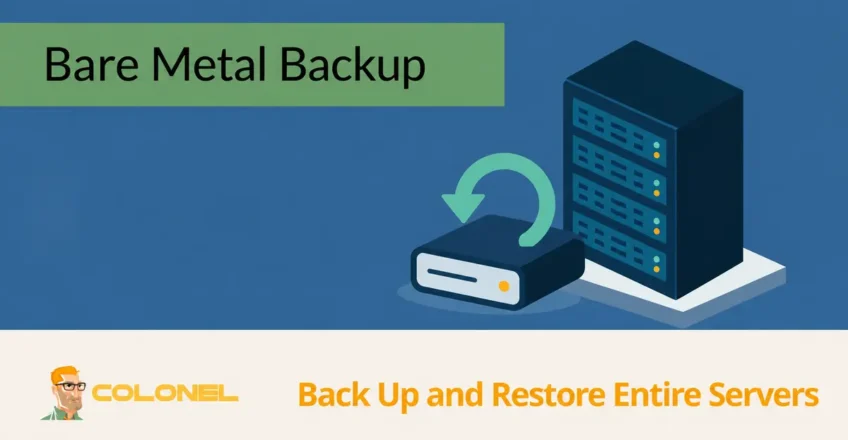
What Is Bare Metal Backup?
Data protection is one of the most important responsibilities in modern IT infrastructure. While traditional file-based backups help protect documents, databases, and application data, they often fail to provide complete system recovery after major incidents.
Bare metal backup solves this problem by creating a complete image of an entire server, including:
- Operating system
- Applications
- System configurations
- User data
- Partitions and volumes
- Boot records
- Server settings
When restored, the server returns to the exact state it was in when the backup was created.
Unlike file-level backups that require rebuilding the operating system and reinstalling applications, bare metal recovery allows organizations to restore an entire server environment quickly and efficiently.
Why Bare Metal Backups Matter
Businesses face numerous risks that can result in system failure or data loss.
Examples include:

WordPress Web Hosting
Starting From €2.99/Monthly
- Hardware failures
- Ransomware attacks
- Malware infections
- Human error
- Storage corruption
- Natural disasters
- Data center outages
A traditional backup strategy may recover files, but rebuilding a complete server can take hours or even days.
Bare metal recovery significantly reduces recovery time by restoring everything from a single backup image.
This makes it an essential component of disaster recovery and business continuity planning.
How Bare Metal Backup Works
A bare metal backup captures a full system image rather than individual files.
The process typically includes:
- Scanning the entire server.
- Creating a complete image of all volumes and partitions.
- Storing the backup locally, remotely, or in the cloud.
- Performing incremental or differential updates as needed.
When a recovery is required:

Cheap VPS Server
Starting From €8/Monthly
- New hardware or replacement infrastructure is prepared.
- The backup image is restored.
- Operating system, applications, settings, and data are recovered together.
The result is a fully operational server that closely matches the original environment.
Common Use Cases for Bare Metal Recovery
Bare metal backups provide value in a variety of scenarios.
Disaster Recovery
Major incidents such as fire, flooding, power failures, or cyberattacks can render servers unusable.
Bare metal backups allow organizations to restore complete systems rapidly and minimize downtime.
Hardware Failure
When storage devices or critical hardware fail, a full system image can be restored to replacement equipment without rebuilding the server from scratch.
Ransomware Recovery
Ransomware often encrypts both operating systems and data.
Windows VPS Hosting
Remote Access & Full Admin
Restoring a clean bare metal image can return systems to a known-good state.
For maximum protection, backup copies should always be stored separately from production infrastructure.
Mass Deployment
Organizations frequently need to deploy identical server configurations.
Bare metal images can be used to clone environments efficiently, reducing deployment time and administrative effort.
What to Look for in Bare Metal Backup Software
Choosing the right backup platform requires evaluating several critical features.
Fast Recovery Performance
Recovery speed directly impacts downtime.
Look for solutions that provide:
- Low Recovery Time Objectives (RTO)
- Rapid image restoration
- Instant recovery options
Flexible Recovery Methods
Modern solutions should support:
- Full system recovery
- File-level recovery
- Application-level recovery
- Virtual machine recovery
This flexibility allows organizations to restore only what they need when appropriate.
Broad Platform Compatibility
Verify support for:
- Windows
- Linux
- Physical servers
- Virtual machines
- Cloud workloads
Compatibility ensures seamless integration into existing environments.
Data Security
Backup systems should provide:
- Encryption
- Integrity verification
- Secure storage
- Access controls
Protecting backups is just as important as protecting production systems.
Automation
Automated scheduling helps ensure backups occur consistently without manual intervention.
Disaster Recovery Features
Advanced solutions often include:
- Offsite replication
- Cloud integration
- Geographic redundancy
- Automated failover capabilities
These features strengthen business continuity strategies.
Best Bare Metal Backup Software Solutions
Several enterprise-grade solutions provide reliable bare metal backup and recovery capabilities.
Below are some of the most popular options.
1. Acronis Cyber Protect
Acronis is one of the most widely recognized backup and disaster recovery platforms.
The solution combines backup, recovery, cybersecurity, and ransomware protection in a single platform.
Key Features
- Full image backups
- Incremental and differential backups
- Physical and virtual server protection
- Cloud backup integration
- Anti-ransomware technology
- Centralized management
- One-click recovery options
Advantages
Acronis is particularly attractive for organizations seeking both backup and cybersecurity capabilities from a single vendor.
Best For
- Small businesses
- Managed service providers
- Enterprise environments
- Hybrid infrastructure
Acronis is often considered one of the most feature-rich bare metal backup platforms available.
2. Veeam Backup & Replication
Veeam is especially popular in virtualized environments.
The platform focuses heavily on protecting:
- VMware environments
- Hyper-V infrastructure
- Hybrid cloud workloads
Key Features
- Instant VM recovery
- Continuous data protection
- Physical server backup
- Cloud workload support
- Advanced monitoring
- Granular recovery options
Advantages
Veeam delivers excellent performance for organizations heavily invested in virtualization technologies.
Best For
- VMware deployments
- Hyper-V environments
- Enterprise virtualization
Its flexibility and performance have made it a leading solution in the virtualization market.
3. Veritas Backup Exec
Veritas Backup Exec is designed to protect physical, virtual, and cloud environments through a centralized platform.
Key Features
- Full server backup
- Granular recovery
- Disk and cloud storage support
- Automated installation
- Centralized management
- Malware and ransomware protection
Advantages
The platform is known for broad compatibility and strong support for hybrid infrastructures.
Best For
- Small and medium-sized businesses
- Hybrid environments
- Mixed infrastructure deployments
Organizations looking for a mature and proven backup platform often consider Veritas.
4. Barracuda Backup
Barracuda focuses on simplicity and disaster recovery readiness.
The platform combines backup, replication, and recovery capabilities into a unified solution.
Key Features
- Offsite replication
- Cloud storage integration
- Scheduled backups
- Physical and virtual support
- Centralized cloud management
Advantages
Barracuda simplifies deployment and management while providing reliable disaster recovery features.
Best For
- Businesses seeking simple deployment
- Organizations prioritizing offsite protection
- Hybrid infrastructure environments
Its cloud-centric management approach appeals to many IT teams.
5. NinjaOne Backup
NinjaOne Backup is a cloud-first platform that integrates with broader endpoint and IT management capabilities.
Key Features
- Image-based backups
- File and folder recovery
- End-to-end encryption
- Automated scheduling
- Monitoring and reporting
- Cloud-native architecture
Advantages
The platform provides a modern management experience with strong automation capabilities.
Best For
- Managed service providers
- Distributed organizations
- Cloud-focused environments
Businesses already using NinjaOne’s management platform often benefit from seamless integration.
6. Bacula
Bacula is a highly flexible open-source backup platform widely used in enterprise environments.
Unlike many commercial alternatives, the core software is freely available.
Key Features
- Open-source architecture
- Multi-platform support
- Disk, tape, and cloud storage
- Encryption support
- Highly scalable design
Advantages
Organizations gain extensive customization capabilities without licensing restrictions.
Best For
- Linux environments
- Large enterprises
- Organizations with experienced administrators
While powerful, Bacula typically requires greater technical expertise than commercial solutions.
Comparing Bare Metal Backup Solutions
| Solution | Best For | Physical Servers | Virtual Machines | Cloud Integration | Ransomware Protection |
|---|---|---|---|---|---|
| Acronis Cyber Protect | General business use | Yes | Yes | Yes | Yes |
| Veeam Backup & Replication | Virtualization | Yes | Yes | Yes | Limited |
| Veritas Backup Exec | Hybrid environments | Yes | Yes | Yes | Yes |
| Barracuda Backup | Disaster recovery | Yes | Yes | Yes | Limited |
| NinjaOne Backup | Cloud-first environments | Yes | Yes | Yes | Limited |
| Bacula | Technical enterprise deployments | Yes | Yes | Yes | Depends on configuration |
Building an Effective Disaster Recovery Strategy
Backup software alone is not enough.
A comprehensive disaster recovery plan should include:
Multiple Backup Locations
Maintain:
- Local backups
- Offsite backups
- Cloud backups
This reduces the risk of a single point of failure.
Backup Testing
Regular recovery testing ensures backups remain usable during emergencies.
Recovery Documentation
Maintain documented procedures covering:
- Restoration processes
- Recovery priorities
- Incident response workflows
Backup Retention Policies
Define retention periods based on:
- Business requirements
- Compliance obligations
- Recovery objectives
These practices strengthen overall resilience and improve recovery readiness.
Bare Metal Backups vs Traditional File Backups
File-Based Backup
Protects:
- Documents
- Databases
- Individual files
Advantages:
- Smaller backup size
- Faster backups
Limitations:
- Requires operating system rebuilds
- Requires application reinstallation
Bare Metal Backup
Protects:
- Entire systems
- Operating systems
- Applications
- Configurations
- Data
Advantages:
- Faster disaster recovery
- Complete system restoration
Limitations:
- Larger storage requirements
- Longer backup operations
Many organizations use both approaches together as part of a layered backup strategy.
Choosing the Right Bare Metal Backup Solution
The best backup platform depends on your infrastructure, recovery requirements, budget, and technical expertise.
Organizations running heavily virtualized environments may favor Veeam, while businesses seeking integrated security and backup capabilities often choose Acronis. Companies requiring maximum customization may prefer Bacula, while cloud-focused teams may find NinjaOne particularly attractive.
Regardless of the solution selected, implementing bare metal backups significantly improves disaster recovery capabilities by enabling complete server restoration rather than rebuilding systems from scratch. A comprehensive backup strategy that includes image-based recovery, offsite storage, automated scheduling, and regular testing provides the strongest protection against hardware failures, cyberattacks, and unexpected outages.