
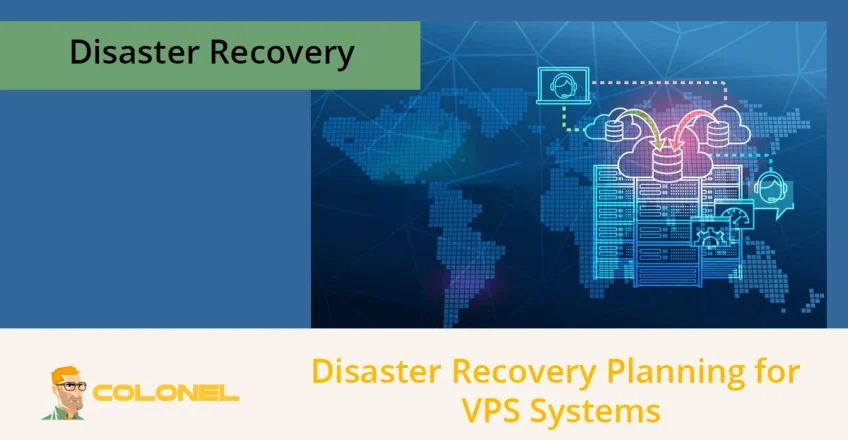

A disaster recovery plan for VPS (Virtual Private Server) systems is crucial for maintaining business continuity and protecting critical data. A robust plan ensures your VPS-hosted applications can quickly recover from unexpected incidents, minimizing downtime, financial loss, and reputational damage.
Proper disaster recovery VPS planning ensures that organizations can restore operations efficiently while safeguarding sensitive data and compliance requirements.
Understanding Disaster Recovery VPS
Disaster recovery VPS involves the structured preparation, processes, and tools used to recover VPS-hosted systems after a disruptive event. Unlike simple backups, a disaster recovery plan addresses both the recovery of data and the restoration of services to ensure business continuity.
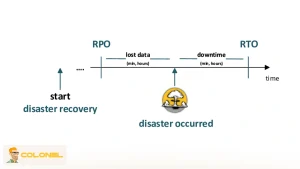
Key metrics such as Recovery Point Objective (RPO) and Recovery Time Objective (RTO) define acceptable data loss and downtime levels, forming the backbone of any effective disaster recovery VPS strategy. Without a clear plan, organizations risk extended service interruptions, revenue loss, and compromised customer trust. According to the disaster recovery journal:
“A disaster recovery plan is not just about backups; it’s a strategic approach to ensure your digital operations survive any crisis.”


WordPress Web Hosting
Starting From $3.99/Monthly
Key Components of a Disaster Recovery VPS Plan
A successful disaster recovery VPS plan includes multiple components to address every aspect of recovery. Each element contributes to minimizing downtime and protecting data integrity.
Risk Assessment and Business Impact Analysis (BIA)
Begin by assessing potential threats to your VPS infrastructure, including hardware failures, software issues, human error, and cyber threats. Conduct a Business Impact Analysis (BIA) to evaluate the effect of disruptions on operations, finances, and reputation. This analysis guides recovery priorities and resource allocation.
Backup Strategy
Backups are foundational to disaster recovery VPS planning, but are insufficient alone. Implement regular backups (See Colonel Backup Hosting Plans)—daily, hourly, or real-time depending on business needs—and ensure they are stored offsite or in secure cloud environments. This protects data against localized disasters, hardware failures, and cyberattacks.
Recovery Point Objective (RPO) and Recovery Time Objective (RTO)
Define how much data loss is tolerable (RPO) and the maximum downtime the organization can sustain (RTO). For example, an e-commerce site processing hundreds of transactions daily may require an RPO of 15 minutes and an RTO of under one hour, necessitating frequent backups and instant recovery solutions like snapshots.
Documentation and Process Definition
Clear documentation ensures that recovery steps are known and executable under pressure. Include system inventories, software versions, server configurations, and access credentials. Detail step-by-step procedures for scenarios ranging from single-file recovery to complete server loss.

Cheap VPS Server
Starting From $2.99/Monthly
Personnel Roles and Responsibilities
Identify key personnel responsible for executing the disaster recovery VPS plan. Assign roles clearly, from server restoration to communication with stakeholders, to ensure an organized response during incidents.
Testing and Drills
Regular testing of the disaster recovery plan is critical. Conduct semiannual simulations to verify that recovery procedures work as expected, identify potential gaps, and refine processes. A tested plan ensures confidence and preparedness during real events.
Continuous Monitoring and Updates
Disaster recovery VPS planning is not a one-time task. Continuously monitor your VPS environment for risks, review recovery procedures annually or after major changes, and update the plan to address evolving threats.
Tools and Techniques for Effective Disaster Recovery VPS
Modern VPS infrastructure offers several tools to enhance disaster recovery strategies. Combining multiple methods improves resilience against varied failure types.
File-Level Backups
File-level backups capture important files and databases and are ideal for recovering from small-scale disasters such as accidental deletions, software corruption, or ransomware attacks. Tools like rsync and Restic enable efficient, automated backups.
Server Snapshots
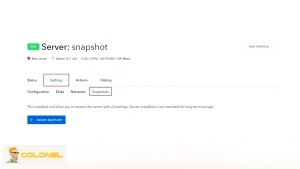
Snapshots provide a complete image of a VPS at a specific moment, including operating system, software, and configurations. Snapshots allow rapid recovery from major failures or misconfigurations. However, they should complement, not replace, off-site backups due to shared storage vulnerabilities.

Windows VPS Hosting
Remote Access & Full Admin
Off-Site and Geo-Redundant Storage
Following the 3-2-1 backup rule, maintain at least three copies of data on two different media types, with one copy stored offsite. Geo-redundancy ensures that disasters at one data center do not compromise all backups. Cloud storage solutions enhance accessibility and reliability.
Automated Disaster Recovery Platforms
Many VPS providers, such as Shape.host and ENGINYRING, provide automated disaster recovery features including snapshots, replication, and backup management. Leveraging these services simplifies recovery workflows and supports strict RPO and RTO targets.
Security Integration
A disaster recovery VPS plan should incorporate security practices like firewall configurations, access logging, and vulnerability patching. Integrating security into recovery planning reduces the risks of simultaneous data loss and breaches during incidents.
Strategic Planning for Recovery Scenarios
Effective disaster recovery VPS planning requires scenario-based strategies. Plans should cover the full spectrum of potential incidents.
- Single-File Recovery
Detailed steps to access and restore specific files or directories minimize operational disruption from minor issues. Include command sequences, file locations, and verification steps. - Catastrophic Software Failure
Plans must address complete server unavailability due to software errors or configuration issues. Using snapshots or pre-configured spare servers accelerates recovery, ensuring RTO targets are met. - Total Server or Data Center Loss
This worst-case scenario requires provisioning new VPS instances, connecting to off-site backups, restoring applications, and updating DNS settings. Thorough documentation, personnel readiness, and cloud redundancy are critical to execute this plan successfully.
Implementing Your Disaster Recovery VPS Plan
Implementing a disaster recovery VPS plan requires methodical execution and alignment with business priorities. Begin by selecting tools and technologies that align with your RPO and RTO requirements. Cloud VPS providers such as Shape.host or ENGINYRING allow businesses to create automated snapshots, off-site backups, and replication setups, which simplify disaster recovery processes.
Step 1: Select Reliable VPS Providers
Choose a VPS provider that offers high availability, snapshot capabilities, and geo-redundant storage. These features are essential to meet aggressive recovery targets. Evaluate provider SLAs for uptime guarantees and backup retention policies to ensure alignment with your disaster recovery VPS goals.
Step 2: Configure Recovery Metrics
Define Recovery Point Objective (RPO) to determine acceptable data loss and Recovery Time Objective (RTO) to define downtime limits. Set backup intervals and snapshot schedules according to these metrics. For critical applications, near-zero RPO and minimal RTO may necessitate hot standby servers or real-time replication.

Step 3: Maintain Comprehensive Documentation
All recovery procedures should be documented in clear, actionable steps. Include:
- Contact details for internal teams, providers, and external support
- System inventories, including OS, software versions, and configurations
- Credential management using password managers or secure vaults
- Step-by-step recovery instructions for each scenario (file-level, software failure, total server loss)
Step 4: Regular Testing and Drills
Conduct simulated disaster recovery exercises at least twice a year. Testing validates recovery procedures, identifies gaps, and familiarizes staff with roles and responsibilities. Record the results, including recovery times, permission issues, or software dependencies, and update the disaster recovery VPS plan accordingly.
Step 5: Continuous Monitoring and Updating
The digital landscape evolves rapidly; your DR plan must keep pace. Monitor server performance, track new vulnerabilities, and update recovery procedures annually or after significant infrastructure changes. Implement logging and alerting to detect anomalies early, reducing potential downtime and damage.

Advanced Disaster Recovery VPS Strategies
Advanced disaster recovery VPS strategies are designed to minimize downtime, reduce data loss, and ensure service continuity even in large-scale failure scenarios. These approaches go beyond basic backups and focus on architectural resilience, automation, and operational readiness.
Redundant VPS Clusters
Redundant VPS clusters provide high availability by eliminating single points of failure at the infrastructure level. By distributing workloads across multiple VPS instances, services remain accessible even when individual servers or entire regions fail.
- Geographic distribution
VPS instances are deployed across separate data centers or geographic regions to protect against localized failures such as power outages, network disruptions, or natural disasters. - Load balancing mechanisms
Incoming traffic is dynamically distributed across healthy VPS nodes, preventing overload on a single instance and maintaining consistent application performance during partial outages. - Failover prioritization
Standby VPS instances are preconfigured to automatically assume responsibility when the primary system becomes unavailable, reducing downtime and manual intervention. - Service-level isolation
Critical services are separated across different instances to prevent a failure in one component from cascading and impacting the entire infrastructure.
Hybrid Recovery Approaches
Hybrid recovery approaches refer to a multi-layer disaster recovery model that combines different recovery techniques to address specific failure scenarios with the appropriate level of speed and accuracy. In practice, this approach typically includes the following recovery mechanisms, each serving a distinct operational purpose:
- Snapshots for operational rollback: Snapshots allow rapid restoration of the entire VPS state after failed updates, configuration errors, or system misconfigurations.
- File-level backups for precision recovery
Individual files, databases, or directories can be restored without affecting the rest of the system, minimizing disruption to running services. - Replication for business-critical workloads
Continuous or near-real-time replication ensures minimal data loss and faster recovery for applications with strict uptime and RPO requirements.
Automation and Orchestration
Automation and orchestration define how disaster recovery actions are executed in a controlled and repeatable manner without relying on manual intervention. Within a disaster recovery VPS strategy, automation typically covers the following operational components:
- Predefined recovery workflows: Automated scripts handle server provisioning, configuration, and data restoration.
- API-driven recovery operations: VPS provider APIs allow instant snapshot restores, scaling, and redeployment.
- Consistent recovery execution: Automation ensures identical recovery outcomes across incidents.

Compliance and Security Integration
Disaster recovery VPS strategies should be designed to fully comply with security and regulatory requirements, ensuring that all protective measures remain effective even during emergency recovery operations.
This includes implementing recovery procedures that adhere to standards such as GDPR, HIPAA, and SOC 2, securing all backup repositories through encryption both at rest and in transit, and controlling access to recovery operations using role-based permissions to ensure only authorized personnel can execute recovery actions.
Benefits of a Robust Disaster Recovery VPS Plan
A robust disaster recovery VPS plan delivers measurable business value by reducing operational risk and ensuring predictable recovery outcomes. These benefits extend beyond IT teams to customers and stakeholders:
- Business continuity assurance: Critical services remain available or recover quickly after incidents.
- Reduced data loss exposure: Structured recovery processes limit irreversible data damage.
- Customer confidence and trust: Stable uptime reinforces brand reliability and professionalism.
- Regulatory and contractual compliance: Proper recovery planning supports audit and compliance obligations.
Final Conclusion
Disaster recovery VPS planning transforms infrastructure from a fragile dependency into a resilient operational asset. By implementing redundancy, hybrid recovery models, automation, and compliance-driven security controls, organizations gain predictable recovery timelines and reduced business risk.
A well-tested disaster recovery VPS strategy ensures that even severe failures result in controlled, recoverable incidents rather than operational crises.
Frequently Asked Questions (FAQs)
What is a disaster recovery VPS plan?
A disaster recovery VPS plan is a structured strategy to restore VPS-hosted systems and data after disruptions, minimizing downtime and loss.
How often should backups be performed?
Backup frequency depends on your RPO; critical applications may require hourly or real-time backups, while less-critical services can use daily schedules.
What is the difference between snapshots and backups?
Snapshots capture the entire server state for fast restoration, while backups store copies of files and databases for long-term protection and off-site recovery.
How do I test my disaster recovery VPS plan?
Simulate recovery scenarios on a temporary server at least twice a year, verifying restoration speed, permissions, and completeness of recovered data.
How can I ensure my disaster recovery VPS plan stays effective?
Regularly test, monitor, update, and train staff on procedures. Incorporate new technology and adjust for business growth to maintain plan effectiveness.