
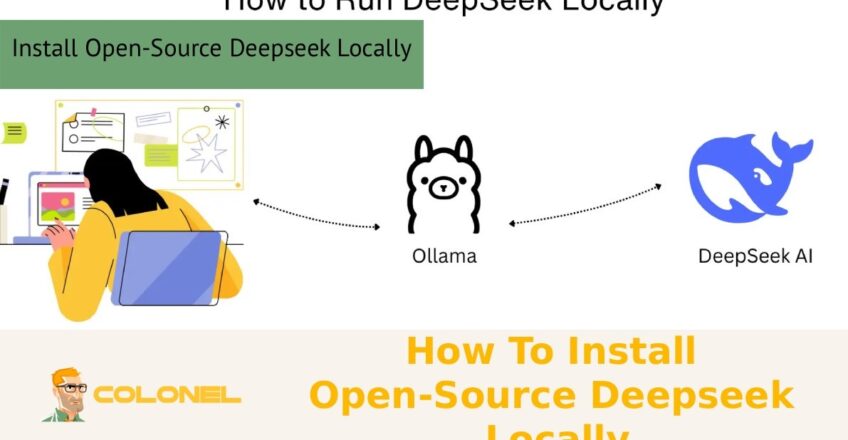

Use Open-Source Deepseek Locally to have complete control over your AI system, improve data privacy, and avoid recurring API fees. With the ability to host your model on your own server, you can personalize performance, optimize resource utilization, and perform advanced inference capabilities without depending on third-party solutions. This is particularly useful for developers, companies, and researchers who require a scalable, secure, and highly customizable system for their specific needs.
System Requirements for Installing Open-Source DeepSeek Locally
Deploying a large language model on your own infrastructure starts with understanding the technical prerequisites. When you install open-source DeepSeek on a local server, the most critical factors are compute power, memory capacity, storage speed, and a compatible operating system.
Operating System and Server Environment
Linux distributions such as Ubuntu are commonly preferred because of their stability, package support, and smoother GPU driver integration. Although it is technically possible to run smaller distilled variants on consumer hardware, production-grade deployments require a multi-core CPU, high-speed NVMe storage, and sufficient system RAM to handle model loading and inference workflows without bottlenecks.
GPU Compatibility and VRAM Requirements
Another key consideration is GPU compatibility. DeepSeek models rely heavily on parallel computation, so NVIDIA GPUs with CUDA support are the standard choice. The amount of VRAM determines which model size you can run efficiently. For example, lightweight setups may function with limited resources, but larger models demand enterprise-grade GPUs or multi-GPU configurations. Network bandwidth also plays a role if the model needs to serve multiple users or connect to internal services.
Software Dependencies and Environment Setup
In addition to hardware, software dependencies must be aligned. Python environments, containerization tools, and deep learning libraries must match the CUDA and driver versions to avoid runtime conflicts. Planning these requirements in advance prevents costly reconfiguration later and ensures a smoother installation process.

WordPress Web Hosting
Starting From $3.99/Monthly
Step-by-Step Guide to Install Open-Source DeepSeek on Your Server
Deploying an AI model becomes much easier when the process is divided into clear steps. When you install open-source DeepSeek on your server, following a structured setup helps prevent compatibility issues and ensures the model runs efficiently on your infrastructure.
Step 1 – Prepare the Operating System
The first stage involves preparing the operating system and updating all system packages. Keeping the OS up to date ensures compatibility with modern AI frameworks and prevents dependency conflicts. Linux-based environments are usually preferred for AI deployments because they provide better support for GPU drivers and development tools.
Step 2 – Install GPU Drivers and CUDA
After preparing the system, install the required GPU drivers and CUDA toolkit. This step is critical because DeepSeek relies heavily on GPU acceleration for fast inference. Once the drivers are installed, verify the GPU availability to confirm the server can access hardware acceleration before moving forward.
Step 3 – Set Up the Python Environment
Next comes the environment setup. Creating an isolated Python virtual environment or using containerization tools helps keep dependencies organized and avoids version conflicts. A clean environment ensures that deep learning libraries and required packages work properly with the installed CUDA version.
Step 4 – Download the Model and Required Libraries
Once the environment is ready, download the DeepSeek model weights and the required inference libraries from their official repositories. During this stage, configuration files should also be adjusted according to your server capacity, especially memory allocation settings and GPU utilization parameters.

Cheap VPS Server
Starting From $2.99/Monthly
Step 5 – Initialize and Test the Model
After completing the setup, you can install open-source DeepSeek and start the inference service. Running a simple prompt test helps confirm that the model loads correctly and produces responses within acceptable latency ranges.
Step 6 – Enable Monitoring and Logging
Finally, enable logging and monitoring tools to track system performance and resource usage. Monitoring helps detect unusual behavior, optimize GPU utilization, and maintain stability when the model begins handling real workloads or multiple users.
Best Hardware and GPU Setup for DeepSeek Local Deployment
Choosing the right infrastructure directly affects performance, scalability, and operational cost. A balanced system avoids situations where a powerful GPU is limited by slow storage or insufficient RAM. NVMe drives significantly reduce model loading time and improve caching efficiency, which is especially important for high-traffic environments.
The following table provides a general reference for different deployment tiers:
| Deployment Level | CPU | RAM | GPU | Storage |
|---|---|---|---|---|
| Entry / Testing | 8 cores | 32 GB | Single mid-range GPU | 1 TB NVMe |
| Professional | 16+ cores | 64–128 GB | High-memory NVIDIA GPU | 2 TB NVMe |
| Enterprise / Multi-user | 32+ cores | 256 GB+ | Multi-GPU setup | 4 TB+ NVMe |
Beyond raw specifications, thermal stability and power supply capacity are often overlooked. AI workloads run continuously and require proper cooling to maintain consistent performance. PCIe lane availability is another factor when scaling to multiple GPUs, as bandwidth limitations can reduce throughput.

Windows VPS Hosting
Remote Access & Full Admin
How to Configure the Environment for DeepSeek Installation
A clean and reproducible environment is essential for long-term maintainability. Containerization platforms such as Docker are widely used because they encapsulate dependencies and make deployments portable across different servers. Native installations can offer slightly better performance, but they require more manual dependency management.
Before proceeding to Install Open-Source Deepseek, it is important to configure system libraries, environment variables, and GPU visibility settings. Memory management parameters should be tuned to prevent out-of-memory errors, especially when running larger models. Security settings also matter in production environments; limiting external access and using reverse proxies ensures safe API exposure.
The configuration stage typically includes:
- Creating and activating an isolated runtime environment
- Installing deep learning frameworks and inference engines
- Setting CUDA paths and verifying GPU access
- Adjusting model configuration files for your hardware
These steps provide a stable foundation for reliable model execution.

Running DeepSeek Locally: First Launch and Testing
The first launch is where planning meets real-world execution. When you start the inference service after you Install Open-Source Deepseek, the system loads model weights into memory, initializes GPU kernels, and prepares the runtime for prompt processing. This phase may take several minutes depending on model size and storage speed.
Initial testing should focus on functionality and stability rather than performance. Sending simple prompts helps confirm that token generation works correctly and that responses are coherent. Monitoring tools should be checked simultaneously to observe CPU load, GPU utilization, VRAM consumption, and disk activity.
Once basic functionality is verified, you can move to concurrency testing. Simulating multiple requests reveals how the system behaves under real usage conditions. This is also the stage where API integration with internal tools, applications, or workflows is validated.
Performance Optimization for Local DeepSeek Models
After the system is operational, optimization ensures maximum efficiency. Techniques such as model quantization reduce memory usage and increase inference speed without significantly affecting output quality. Batch processing improves throughput in multi-user environments, while caching mechanisms reduce repeated computation for similar prompts.
To improve performance after you Install Open-Source Deepseek, several strategies can be applied:
- Use mixed-precision inference to lower VRAM consumption
- Enable tensor parallelism for multi-GPU setups
- Optimize batch size based on available memory
- Deploy a load balancer for high-traffic scenarios
Each optimization should be tested incrementally. Measuring latency, throughput, and resource utilization before and after changes helps identify the most effective configuration for your workload.

Common Errors and Troubleshooting During Installation
Even with careful preparation, installation challenges can occur. The most frequent issues are related to CUDA mismatches, insufficient memory, incorrect driver versions, or missing dependencies. These problems usually appear as runtime errors when the model attempts to access the GPU.
Another common obstacle arises during the moment you Install Open-Source Deepseek and the service fails to start. This often indicates configuration conflicts or incorrect environment paths. Checking logs provides precise error messages that guide the troubleshooting process.
Network-related issues can also prevent model downloads or block API communication. Ensuring proper firewall rules and repository access resolves most of these cases. In multi-GPU environments, incorrect device mapping may cause uneven load distribution or initialization failures.
A systematic debugging approach is the most effective method:
- Verify GPU recognition with system diagnostic tools
- Confirm that library versions match CUDA and drivers
- Check available RAM and VRAM before model loading
- Review application logs for dependency errors
Addressing these areas step by step usually restores normal operation.
Conclusion
Deploying DeepSeek on a local server gives organizations and developers full control over performance, privacy, and scalability. From planning system requirements to optimizing inference speed, every stage plays a critical role in achieving a stable and efficient AI environment. A properly configured infrastructure ensures that when you Install Open-Source Deepseek, the model runs reliably and integrates seamlessly into your workflows.
Local deployment is not only about installation but also about continuous monitoring, tuning, and scaling. With the right hardware, a clean software environment, and structured troubleshooting practices, DeepSeek can deliver powerful on-premise AI capabilities tailored to your exact needs.