


Having a secure and reliable proxy server management system is now considered a requirement for software developers and networking experts. In this article, we will discuss all the information needed to learn how to Install X-Ray Panel on a Linux Server. Regardless of whether you are using a Virtual Private Server (VPS) or a dedicated server, having an understanding of how to Install X-Ray Panel on a Linux Server will make connection management easier.
Introduction to X-Ray Panel and Its Characteristics
X-Ray Panel is a versatile online tool that helps make Xray-core services more convenient and easy to manage. The program gives a simple but efficient dashboard for traffic management, user management, and configuring routes without any need to work with complicated settings. In response to increasing requests for security and privacy of communications within networks, X-Ray Panel and other similar services become indispensable.
The primary benefit of the program is its combination of convenience and extensive functions. With support for various protocols, instant data, and smooth user management, X-Ray Panel is becoming an irreplaceable tool. Installing X-Ray Panel on a Linux Server provides you with a convenient control platform for your services.

Prerequisites for Installing X-Ray Panel on Linux
To begin the installation, it is imperative that you meet all the prerequisites. The basic prerequisites include stability of Linux, root or sudo permissions, and a proper setup of firewall. Apart from that, some basic understanding of Linux commands would be useful, as it will enable you to install the package in a smooth way.
Additionally, the preparation of server can be done by updating all packages and installing important tools like curl and wget. Both of these tools are used quite frequently during the process of installation of the program. With this information about how to Install X-Ray Panel on a Linux Server, one can now start the process of installing the program.

WordPress Web Hosting
Starting From $3.99/Monthly
Picking the Correct Linux Distribution
Choosing the correct Linux distribution is a key factor that affects the performance and stability of your system. Some commonly used options are Ubuntu, Debian, and CentOS which are known for their popularity and usage for hosting X-Ray Panel. Each Linux distribution has unique features, however, Ubuntu and Debian are commonly used as they provide comprehensive support and documentation.
For those who lack experience with server operations, it is best to choose Linux LTS versions of Ubuntu since these distributions offer enhanced stability. In addition, if you are an experienced user and require more flexibility, minimal Linux distributions would be the best option. Regardless of the chosen platform, the process of Installing X-Ray Panel on a Linux Server will stay identical to all current distributions.

Installing X-ray Panel on Linux Server: Step by Step Instructions
This procedure generally involves package update and downloading of installation scripts that automatically install dependencies and set up the panel. It simplifies the entire process of installing the panel, making it very easy since there is no need for complex manual installations.
How to Install X-Ray Panel on a Linux Server
In the procedure above, it is important to ensure that all steps have been correctly followed so that you can easily access the panel from your server IP address and configured port number. To better understand the procedure and installation steps, it may be wise to compare different installations first:
| Step | Description | Importance Level |
|---|---|---|
| System Update | Updates all packages to latest versions | High |
| Dependency Installation | Installs required tools and libraries | High |
| Script Execution | Runs automated installation script | Critical |
| Panel Access Setup | Configures web interface access | High |
This structured approach ensures that when you Install X-Ray Panel on a Linux Server, every component is properly configured and ready for use.

Cheap VPS Server
Starting From $2.99/Monthly
Configuring X-Ray Panel After Installation
After the installation process is completed, configuration then comes into play. It includes configuring the incoming and outgoing connections, user permissions, and protocols. With a graphical interface available on the panel, changing the configuration parameters without manually altering the raw config file is a breeze.
Efficient configuration will lead to better performance and enhanced security. During the Install X-Ray Panel on Linux server process, by spending some time to tweak certain parameters like port assignment and encryption protocols, you will greatly benefit in terms of speed and reliability.
Finally, before you proceed, you might want to check out other infrastructure topics that will be helpful for you. In case you are using containers, you might find this article titled “Setup Kubernetes Cluster Using Kubeadm” useful.
Making Your X-Ray Panel Installation Secure
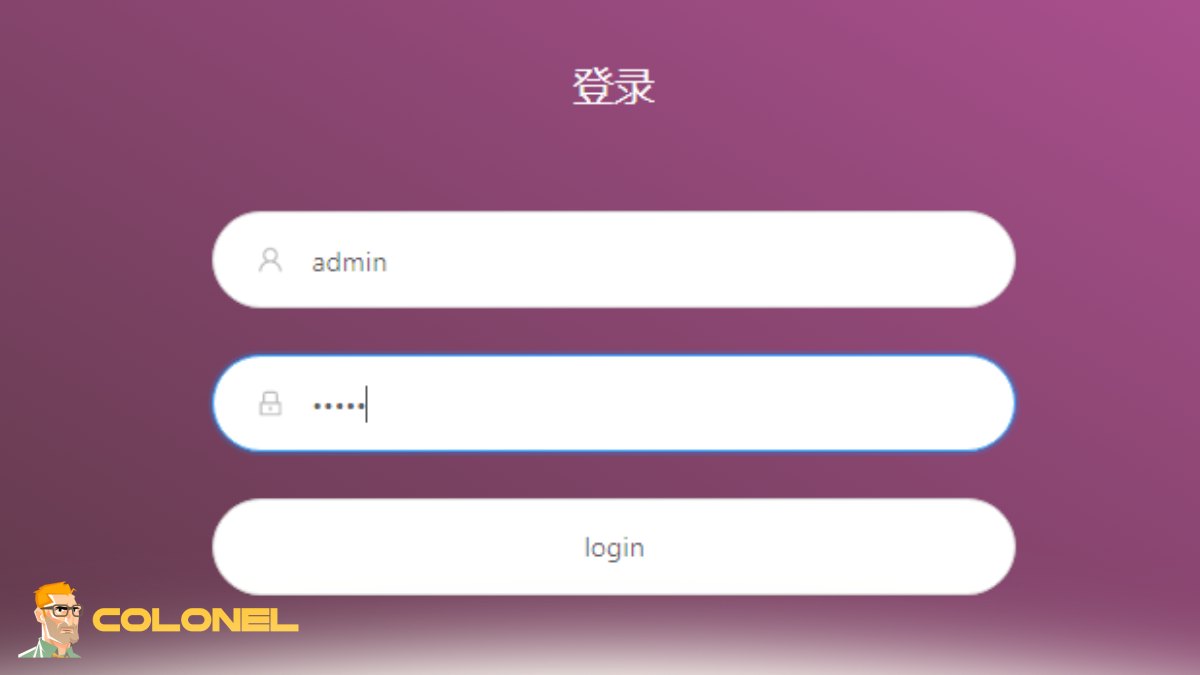
Security is a key aspect in the operation of any application server. Once installed, the next thing would be to ensure that certain actions are done such as activating HTTPS, implementing firewall rules, and limiting access to trusted IPs. This makes sure that your X-Ray panel is protected from any threats.
The following are some of the practices you can use to make sure your X-Ray panel is secured:

Windows VPS Hosting
Remote Access & Full Admin
- Employing strong passwords and changing default login information
- Enabling SSL/TLS encryption
- Updating your system and panel regularly
These are just some of the security practices which you need to observe once you Install X-Ray Panel in a Linux server.
Common Installation Issues Troubleshooting
Even when following all the necessary preparations, you may face some difficulties during or after the process of installation. Such difficulties can be associated with the presence of some errors in setting up a connection, such as the inability to find a suitable port, dependencies, or permissions. It is important to address these issues timely to avoid server performance problems.
Some ways to solve problems with installations are:
- Checking system logs for possible errors
- Checking whether all the necessary ports are available
- Rebooting the services after making some changes
When you install X-Ray Panel on a Linux Server, having information on how to conduct effective troubleshooting becomes essential.
Conclusion and Recommendations
Managing a server is not only about its installation but also its maintenance. It is important to make sure that all updates are done and that the performance of your server is constantly being monitored. With X-Ray Panel, this is easy, and it can help you create an optimal working environment for your server.
When using X-Ray Panel and installing it on a Linux Server, remember to always adhere to the recommendations and be aware of any updates made to X-Ray Panel.