
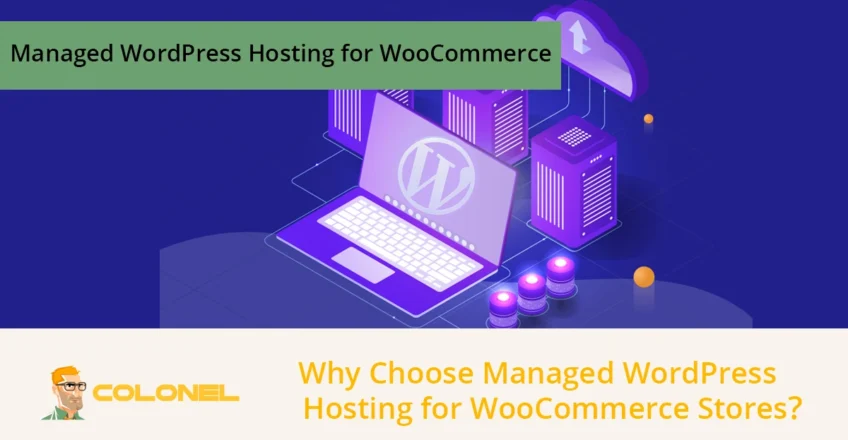

Managed WordPress hosting for WooCommerce offers a tailored environment that ensures your online store runs efficiently, remains secure, and scales with increasing traffic. Unlike generic hosting, it optimizes server resources specifically for WooCommerce operations, improving page load times, checkout performance, and overall user experience. By choosing managed hosting, store owners can focus on growing their business instead of managing technical challenges.
The Critical Role of Managed Hosting for WooCommerce
WooCommerce stores demand more than standard hosting because they involve inventory management, payment processing, and dynamic content updates. Managed WordPress hosting for WooCommerce addresses these challenges by allocating dedicated resources, ensuring database efficiency, and offering specialized support for eCommerce-specific issues.
Automatic Updates and Maintenance
Keeping WordPress, WooCommerce, and plugins up to date is crucial for optimal performance and security. Managed hosting automates this process, reducing downtime risks and preventing compatibility problems that could disrupt sales.
Specialized Support for WooCommerce
Support teams in Managed WordPress hosting environments have in-depth WooCommerce knowledge. They assist with troubleshooting, plugin conflicts, and performance tuning, allowing store owners to resolve issues faster than relying on generic hosting support. Managed WordPress hosting for WooCommerce offer:
- WooCommerce-specific troubleshooting to resolve errors that can arise from plugin conflicts, theme customizations, or payment gateway integrations.
- Performance optimization guidance, including advice on caching, database indexing, and image compression, ensures fast loading times for product pages.
- Scalability planning helps businesses prepare for high-traffic events, seasonal promotions, or rapid growth, preventing crashes or slowdowns.
This level of expertise reduces the technical burden on the store owner, allowing them to focus on inventory, marketing, and customer engagement rather than server-side complexities.

WordPress Web Hosting
Starting From $3.99/Monthly
Common Performance Challenges on Shared Hosting
Shared hosting often fails when handling WooCommerce’s resource needs. Multiple stores on a single server compete for CPU, RAM, and database queries, which can slow down product pages and checkout processes.
Resource Contention and Slow Loading
With limited resources, shared hosting cannot support high-traffic periods or stores with large product catalogs, leading to customer frustration and lost conversions. CPU throttling, limited memory allocation, and slow database queries are common causes of bottlenecks.
These performance issues can manifest as delays in product page rendering, slow checkout processes, or timeouts during peak demand. Such problems directly affect the store’s revenue and reputation, as users are likely to abandon slow-loading pages. Managed WordPress hosting for WooCommerce mitigates these risks by ensuring dedicated server resources, optimized database operations, and the ability to scale server power dynamically when traffic spikes.
Security and Backup Limitations
Generic hosting may not include firewalls, malware monitoring, SSL certificates, or flexible backup options, leaving your WooCommerce store vulnerable to attacks and data loss. Shared environments increase the risk of security breaches due to multiple users sharing the same resources, which can result in:
- Unauthorized access to sensitive customer data.
- Exposure to malware or hacking attempts targeting other sites on the server.
- Insufficient or inflexible backup systems that fail to provide instant restore options.
Managed WordPress hosting for WooCommerce addresses these risks by implementing dedicated firewalls, proactive malware scanning, automated security patches, and instant backup solutions. This ensures both customer data protection and continuity of business operations in the event of a security incident.

Cheap VPS Server
Starting From $2.99/Monthly
How Managed Hosting Improves WooCommerce Performance
Managed WordPress hosting solves performance bottlenecks specific to WooCommerce by combining advanced infrastructure with platform-specific optimizations. It provides dedicated CPU, memory, and database resources, ensuring smooth operations during traffic spikes.
Advanced Caching and CDN Integration
By using object, opcode, and full-page caching, along with global Content Delivery Networks (CDNs), Managed WordPress hosting for WooCommerce reduces page load times and latency for all users worldwide.
Load Balancing and Auto-Scaling
Traffic is distributed across multiple servers to prevent overload, and resources automatically scale during peak shopping events, maintaining consistent performance.
Staging Environments for Safe Updates
One-click staging allows testing of new plugins, theme updates, or WooCommerce features without impacting the live site, ensuring that changes are secure and reliable.
Security Advantages of Managed WooCommerce Hosting
Security becomes increasingly critical as your store grows. WooCommerce hosting providers offer proactive measures to protect customer data and business operations.
- Firewall and Malware Protection: Managed WAF, firewalls, and malware scanning prevent unauthorized access and protect against vulnerabilities specific to WooCommerce and WordPress environments.
- Automatic Security Updates and Monitoring: Core WordPress, WooCommerce, and plugin updates are handled automatically, while continuous monitoring detects threats in real-time, minimizing potential downtime.
- Instant Backups and Disaster Recovery: Daily backups with one-click restore options ensure rapid recovery in case of an issue, protecting your store’s revenue and reputation.
Setting Up WooCommerce on Managed Hosting Guide
Setting up a WooCommerce store on a managed hosting platform is simplified and optimized for performance. This structured process ensures your store runs efficiently from day one while reducing technical workload. Let’s review the steps of setting up a managed WordPress hosting for WooCommerce:

Windows VPS Hosting
Remote Access & Full Admin
Select a WooCommerce-Optimized Plan
Choosing a hosting plan tailored for WooCommerce ensures your store receives dedicated CPU, memory, and database resources. This setup handles both your current product catalog and anticipated traffic surges, such as seasonal sales or promotions.
Optimized managed WordPress hosting for WooCommerce plans also provides auto-scaling capabilities, minimizing downtime and slow page loads during peak periods. With the right plan, your site maintains fast checkout processes, high uptime, and seamless performance across all user interactions.

One-Click WordPress and WooCommerce Installation
Managed hosting platforms simplify the setup by providing automated installation of WordPress and WooCommerce. This eliminates common configuration mistakes, reduces plugin conflicts, and prevents database errors that could delay your store’s launch.
Even non-technical users can deploy a fully functional online store within minutes, ensuring a reliable foundation for further customization and growth.
Configure Caching and CDN
Caching mechanisms such as object caching, opcode caching, and full-page caching store frequently accessed data, reducing server workload and accelerating page load times.
Integrating a global Content Delivery Network (CDN) ensures consistent performance for international customers by minimizing latency. Properly configured caching and CDN improve both user experience and search engine rankings, which directly impacts sales and customer retention.
Activate Staging and Backup Solutions
Staging environments allow you to safely test new plugins, themes, or WooCommerce updates without affecting your live site. Daily automated backups with one-click restore options ensure quick recovery from potential errors or malicious attacks.
Incremental backups save storage space while keeping comprehensive recovery points, giving store owners confidence in making updates and changes without risking downtime.

Enable Security Features
Managed WordPress hosting for WooCommerce platforms offers advanced security features, including Web Application Firewalls (WAF), real-time malware scanning, intrusion detection, and SSL certificates. These tools protect sensitive customer data, prevent unauthorized access, and maintain compliance with privacy standards.
Regular automatic updates further reduce vulnerabilities in WordPress, WooCommerce, and installed plugins, ensuring a secure shopping environment.
Monitor and Optimize
Performance monitoring tools track key metrics such as page load times, database queries, CPU and memory usage, and plugin performance. Analytics enable store owners to proactively optimize the website, identify bottlenecks, and adjust caching or server configurations. Continuous monitoring ensures a responsive, fast-loading store that maintains high user engagement and conversion rates, even as traffic grows.
Optimizing WooCommerce Performance with Managed Hosting
Even with managed hosting, store owners can further optimize WooCommerce performance by applying best practices. Managed hosting provides the infrastructure, but performance improvements at the application level enhance speed and conversions.
- Database Optimization: Removing unused data, indexing product tables, and optimizing queries reduces server load and speeds up product searches.
- Image Optimization: Compressing and serving images via CDN ensures faster page loading without compromising quality.
- Plugin Management: Only essential plugins should be active; managed hosting helps identify resource-heavy plugins and conflicts.
- Lazy Loading & Caching Rules: Deferring offscreen images and properly configuring caching rules prevents unnecessary server requests and reduces page rendering time.
These steps, combined with Managed WordPress Hosting for WooCommerce, guarantee a highly responsive store, even with thousands of products and simultaneous users.

Managed Hosting vs Shared Hosting for WooCommerce Stores
Managed hosting and shared hosting differ significantly in their ability to support WooCommerce stores. Below is a comparison highlighting the advantages of managed solutions:
| Feature | Shared Hosting | Managed WordPress Hosting for WooCommerce |
| Server Resources | Shared with multiple sites | Dedicated CPU, RAM, and database allocation |
| Performance | Limited caching, slower page loads | Advanced caching, load balancing, auto-scaling |
| Security | Minimal, often manual | Managed WAF, malware scanning, SSL, automatic updates |
| Support | OS-level, generic | WooCommerce-specialized, performance-focused |
| Backups & Staging | Limited or manual | One-click staging, instant restore, daily backups |
| Scalability | Limited, prone to downtime | Seamless resource scaling for high-traffic events |
This comparison demonstrates that Managed WordPress hosting for WooCommerce is the superior choice for businesses seeking reliable performance, security, and scalability.
Choosing the Right Managed Hosting Provider
Not all managed hosting services are equal. Store owners should evaluate providers based on:
- WooCommerce Expertise: Does the provider understand plugin conflicts, checkout optimization, and database performance?
- Infrastructure Quality: SSD storage, redundant servers, and adaptive caching improve reliability.
- Support Availability: 24/7 WooCommerce-specialized support reduces problem resolution time.
- Security Practices: Regular malware scanning, WAF, SSL, and proactive patching are essential.
- Pricing Flexibility: The ability to scale resources and pay for what you use ensures cost efficiency.
Selecting the right provider like Colonel Server, ensures your Managed WordPress hosting for WooCommerce investment delivers maximum ROI.

Final Thoughts
Investing in Managed WordPress hosting for WooCommerce ensures your store is fast, secure, and scalable. By leveraging advanced infrastructure, specialized support, and WooCommerce-specific optimizations, store owners can focus on growing their business instead of managing technical issues.
The result is a seamless shopping experience, higher conversion rates, reduced cart abandonment, and long-term business success. Choosing the best managed hosting plan on Colonel’s website is not just a technical decision; it is a strategic business choice. Contact us now for a consultant.
Frequently Asked Questions
Is Managed Hosting necessary for small WooCommerce stores?
Yes, even small stores benefit from faster performance, improved security, and automated updates that prevent future technical issues.
Can managed hosting handle sudden traffic spikes?
Absolutely. Features like auto-scaling, load balancing, and dedicated resources maintain performance during high-traffic periods.
How does managed hosting improve security?
It provides firewalls, malware monitoring, automatic updates, SSL certificates, and WooCommerce-specific intrusion protection.
What support is available for WooCommerce-specific issues?
Managed hosting providers offer expert support trained in WooCommerce troubleshooting, plugin compatibility, and optimization guidance.