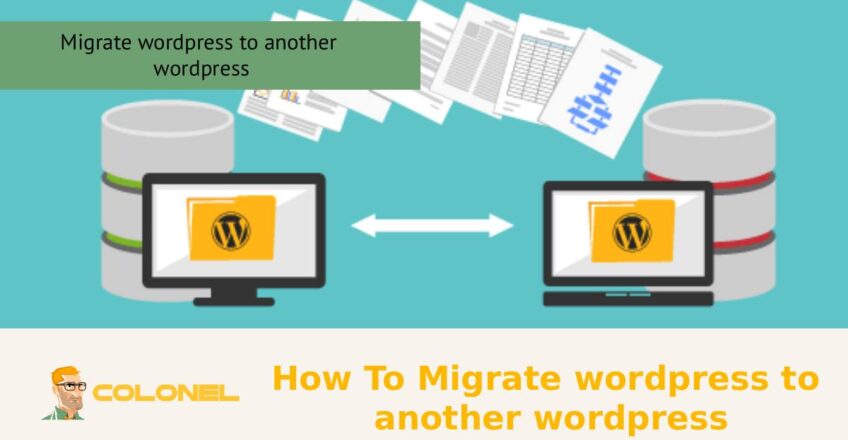
So migrieren Sie WordPress manuell (Schritt für Schritt)
Die manuelle Migration ist eine der präzisesten Möglichkeiten, eine WordPress-Site in eine andere Hosting-Umgebung zu verschieben. Sie haben die volle Kontrolle über jeden Teil des Prozesses, Es erfordert aber auch sorgfältige Aufmerksamkeit, um Fehler zu vermeiden.
Nachfolgend finden Sie eine klare Schritt-für-Schritt-Anleitung, die Ihnen bei der manuellen Migration von WordPress hilft.
Schritt 1: Laden Sie Ihre WordPress-Dateien herunter
Erste, Sie benötigen eine vollständige Kopie Ihrer Website-Dateien.
- Verbinden Sie sich über mit Ihrem aktuellen Hosting FTP (FileZilla oder ähnliches) oder nutzen Sie die Dateimanager in cPanel
- Suchen Sie Ihren WordPress-Stammordner (normalerweise
public_html)
- Laden Sie alle Dateien auf Ihren lokalen Computer herunter
Dazu gehören Themen, Plugins, Uploads, und Kern-WordPress-Dateien.
Schritt 2: Exportieren Sie Ihre Datenbank
Der Inhalt Ihrer Website (Beiträge, Seiten, Einstellungen) wird in der Datenbank gespeichert.
- Gehe zu phpMyAdmin in Ihrem Hosting-Panel
- Wählen Sie Ihre WordPress-Datenbank aus
- Klicken Export
- Wählen Schneller Export und formatieren als SQL
- Laden Sie die Datenbankdatei herunter
Schritt 3: Laden Sie Dateien auf den neuen Server hoch
Jetzt verlagern Sie alles auf Ihr neues Hosting.
- Stellen Sie über FTP oder den Dateimanager eine Verbindung zum neuen Server her
- Laden Sie alle zuvor heruntergeladenen WordPress-Dateien in das neue Stammverzeichnis hoch
- Stellen Sie sicher, dass die Struktur genau gleich bleibt
Schritt 4: Erstellen Sie eine neue Datenbank
Bevor Sie Ihre Daten importieren, Sie benötigen eine neue Datenbank.
- Gehen Sie zu Ihrem neuen Hosting-Kontrollfeld (cPanel oder ähnliches)
- Erstellen Sie eine neue MySQL-Datenbank
- Erstellen Sie eine neuer Datenbankbenutzer
- Weisen Sie den Benutzer mit der Datenbank zu volle Privilegien
- Speichern Sie den Datenbanknamen, Benutzername, und Passwort
Schritt 5: Importieren Sie Ihre alte Datenbank
Nun bringen Sie Ihre alten Inhalte in die neue Datenbank.
- Offen phpMyAdmin auf dem neuen Server
- Wählen Sie die neue Datenbank aus, die Sie gerade erstellt haben
- Klicken Import
- Laden Sie die hoch
.sql Datei, die Sie zuvor exportiert haben
Schritt 6: Aktualisieren Sie die Datei wp-config.php
Ihre WordPress-Installation muss eine Verbindung zur neuen Datenbank herstellen.

Windows VPS-Hosting
Fernzugriff und vollständige Verwaltung
Jetzt kaufen
- Öffnen Sie die
wp-config.php Datei in Ihren hochgeladenen Dateien
- Aktualisieren Sie die folgenden Details:
- Datenbankname
- Datenbankbenutzername
- Datenbankpasswort
- Datenbankhost (normalerweise
localhost)
Schritt 7: Ersetzen Sie alte URLs durch neue URLs
Wenn sich Ihre Domain oder Ihr Server geändert hat, Aktualisieren Sie interne Links.
- Verwenden Sie phpMyAdmin oder ein Such-Ersetzen-Tool
- Ersetzen Sie alte Domain-URLs durch die neue
- Aktualisieren Sie Links in Beiträgen, Bilder, und Einstellungen
When to Use Manual Migration
Diese Methode wird häufig verwendet, wenn:
- Sie möchten WordPress von einem Server auf einen anderen migrieren
- Migrations-Plugins unterstützen Ihr Setup nicht
- Sie haben eine benutzerdefinierte oder komplexe WordPress-Konfiguration
- Sie benötigen die volle Kontrolle über den Migrationsprozess
Wenn es sorgfältig gemacht wird, Durch die manuelle Migration erhalten Sie eine saubere und vollständige Übertragung, ohne auf Tools von Drittanbietern angewiesen zu sein.
Leitfaden zur WordPress-Plugin-Migration
Wenn Ihnen die manuelle Migration zu mühsam erscheint, Plugins kommen zu Ihrer Rettung. Softwarelösungen wie Duplicator, All-in-One-WP-Migration, und UpdraftPlus kann den gesamten Prozess vereinfachen. Die Software verpackt Ihre Website und erleichtert die Migration. Dies ist perfekt für diejenigen, die neu bei WordPress oder normalen Websites sind.
Allerdings funktionieren Plugins möglicherweise nicht, wenn sie mit großen Websites oder Servern arbeiten, die Einschränkungen auferlegen, In den meisten Fällen ist lediglich die Verwendung dieser Plugins erforderlich.
Top WordPress-Plugins für die Migration Ihrer Website
Das Finden der besten Softwarelösung kann entscheidend sein, um sicherzustellen, dass die Übertragung reibungslos verläuft. Durch den Vergleich der verfügbaren Lösungen können spätere Probleme vermieden werden.
Bevor Sie die richtige Software auswählen, Schauen Sie sich die Dateigrößenbeschränkung und Benutzerfreundlichkeit an.
| Plugin-Name |
Benutzerfreundlichkeit |
Am besten für |
Einschränkungen |
| Duplikator |
Hoch |
Vollständiges Klonen der Website |
Einrichtungsschritte erforderlich |
| All-in-One-WP-Migration |
Sehr hoch |
Anfänger |
Dateigrößenbeschränkungen |
| UpdraftPlus |
Medium |
Sicherung + Migration |
Für die vollständige Nutzung wird Premium benötigt |
Dieser Vergleich zeigt, dass kein Werkzeug perfekt ist, Sie wählen basierend auf Ihren Bedürfnissen, kein Hype.
WordPress auf eine andere Domain migrieren
Im Falle einer Migration zu WordPress, Bei einer anderen Domain müssen Sie die in der Datenbank gespeicherten URLs an die neue Domain anpassen. Andernfalls kann die Website nicht ordnungsgemäß funktionieren. Zusätzlich, Weiterleitungen müssen erstellt werden, um das SEO-Ranking sicherzustellen.
Hier scheitern viele Menschen, wenn sie versuchen, WordPress auf ein anderes WordPress zu migrieren. Dieser Schritt erfordert Präzision, insbesondere bei der Durchführung von Such- und Ersetzungsprozessen in Datenbanken.
WordPress auf einen neuen Host migrieren
Die Migration von einem WordPress-Host auf einen anderen gehört zu den häufigsten Situationen, in denen Menschen versuchen, WordPress auf ein anderes WordPress zu migrieren. Es umfasst die Übertragung von Dateien, Datenbanken, und DNS. Das Ziel besteht oft darin, die Leistung zu verbessern.
Manchmal, Möglicherweise müssen Sie WordPress auf einen anderen Host migrieren oder WordPress auf eine andere WordPress-Hosting-Umgebung migrieren. In jedem Fall, Durch die Migration wird die Website schneller und effizienter.
Häufige Fehler, die Sie bei der WordPress-Migration vermeiden sollten
Seien wir ehrlich, Die meisten Migrationsfehler sind auf vermeidbare Fehler zurückzuführen. Wenn Sie WordPress auf ein anderes WordPress migrieren, Kleine Versäumnisse können große Probleme verursachen.
Zu den häufigsten Fehlern gehört das Vergessen von Backups, URLs werden nicht aktualisiert, Ignorieren von Dateiberechtigungen, und das Überspringen von Tests. Ein weiterer großer Fehler besteht darin, WordPress-Seiten auf eine andere Installation zu migrieren, ohne die Datenbank ordnungsgemäß zu synchronisieren. Dies führt zu unvollständigen oder fehlerhaften Websites.
Vermeiden Sie Abkürzungen. Migration bestraft Faulheit.
So testen Sie Ihre Website nach der Migration
Sobald Sie WordPress auf ein anderes WordPress migrieren, Ihre Arbeit ist noch nicht erledigt. Beim Testen bestätigen Sie den Erfolg oder decken versteckte Probleme auf. Sie sollten das Laden der Seite überprüfen, Links, Bilder, Formen, und Plugin-Funktionalität.
Testen Sie auch geräte- und browserübergreifend. Verwenden Sie nach Möglichkeit Staging-URLs, bevor Sie live gehen. Wenn Sie versucht haben, die WordPress-Site auf einen anderen Server zu migrieren, Tests werden aufgrund von Serverunterschieden noch wichtiger.
SEO-Überlegungen bei der Migration von WordPress
SEO ist während der Migration fragil. Wenn Sie WordPress auf ein anderes WordPress migrieren, Suchmaschinen können Ihre Änderungen falsch interpretieren, wenn sie nicht richtig gehandhabt werden. Sie müssen die URL-Struktur beibehalten oder implementieren 301 Weiterleitungen. Aktualisieren Sie Ihre Sitemap und benachrichtigen Sie Suchmaschinen über Tools wie die Google Search Console.
Wenn Sie eine WordPress-Site auf eine andere Domain migrieren, SEO-Risiken nehmen deutlich zu. Rankings können sinken, wenn Weiterleitungen oder Indexierung falsch gehandhabt werden. Migration ist nicht nur eine technische Angelegenheit, es ist strategisch.
Wie lange dauert die WordPress-Migration??
Die für die Migration von WordPress zu einem anderen WordPress erforderliche Zeit hängt von der Größe der Website ab, Verfahren, und Servergeschwindigkeit. Bei kleinen Websites kann es mit Plugins weniger als eine Stunde dauern, Bei großen oder komplexen Websites kann es hingegen mehrere Stunden oder sogar Tage dauern.
Manuelle Migrationen dauern länger, bieten aber mehr Kontrolle. Automatisierte Methoden sind schneller, aber manchmal weniger zuverlässig. Wenn Sie WordPress von einem Host auf einen anderen migrieren, Allein die DNS-Weitergabe kann bis zu dauern 48 Std..
Abschließende Checkliste nach der Migration von WordPress
Nachdem Sie WordPress erfolgreich auf ein anderes WordPress oder eine neue Hosting-Umgebung migriert haben, Sie sollten einen abschließenden Überprüfungsprozess durchführen, um sicherzustellen, dass alles ordnungsgemäß funktioniert.
- Überprüfen Sie die Datenbankverbindung und stellen Sie sicher, dass die Website fehlerfrei geladen wird
- Testen Sie alle Seiten, Beiträge, und wichtige Navigationslinks
- Stellen Sie sicher, dass das SSL-Zertifikat aktiv und korrekt konfiguriert ist
- Aktivieren Sie alle Plugins nacheinander erneut und testen Sie sie
- Überwachen Sie die Leistung und Ladegeschwindigkeit der Website
- Bestätigen Sie, dass Backups in der neuen Umgebung ordnungsgemäß eingerichtet sind
- Wenn Sie WordPress auf eine neue Domain migriert haben, Überprüfen Sie die Weiterleitungen noch einmal (301)
- Überprüfen Sie den SEO-Indexierungsstatus in der Google Search Console
- Bilder prüfen, Mediendateien, und interne Links für defekte Pfade
- Stellen Sie sicher, dass die Anmeldung und das Admin-Dashboard voll funktionsfähig sind
Dieser letzte Schritt unterscheidet eine reibungslose berufliche Migration von einer problematischen.
So führen Sie eine erfolgreiche WordPress-Migration durch?
Für eine erfolgreiche WordPress-zu-WordPress-Migration, Man braucht nicht nur das technische Know-how, aber auch Disziplin und Akribie bei jedem Schritt. Alle Phasen, ob es Vorbereitung ist, überweisen, Wiederherstellung, oder testen, sind ebenso wichtig, um sicherzustellen, dass während des Migrationsprozesses keine Informationen verloren gehen. Unabhängig davon, ob Sie WordPress auf einen anderen Host oder eine WordPress-Site auf einen anderen Server migrieren möchten, Alle diese Faktoren werden zutreffen.
Dabei ist die Migration von WordPress einfach, Es kann komplizierter sein, es falsch zu machen, als Sie denken.