
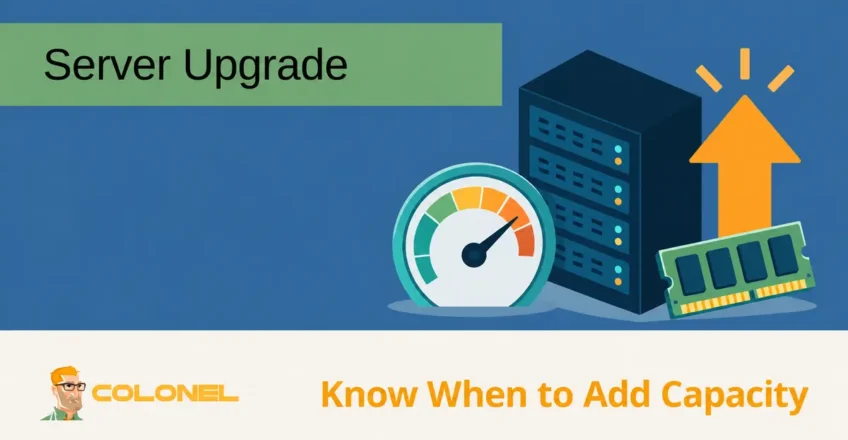
Why Server Upgrades Matter
Many organizations try to maximize the lifespan of their servers to reduce capital expenses. While extending hardware life may appear cost-effective, keeping aging infrastructure in production for too long often creates higher operational costs, increased downtime, security risks, and reduced productivity.
A server that performed well several years ago may struggle to support modern workloads, Anwendungen, and security requirements. Eventually, the cost of maintaining outdated equipment outweighs the investment required to replace it.
Understanding when to upgrade allows businesses to maintain performance, Zuverlässigkeit, and security while avoiding unexpected disruptions.
Understanding the Server Lifecycle
Server hardware is designed for continuous operation and can remain functional for many years. Jedoch, reliability gradually declines as components age.
During the first few years, hardware failures are typically uncommon. As systems approach the later stages of their lifecycle, the likelihood of component failure increases significantly.
Common aging components include:

WordPress-Webhosting
Ab 3,99 $/Monat
- Hard drives
- SSDs
- Power supplies
- Kühlsysteme
- RAID controllers
- Memory modules
- Motherboards
While servers may continue operating beyond their intended lifecycle, the risks associated with downtime, Wartung, and unsupported hardware increase substantially.
Signs It’s Time to Upgrade Your Server
Several indicators suggest that upgrading your server infrastructure should become a priority.
Manufacturer Support Has Ended
One of the clearest signs that replacement should be considered is the end of manufacturer support.
When a server reaches End of Life (EOL) or End of Support (EOS), organizations may face challenges such as:
- Limited hardware replacement options
- Lack of firmware updates
- No security patches
- Expensive third-party support contracts
As hardware ages, obtaining replacement parts becomes increasingly difficult and costly.
If a critical component fails on unsupported hardware, recovery times may increase dramatically.

Günstiger VPS-Server
Ab 2,99 $/Monat
Performance Is No Longer Adequate
As business requirements evolve, infrastructure demands often grow as well.
Common performance symptoms include:
- Langsame Anwendungen
- Increased response times
- Datenbankengpässe
- Resource exhaustion
- Frequent service interruptions
Users may notice:
- Delayed page loads
- Sluggish business applications
- Lange Bearbeitungszeiten
- Reduzierte Produktivität
If performance issues occur consistently despite optimization efforts, hardware limitations may be the underlying cause.
Storage Capacity Is Running Out
Data growth is one of the most common reasons organizations upgrade infrastructure.
Modern workloads generate increasing amounts of:
Windows VPS-Hosting
Fernzugriff und vollständige Verwaltung
- Application data
- Backups
- Media files
- Protokolle
- Datenbanken
- Virtual machine images
Warning signs include:
- Constant storage alerts
- Limited expansion options
- Increasing backup windows
- Performance degradation due to storage bottlenecks
If storage capacity is becoming difficult to manage, upgrading may be more practical than continuously extending older systems.
Hardware Failures Are Increasing
Hardware failures tend to become more frequent as systems age.
Common warning signs include:
- RAID rebuild events
- Drive failures
- Unexpected reboots
- Memory errors
- Power supply failures
- Cooling issues
Even when redundancy is available, recurring hardware failures increase operational risk and maintenance costs.
Security Requirements Have Changed
Security standards continue to evolve.
Older systems may lack support for:
- Modern encryption standards
- Secure boot technologies
- Current operating systems
- Firmware security updates
- Hardware-based security features
Running unsupported operating systems or outdated firmware can expose organizations to significant security risks.
Maintaining a secure environment often requires newer hardware platforms.
Downtime Is Becoming More Frequent
Unexpected downtime can be extremely costly.
Potential consequences include:
- Lost productivity
- Customer dissatisfaction
- Revenue loss
- Operational disruption
If outages become more common, infrastructure replacement should be evaluated before a major failure occurs.
Maintenance Costs Continue to Rise
Older infrastructure often requires:
- More repairs
- Additional troubleshooting
- Increased administrative effort
- Replacement components
Irgendwann, the total cost of maintaining aging hardware exceeds the cost of deploying a newer system.
This is often referred to as the point where total cost of ownership begins favoring replacement rather than continued maintenance.
How Often Should Servers Be Upgraded?
Treat the age ranges below as budgeting examples, not replacement deadlines or failure predictions. Review hardware health, vendor support, spare parts, power cost and measured workload needs. A healthy supported older server can remain useful, while a newer overloaded system may need expansion.
There is no universal replacement schedule because every environment has different requirements.
Jedoch, many organizations follow a lifecycle of approximately:
- 3 Zu 5 years for high-performance environments
- 4 Zu 6 years for general business workloads
- Longer periods for specialized systems with lower demands
A common planning approach is to begin evaluating replacement options around the fourth year of service.
This allows sufficient time for budgeting, Testen, migration planning, and deployment before reliability concerns become significant.
Evaluating Upgrade Requirements
Separate sustained bottlenecks from short peaks. Review CPU steal time on VPS plans, available memory and swap activity, disk latency and network throughput. A resource increase will not necessarily fix a slow query, software leak or upstream network problem.
Before purchasing new infrastructure, it is important to understand what problems need to be solved.
Zu den zu berücksichtigenden Fragen gehören::
Is Processing Power the Limiting Factor?
Workloads such as:
- Datenbanken
- Virtualisierung
- Analytik
- Softwareentwicklung
may require additional CPU resources.
Modern processors often provide significant improvements in:
- Core counts
- Clock speeds
- Cache sizes
- Energy efficiency
Is Memory Utilization High?
Applications continue to demand larger amounts of memory.
Insufficient RAM can lead to:
- Excessive swapping
- Application slowdowns
- Reduced virtualization density
Increasing memory capacity may significantly improve performance.
Is Storage Performance a Bottleneck?
Storage technology evolves rapidly.
Moving from older storage systems to modern SSD or NVMe platforms can dramatically improve:
- Application responsiveness
- Datenbankleistung
- Backup operations
- Virtual machine workloads
Are Network Requirements Growing?
Organizations handling larger data volumes may benefit from:
- 10GbE networking
- 25GbE networking
- 40GbE networking
- Faster storage networking
Network upgrades often complement server modernization efforts.
Physical Servers vs Cloud Infrastructure
A server upgrade does not always mean purchasing new hardware.
Organizations may choose between:
Dedizierte Server
Dedizierte Server provide:
- Volle Hardwarekontrolle
- Vorhersehbare Leistung
- Custom configurations
- High resource availability
They are often preferred for demanding workloads and specialized applications.
Cloud-Infrastruktur
Cloud platforms provide:
- Rapid scalability
- Flexible resource allocation
- Reduced hardware management
- Geographic redundancy
Cloud solutions may be appropriate for businesses seeking operational flexibility.
Hybrid Environments
Many organizations combine dedicated infrastructure with cloud services.
Hybrid architectures can balance:
- Leistung
- Kosten
- Skalierbarkeit
- Sicherheit
while providing flexibility for future growth.
Benefits of Upgrading Your Server
Improved Performance
Modern hardware delivers significantly higher performance compared to older platforms.
Zu den Vorteilen gehören::
- Faster applications
- Reduzierte Latenz
- Better user experiences
Erhöhte Zuverlässigkeit
A tested, supported replacement can reduce risks associated with worn components and improve efficiency; new hardware still needs monitoring and redundancy.
Better Security
Modern servers support updated operating systems, Firmware, and security technologies.
Lower Operational Costs
Although upgrades require investment, they often reduce:
- Maintenance expenses
- Ausfallkosten
- Administrative overhead
Greater Scalability
New infrastructure provides room for future growth and changing business requirements.
Planning a Successful Upgrade
A server upgrade should be approached as a structured project.
Recommended planning steps include:
Assess Current Infrastructure
Document:
- Hardware-Spezifikationen
- Resource utilization
- Existing bottlenecks
Identify Business Requirements
Determine future needs for:
- Rechenressourcen
- Lagerung
- Vernetzung
- Sicherheit
Create a Migration Strategy
Planen:
- Data migration
- Application migration
- Testing procedures
- Rollback options
Test Before Production Deployment
Validate all critical applications before moving workloads into production.
Schedule Maintenance Windows
Perform migrations during planned maintenance periods to minimize disruption.
Avoid Waiting Until Failure Occurs
One of the most common mistakes organizations make is delaying upgrades until a critical failure forces immediate action.
Reactive upgrades often result in:
- Emergency spending
- Extended downtime
- Increased business risk
Proactive planning provides greater flexibility, lower risk, and better long-term cost management.
Building a Reliable Infrastructure for the Future
Server upgrades are a normal and necessary part of infrastructure management. While modern servers can remain productive for many years, aging hardware eventually introduces performance limitations, security concerns, increased maintenance costs, and reliability risks.
By monitoring system health, evaluating business requirements, and planning upgrades before failures occur, organizations can maintain stable operations, Leistung verbessern, and ensure their infrastructure continues supporting future growth effectively.