


AI in WordPress development enables faster builds, smarter decisions, and scalable performance without increasing technical debt. WordPress projects now demand higher security standards, stronger SEO performance, personalized user experiences, and shorter delivery cycles under tighter budgets.
By integrating AI thoughtfully into WordPress, development teams can automate repetitive work, surface insights hidden in data, and improve both technical and business outcomes. This guide breaks down eight distinct, real-world applications of AI in WordPress development, reflecting how AI is actually used in production environments.
1) AI-Powered Code Generation and Debugging
AI in WordPress accelerates development by generating clean, standards-aligned code and detecting issues before they reach production. Instead of replacing developers, AI functions as an intelligent reviewer that understands WordPress conventions, common pitfalls, and performance constraints.
In real projects, the largest time drain is rarely complex logic; it is repetitive scaffolding, compatibility fixes, and error tracing. AI in WordPress Development tools reduce this friction by producing boilerplate code for custom post types, hooks, and plugin logic while simultaneously scanning for deprecated functions, insecure patterns, and inefficient queries. This makes AI in WordPress particularly valuable in long-term projects where maintainability matters as much as speed. Here are the practical characteristics of AI code assistance:
| Aspect | What AI Handles Well | What Still Requires Humans |
| Boilerplate creation | CPTs, taxonomies, hooks, REST endpoints | Architecture decisions |
| Error detection | Syntax issues, deprecated APIs, basic security flaws | Business logic validation |
| Optimization | Query structure, coding standards | Performance trade-off decisions |

Essential AI Tools to Streamline WordPress Development
Integrating AI into WordPress development is most effective when the right tools are chosen to complement your workflow. Treat AI output as a draft, not a final product, and use these tools to accelerate coding, debuggen, and design tasks while ensuring maintainability and compatibility with WordPress standards. Each AI in WordPress Development essential tools that provide a specific advantage, help development teams save time, reduce repetitive work, and enhance overall project quality.

WordPress-webhosting
Vanaf $ 3,99/maandelijks
- GitHub Copilot: Offers context-aware code suggestions across multiple languages and frameworks, ideal for accelerating boilerplate and custom code creation.
- CodeWP: Focused on WordPress-specific snippets, including hooks, CPTs, and REST API endpoints, simplifying plugin and theme development.
- Elementor AI: Automates page design by generating visual content and layout blocks, reducing manual design effort within Elementor-based projects.
- WP AI Assistant: Enhances workflow automation by recommending plugins, suggesting content improvements, and handling repetitive tasks, while leaving complex decisions to developers.
- DeepCode / Snyk: Security-focused analyzers that scan code for vulnerabilities, deprecated functions, and potential performance issues, helping maintain safe and optimized WordPress sites.
2) Automated Content Creation as a Managed Publishing System
AI in WordPress transforms content creation from manual writing into a controlled publishing workflow that scales without losing SEO or editorial quality. The real value of AI here is not speed alone, but predictability and consistency across large volumes of content.
In WordPress environments where content drives acquisition, the bottleneck is rarely ideas; it is execution at scale. AI in WordPress Development content tools operate directly inside the WordPress editor to generate structured drafts aligned with search intent, internal taxonomy, and on-page SEO constraints. This ensures that every article, landing page, or product description starts from a technically sound foundation rather than a blank screen.
What distinguishes mature use of AI in WordPress from basic text generation is governance. Editors define tone, publiek, keyword priorities, and content depth in advance. AI then produces drafts, meta descriptions, and semantic variations that humans refine, approve, and publish. This division of labor preserves brand voice while eliminating repetitive groundwork.
From an operational perspective, this approach reduces publishing delays, stabilizes quality across contributors, and supports multilingual or high-frequency publishing strategies. Tools such as Jasper and Rytr are commonly adopted because they integrate into WordPress without disrupting editorial review cycles.
3) AI-Driven SEO Optimization and Competitive Intelligence
AI in WordPress improves search performance by continuously aligning content, structure, and technical signals with real-time ranking factors. Instead of treating SEO as a checklist, AI enables adaptive optimization based on data patterns and competitive movement.

Goedkope VPS-server
Vanaf $ 2,99/maandelijks
Modern SEO challenges extend beyond keywords. Search engines now evaluate intent alignment, topical authority, internal linking depth, and performance metrics simultaneously. AI-powered SEO tools process these signals at scale and surface actionable recommendations directly inside WordPress, while content is being created or updated.
This use case is best understood through contrast. Traditional SEO relies on periodic audits and static rules. AI in WordPress Development, by contrast, evaluates how a page compares to top-ranking competitors and suggests structural or semantic improvements before publication. This includes heading refinement, content expansion suggestions, schema enhancements, and internal link opportunities.
Advantages and limitations of AI-driven SEO in WordPress:
Voordelen
- Faster identification of ranking opportunities
- Real-time optimization during content creation
- Automated detection of technical SEO issues
- Better alignment with search intent and SERP behavior
Limitations
- Recommendations still require human judgment.
- Over-optimization risks if suggestions are applied blindly
- Competitive data quality depends on the tool’s dataset.
Platforms such as Rank Math, Yoast SEO Premium, and Surfer SEO exemplify how AI in WordPress embeds SEO decision-making into daily workflows rather than relegating it to post-publish analysis.

Windows VPS-hosting
Remote Access & Full Admin
4) Intelligent User Experience Optimization Through Behavior Analysis
AI in WordPress Development improves user experience by converting behavioral signals into measurable, iterative UX decisions.
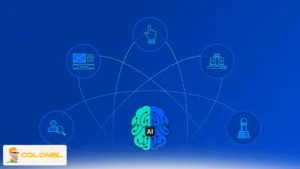
Rather than relying on assumptions or one-time redesigns, AI-driven UX optimization in WordPress follows a continuous decision loop. The value of this approach lies in how behavior data is operationalized, not merely collected. Scroll depth, cursor movement, dwell time, and navigation paths are interpreted together to expose usability friction that traditional analytics overlook.
How AI-Driven UX Optimization Works in WordPress
AI identifies pain points, engagement trends, and friction areas, allowing developers and designers to make informed adjustments. This approach ensures that UX improvements are evidence-based, schaalbaar, and aligned with both user needs and business objectives through:
- Behavioral Data Capture
AI systems collect interaction data such as scroll depth, exit points, click frequency, and device usage across pages and templates. - Pattern Recognition and Anomaly Detection
Machine learning models analyze this data to identify recurring behaviors, detect abnormal engagement drops, and highlight potential UX issues. - Actionable UX Recommendations
Instead of overwhelming dashboards, AI provides clear suggestions like adjusting CTA placement, reorganizing content, or refining navigation to enhance usability. - Iterative Adjustment Without Redesign
Changes are implemented gradually within WordPress blocks or templates, preserving SEO structure and avoiding full-scale layout overhauls.
This workflow is particularly effective for content-heavy or multi-audience sites where static UX assumptions may fail, ensuring continuous, data-driven improvements.
5) Automated Maintenance and Security Intelligence
AI in WordPress reduces operational risk by shifting maintenance and security from reactive fixes to predictive control. Unlike UX optimization, this use case is best evaluated through trade-offs rather than workflows. The strategic question is not whether automation helps, but where it introduces value versus limitation. Volgens ultahost:
“Real‑time security monitoring across hundreds of sites, personalized content generation for thousands of users, predictive analytics for performance optimization, and intelligent user experience improvements based on behavioral data — these are not luxuries anymore. These are necessities for staying competitive.”
Advantages and Limitations of AI-Based Maintenance
Voordelen
- Proactive threat detection based on behavioral anomalies rather than signature rules
- Continuous monitoring of plugins, thema's, and core file integrity
- Automated performance cleanup and update validation with minimal downtime
Limitations
- Requires high-quality historical data to reduce false positives
- Over-automation can obscure root-cause analysis if reporting is ignored.
- Premium tools may introduce recurring operational costs.
AI in WordPress Development tools, such as Wordfence, Sucuri, and Jetpack, illustrate how AI in WordPress consolidates security and maintenance into a single intelligence layer while still requiring informed oversight.
6) Advanced Analytics and Performance Forecasting
AI in WordPress transforms analytics from retrospective reporting into forward-looking decision support. This capability is best understood by comparing traditional analytics outputs with AI-enhanced insights inside WordPress environments. Consider the following table:
| Capability Area | Traditional Analytics | AI-Driven WordPress Analytics |
| Focus | Historical reporting | Predictive modeling |
| Output | Metrics and charts | Actionable recommendations |
| Accessibility | Analyst-dependent | Stakeholder-friendly |
| Voorspelling | Manual estimation | Automated trend prediction |
By integrating with platforms such as GA4 or Adobe Analytics, AI in WordPress enables teams to anticipate traffic decay, content fatigue, or conversion shifts before performance declines occur.
7) AI-Powered Chatbots and Automated Customer Support
AI in WordPress Development enables scalable, always-on communication without eliminating human control. Customer support automation introduces immediate operational impact, but its effectiveness depends on clearly defined roles between AI systems and human teams.
Where AI chatbots add value include:
- Handling repetitive inquiries such as pricing, availability, or documentation
- Guiding users through products, services, or onboarding flows
- Capturing lead intent data outside standard business hours
Where human oversight remains critical are:
- Complex problem resolution and exception handling
- Tone-sensitive or high-stakes conversations
- Strategic interpretation of conversational data
Platforms like Intercom, Drift, and WP-Chatbot demonstrate how AI in WordPress support systems balance efficiency with accountability when properly configured.

8) Strategic Adoption and Workflow Scaling With AI
AI in WordPress delivers sustainable value only when embedded into workflows, not added as isolated tools.
Successful adoption follows a strategic progression rather than a technical checklist. Teams that extract long-term value typically align around a shared operational framework.
A Practical AI Adoption Checklist for WordPress Teams
Here’s a checklist you should take into consideration:
- Identify one high-impact use case with measurable ROI
- Define review standards and human approval points.
- Document prompts, rules, and success benchmarks
- Expand gradually across content, ontwikkeling, and operations.
- Reassess performance as AI models and site complexity evolve.
When approached this way, AI in WordPress functions as foundational infrastructure rather than a short-term optimization tactic.
Why You Need AI for WordPress Development
AI in WordPress Development enables tasks that would otherwise be slow or costly, such as monitoring hundreds of sites in real time or generating thousands of personalized content variations. The competitive advantage is clear; WordPress sites powered by AI outperform traditional setups in speed, SEO, betrokkenheid van gebruikers, and conversions.
| Development Speed | Manual coding, repetitive fixes | Automated code generation | Faster delivery, fewer errors |
| Content Creation | Individual writing, manual SEO | AI-driven drafts, semantic optimization | Schaalbaar, SEO-compliant content |
| Beveiliging | Reactive patching, plugin monitoring | Realtime monitoring, anomaly detection | Reduced downtime, proactive threat prevention |
| User Experience | Static designs, assumptions | Behavior-driven personalization | Higher engagement, lower bounce rates |
| Analytics | Historical reports, delayed insights | Predictive modeling, actionable recommendations | Informed decisions, optimized ROI |
Balancing AI with Human Expertise
Even with powerful AI tools, human creativity and oversight remain crucial. AI handles repetitive and data-heavy tasks efficiently, but strategic decisions, architecture, and nuanced content judgments are best performed by skilled developers and content creators.
By combining AI with human insight, WordPress teams achieve higher productivity while ensuring quality, brand consistency, and responsible deployment. Best practices are:
- AI complements, not replaces, human expertise.
- Use AI for drafts, initial analysis, and routine automation.
- Retain humans for strategic planning, design decisions, and final approvals.
- Continuously track AI outputs and refine prompts to improve results.

The Future of AI in WordPress Development
AI is rapidly reshaping WordPress development, transforming routine tasks into data-driven, automated workflows. Its adoption allows developers to optimize performance, enhance security, and deliver highly personalized user experiences without adding extra workload. Smashing Magazine believes that:
“AI in web development is no longer optional; it is increasingly essential for automating repetitive tasks, improving user experience, and ensuring scalable, zeker, and SEO-friendly websites.”
Rather than being a passing trend, AI in WordPress Development is establishing itself as an essential component of modern WordPress projects, streamlining processes from content generation to predictive analytics. As AI tools evolve, developers can leverage increasingly sophisticated integrations that improve efficiency and scalability, ensuring websites remain competitive in dynamic digital landscapes.
Closing Perspective
Using AI in WordPress Development is redefining how websites are built, beheerd, and optimized. When applied with structure and intent, it removes operational friction and elevates outcomes across development, inhoud, and user experience. Teams that adopt AI strategically today are not just working faster; they are building WordPress systems designed to adapt, compete, and scale in an increasingly data-driven web environment.
Veelgestelde vragen
Can AI fully replace WordPress developers or content writers?
Nee. AI accelerates execution and analysis, but architecture, strategy, and quality control still require human expertise.
Is it safe to use AI plugins in WordPress?
Ja, provided plugins are reputable, regularly updated, and compliant with data protection regulations.
Does AI-generated content harm SEO?
Not when reviewed and optimized by humans. Poorly supervised AI output can harm quality, not the technology itself.
Does WordPress have native AI features?
Core WordPress is not AI-native, but its plugin ecosystem enables extensive AI integration.