
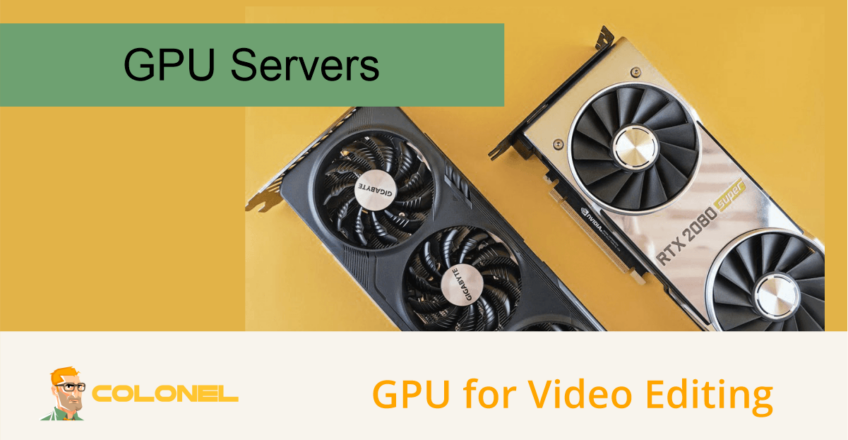
GPU for Video Editing: How to Choose the Right Hardware and Scale Your Workflow
Modern video production demands more than creative talent. Editors, makers van inhoud, agentschappen, and production studios all rely on powerful hardware to keep projects moving efficiently. As resolutions increase from Full HD to 4K, 8K, and beyond, GPU performance has become one of the most important factors in professional video editing workflows.
Whether you’re producing YouTube content, feature films, commercial advertisements, documentaries, or social media campaigns, choosing the right GPU can significantly reduce rendering times, improve timeline responsiveness, and increase overall productivity.
Why GPUs Matter in Video Editing
Een grafische verwerkingseenheid (GPU) accelerates many of the tasks that traditionally placed heavy loads on the CPU.
Modern editing applications use GPU acceleration for:
- Real-time timeline playback
- Video effects processing
- Color correction and grading
- Motion graphics
- Noise reduction
- AI-powered enhancements
- Video encoding and exporting
- 3D rendering and compositing
Without adequate GPU resources, editors often experience:
- Laggy timeline playback
- Slow rendering
- Delayed exports
- Poor responsiveness when applying effects
- Reduced productivity
The more complex the project becomes, the more important GPU performance becomes.

WordPress-webhosting
Vanaf $ 3,99/maandelijks
How GPUs Improve Editing Performance
Real-Time Playback
High-resolution footage places enormous demands on editing systems.
GPU acceleration allows editors to:
- Play multiple video streams simultaneously
- Scrub timelines smoothly
- Preview effects instantly
- Work with RAW footage more efficiently
This reduces the need for proxy files and speeds up production workflows.
Faster Rendering
Rendering is one of the most time-consuming parts of video production.
Modern GPUs accelerate:
- Visuele effecten
- Transitions
- Motion graphics
- Compositing
- Export rendering
Projects that might take hours on CPU-only systems can often be completed significantly faster with a powerful GPU.

Goedkope VPS-server
Vanaf $ 2,99/maandelijks
Color Grading
Applications like DaVinci Resolve rely heavily on GPU performance.
Tasks accelerated by GPUs include:
- LUT processing
- Color wheels
- Curves
- HDR workflows
- Noise reduction
- AI-assisted color matching
For professional colorists, GPU power is often more important than CPU performance.
Encoding and Exporting
Many modern GPUs include dedicated video encoding hardware.
This accelerates exports to formats such as:
- H.264
- H.265 (HEVC)
- AV1
- ProRes workflows
- Streaming formats
Faster exports mean quicker project delivery and more efficient production pipelines.
Windows VPS-hosting
Toegang op afstand en volledig beheer
Best Consumer GPUs for Video Editing
NVIDIA RTX 4070
De RTX 4070 is an excellent option for freelancers and content creators working primarily with 1080p and 4K footage.
Voordelen zijn onder meer:
- Strong CUDA performance
- Efficiënt stroomverbruik
- Good value for money
- Excellent support in Adobe Premiere Pro and DaVinci Resolve
Ideaal voor:
- YouTube creators
- Freelancers
- Marketing teams
- Small production studios
NVIDIA RTX 4070 Ti Super
De RTX 4070 Ti Super provides additional performance and VRAM for more demanding workloads.
Aanbevolen voor:
- Multi-camera 4K editing
- Motion graphics
- Advanced color grading
- Frequent rendering workloads
NVIDIA RTX 4080 Super
For editors regularly working with professional 4K projects, de RTX 4080 Super delivers substantial performance improvements.
Voordelen zijn onder meer:
- Increased rendering speed
- Larger memory capacity
- Better handling of complex effects
- Strong AI acceleration
Suitable for:
- Commercial production
- Corporate video teams
- Documentary editing
- Advanced post-production workflows
NVIDIA RTX 4090
De RTX 4090 remains one of the most powerful workstation-class consumer GPUs available.
Its strengths include:
- Massive processing power
- 24GB VRAM
- Exceptional rendering performance
- Excellent support for AI-based editing tools
Ideaal voor:
- 8K production
- Heavy VFX workflows
- Advanced DaVinci Resolve projects
- Professional post-production studios
Enterprise GPUs for Professional Video Production
As projects grow larger and teams become more distributed, many organizations move beyond desktop workstations.
NVIDIA L40S
De NVIDIA L40S is designed for professional visualization, AI, and media workloads.
Voordelen zijn onder meer:
- High VRAM capacity
- Excellent rendering performance
- AI acceleration
- Data center reliability
The L40S is particularly effective for:
- Collaborative editing
- Remote production teams
- AI-enhanced video workflows
- High-volume rendering environments
NVIDIA H100
Although primarily known for artificial intelligence workloads, de H100 can also support advanced media production environments.
Meest geschikt voor:
- AI-powered content generation
- Video enhancement systems
- Automated editing pipelines
- Large-scale media processing
Most editing teams will find the L40S more practical for traditional video production workloads.
What Is a GPU Server?
A GPU server is a dedicated physical server equipped with one or more professional GPUs.
Unlike a desktop workstation, GPU servers are designed for:
- Continuous operation
- High availability
- Remote access
- Team collaboration
- Large-scale rendering
These systems are commonly deployed in enterprise environments and professional production studios.
Benefits of GPU Servers for Video Editing
Remote Collaboration
Editors can access powerful GPU resources from anywhere.
This enables:
- Distributed production teams
- Remote post-production
- Centralized project storage
- Shared rendering resources
Faster Rendering
Dedicated GPU servers provide significantly more processing power than most desktop workstations.
This allows teams to:
- Export projects faster
- Process multiple renders simultaneously
- Handle larger projects efficiently
Centralized Infrastructure
Instead of maintaining multiple high-end workstations, organizations can centralize resources in GPU servers.
Voordelen zijn onder meer:
- Easier management
- Better hardware utilization
- Vereenvoudigde upgrades
- Reduced maintenance overhead
AI-Powered Editing
Modern editing software increasingly relies on AI features such as:
- Automatic captions
- Object tracking
- Scene detection
- Audio enhancement
- Video upscaling
GPU servers provide the computing resources necessary to accelerate these tools.
GPU Server vs Cloud GPU vs GPU-as-a-Service
Dedicated GPU Server
A dedicated GPU server provides exclusive access to physical hardware.
Voordelen:
- Maximum performance
- Predictable resource allocation
- Full control
- Betere beveiliging
Beste voor:
- Production studios
- Agencies
- Continuous workloads
Cloud-GPU
Cloud GPU instances use virtualized infrastructure.
Voordelen:
- Snelle implementatie
- Flexible scaling
- Pay-as-you-go pricing
Nadelen:
- Shared infrastructure
- Potential performance variability
- Long-term costs can become expensive
Beste voor:
- Temporary projects
- Testing environments
- Occasional rendering workloads
GPU-as-a-Service (GPUaaS)
GPUaaS platforms provide on-demand GPU access through managed environments.
Voordelen:
- Minimal setup
- No hardware management
- Easy access
Beste voor:
- Freelancers
- Small creative teams
- Short-term projects
Buying vs Renting GPU Infrastructure
Buying Hardware
Owning GPU infrastructure offers:
- Full control
- Long-term asset ownership
- No recurring hosting fees
Echter, it requires:
- Large upfront investment
- Hardware-onderhoud
- Cooling and power management
- Upgrade planning
Renting GPU Servers
GPU server hosting provides:
- Onmiddellijke implementatie
- Enterprise-grade hardware
- Predictable monthly costs
- Schaalbaarheid
For most organizations, renting GPU infrastructure offers greater flexibility and lower operational complexity.
What to Look for in a GPU Hosting Provider
GPU Options
Look for providers offering modern GPUs such as:
- NVIDIA RTX 4090
- NVIDIA L40S
- NVIDIA H100
Opslagprestaties
Video production workloads benefit from:
- NVMe SSD-opslag
- Hoge IOPS-prestaties
- Fast media access
Network Capacity
Large video files require significant bandwidth.
Choose providers offering:
- High-speed network connections
- Large bandwidth allocations
- Low-latency infrastructure
Steun
Reliable technical support is critical for production environments.
Zoek naar:
- 24/7 steun
- Hardware-monitoring
- Backup solutions
- Infrastructure expertise
Common GPU Editing Workflows
Independent Content Creators
Typically use:
- RTX 4070
- RTX 4070 Ti Super
Ideaal voor:
- YouTube channels
- Online courses
- Social media content
Creatieve bureaus
Often require:
- RTX 4080 Super
- RTX 4090
Gebruikt voor:
- Commercial production
- Client projects
- Multi-editor environments
Professional Studios
Typically deploy:
- NVIDIA L40S
- Toegewijde GPU-servers
Supporting:
- Remote teams
- Large-scale rendering
- Enterprise production workflows
Scaling Your Video Editing Infrastructure
As production demands increase, organizations often follow a predictable growth path:
- Single workstation
- Multiple editing workstations
- Shared storage systems
- Dedicated render nodes
- GPU server infrastructure
- Hybrid cloud rendering
Planning infrastructure growth early helps avoid bottlenecks and costly workflow disruptions.
Getting Started with GPU-Accelerated Video Editing
A powerful GPU can dramatically improve video editing performance by accelerating playback, effects processing, weergave, color grading, and exports.
For individual creators, modern desktop GPUs provide excellent performance for most workflows. As projects become more complex and teams grow larger, speciale GPU-servers offer superior scalability, collaboration capabilities, and processing power.
Choosing the right GPU infrastructure depends on your workflow, team size, project complexity, and long-term growth plans. Investing in the right solution today can significantly reduce production times and improve efficiency across your entire editing pipeline.