
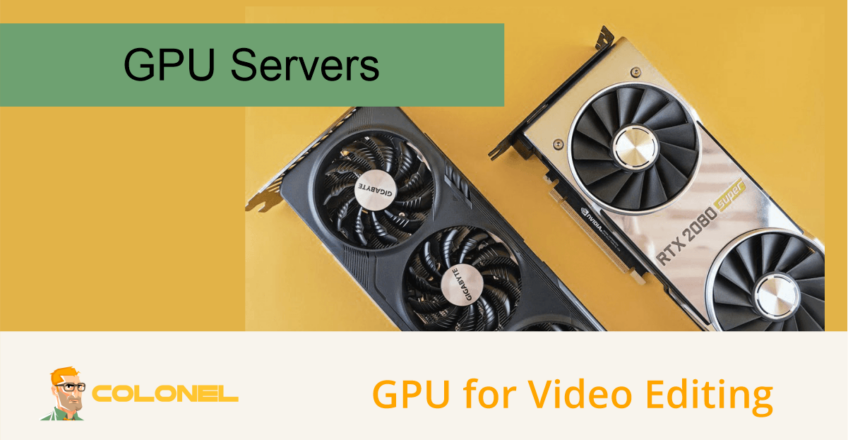
GPU für die Videobearbeitung: So wählen Sie die richtige Hardware aus und skalieren Ihren Workflow
Moderne Videoproduktion erfordert mehr als nur kreatives Talent. Herausgeber, Content-Ersteller, Agenturen, und Produktionsstudios sind alle auf leistungsstarke Hardware angewiesen, um Projekte effizient voranzutreiben. Da die Auflösungen von Full HD auf 4K steigen, 8K, und darüber hinaus, Die GPU-Leistung ist zu einem der wichtigsten Faktoren in professionellen Videobearbeitungs-Workflows geworden.
Ob Sie YouTube-Inhalte produzieren, Spielfilme, kommerzielle Werbung, Dokumentarfilme, oder Social-Media-Kampagnen, Durch die Auswahl der richtigen GPU können die Renderzeiten erheblich verkürzt werden, Verbessern Sie die Reaktionsfähigkeit der Zeitleiste, und die Gesamtproduktivität steigern.
Warum GPUs bei der Videobearbeitung wichtig sind
Eine Grafikverarbeitungseinheit (GPU) beschleunigt viele Aufgaben, die traditionell die CPU stark belasten.
Moderne Bearbeitungsanwendungen nutzen die GPU-Beschleunigung für:
- Timeline-Wiedergabe in Echtzeit
- Verarbeitung von Videoeffekten
- Farbkorrektur und Grading
- Bewegungsgrafiken
- Lärmreduzierung
- KI-gestützte Verbesserungen
- Videokodierung und -export
- 3D-Rendering und Compositing
Ohne ausreichende GPU-Ressourcen, Redakteure erleben das oft:
- Verzögerte Timeline-Wiedergabe
- Langsames Rendern
- Verzögerte Exporte
- Schlechte Reaktionsfähigkeit beim Anwenden von Effekten
- Reduzierte Produktivität
Je komplexer das Projekt wird, desto wichtiger wird die GPU-Leistung.

WordPress-Webhosting
Ab 3,99 $/Monat
Wie GPUs die Bearbeitungsleistung verbessern
Echtzeitwiedergabe
Hochauflösendes Filmmaterial stellt enorme Anforderungen an die Schnittsysteme.
Die GPU-Beschleunigung ermöglicht es Redakteuren:
- Spielen Sie mehrere Videostreams gleichzeitig ab
- Scrubben Sie die Zeitleisten reibungslos
- Sehen Sie sich die Effekte sofort in der Vorschau an
- Arbeiten Sie effizienter mit RAW-Filmmaterial
Dies reduziert den Bedarf an Proxy-Dateien und beschleunigt die Produktionsabläufe.
Schnelleres Rendern
Das Rendern ist einer der zeitaufwändigsten Teile der Videoproduktion.
Moderne GPUs beschleunigen:
- Visuelle Effekte
- Übergänge
- Bewegungsgrafiken
- Compositing
- Rendering exportieren
Projekte, die auf reinen CPU-Systemen Stunden dauern könnten, können mit einer leistungsstarken GPU oft deutlich schneller abgeschlossen werden.

Günstiger VPS-Server
Ab 2,99 $/Monat
Farbkorrektur
Anwendungen wie DaVinci Resolve sind stark von der GPU-Leistung abhängig.
Zu den durch GPUs beschleunigten Aufgaben gehören::
- LUT-Verarbeitung
- Farbräder
- Kurven
- HDR-Workflows
- Lärmreduzierung
- KI-gestützte Farbanpassung
Für professionelle Coloristen, Die GPU-Leistung ist oft wichtiger als die CPU-Leistung.
Kodierung und Export
Viele moderne GPUs verfügen über dedizierte Videokodierungshardware.
Dies beschleunigt den Export in Formate wie:
- H.264
- H.265 (HEVC)
- AV1
- ProRes-Workflows
- Streaming-Formate
Schnellere Exporte bedeuten eine schnellere Projektabwicklung und effizientere Produktionspipelines.

Windows VPS-Hosting
Fernzugriff und vollständige Verwaltung
Beste Consumer-GPUs für die Videobearbeitung
NVIDIA RTX 4070
Der RTX 4070 ist eine hervorragende Option für Freiberufler und Content-Ersteller, die hauptsächlich mit 1080p- und 4K-Filmmaterial arbeiten.
Zu den Vorteilen gehören::
- Starke CUDA-Leistung
- Effizienter Stromverbrauch
- Gutes Preis-Leistungs-Verhältnis
- Hervorragende Unterstützung in Adobe Premiere Pro und DaVinci Resolve
Ideal für:
- YouTube-Ersteller
- Freiberufler
- Marketingteams
- Kleine Produktionsstudios
NVIDIA RTX 4070 Super du
Der RTX 4070 Ti Super bietet zusätzliche Leistung und VRAM für anspruchsvollere Arbeitslasten.
Empfohlen für:
- 4K-Bearbeitung mit mehreren Kameras
- Bewegungsgrafiken
- Erweiterte Farbkorrektur
- Häufige Rendering-Workloads
NVIDIA RTX 4080 Super
Für Redakteure, die regelmäßig mit professionellen 4K-Projekten arbeiten, der RTX 4080 Super liefert erhebliche Leistungsverbesserungen.
Zu den Vorteilen gehören:
- Erhöhte Rendering-Geschwindigkeit
- Größere Speicherkapazität
- Besserer Umgang mit komplexen Effekten
- Starke KI-Beschleunigung
Geeignet für:
- Kommerzielle Produktion
- Unternehmensvideoteams
- Dokumentarfilmbearbeitung
- Erweiterte Postproduktions-Workflows
NVIDIA RTX 4090
Der RTX 4090 bleibt eine der leistungsstärksten Consumer-GPUs der Workstation-Klasse auf dem Markt.
Zu seinen Stärken gehören:
- Riesige Rechenleistung
- 24GB VRAM
- Außergewöhnliche Rendering-Leistung
- Hervorragende Unterstützung für KI-basierte Bearbeitungstools
Ideal für:
- 8K-Produktion
- Umfangreiche VFX-Workflows
- Erweiterte DaVinci Resolve-Projekte
- Professionelle Postproduktionsstudios
Enterprise-GPUs für professionelle Videoproduktion
Je größer die Projekte werden, desto verteilter werden die Teams, Viele Unternehmen gehen über Desktop-Workstations hinaus.
NVIDIA L40S
Der NVIDIA L40S ist für die professionelle Visualisierung konzipiert, KI, und Medienauslastung.
Zu den Vorteilen gehören::
- Hohe VRAM-Kapazität
- Hervorragende Rendering-Leistung
- KI-Beschleunigung
- Zuverlässigkeit des Rechenzentrums
Der L40S ist besonders effektiv für:
- Kollaborative Bearbeitung
- Remote-Produktionsteams
- KI-gestützte Video-Workflows
- Rendering-Umgebungen mit hohem Volumen
NVIDIA H100
Obwohl vor allem für Workloads mit künstlicher Intelligenz bekannt, Die H100 kann auch erweiterte Medienproduktionsumgebungen unterstützen.
Bestens geeignet für:
- KI-gestützte Inhaltsgenerierung
- Videoverbesserungssysteme
- Automatisierte Bearbeitungspipelines
- Medienverarbeitung im großen Maßstab
Die meisten Schnittteams werden den L40S für herkömmliche Videoproduktionsaufgaben praktischer finden.
Was ist ein GPU-Server??
Ein GPU-Server ist ein dedizierter physischer Server, der mit einer oder mehreren professionellen GPUs ausgestattet ist.
Im Gegensatz zu einer Desktop-Workstation, GPU-Server sind dafür konzipiert:
- Dauerbetrieb
- Hohe Verfügbarkeit
- Fernzugriff
- Teamzusammenarbeit
- Großformatiges Rendering
Diese Systeme werden üblicherweise in Unternehmensumgebungen und professionellen Produktionsstudios eingesetzt.
Vorteile von GPU-Servern für die Videobearbeitung
Remote-Zusammenarbeit
Redakteure können von überall auf leistungsstarke GPU-Ressourcen zugreifen.
Dies ermöglicht:
- Verteilte Produktionsteams
- Remote-Postproduktion
- Zentralisierte Projektspeicherung
- Gemeinsame Rendering-Ressourcen
Schnelleres Rendern
Dedizierte GPU-Server bieten deutlich mehr Rechenleistung als die meisten Desktop-Workstations.
Dies ermöglicht Teams:
- Exportieren Sie Projekte schneller
- Verarbeiten Sie mehrere Renderings gleichzeitig
- Bearbeiten Sie größere Projekte effizient
Zentralisierte Infrastruktur
Anstatt mehrere High-End-Workstations zu unterhalten, Unternehmen können Ressourcen auf GPU-Servern zentralisieren.
Zu den Vorteilen gehören::
- Einfachere Verwaltung
- Bessere Hardwareauslastung
- Vereinfachte Upgrades
- Reduzierter Wartungsaufwand
KI-gestützte Bearbeitung
Moderne Bearbeitungssoftware setzt zunehmend auf KI-Funktionen wie z:
- Automatische Untertitel
- Objektverfolgung
- Szenenerkennung
- Audioverbesserung
- Video-Upscaling
GPU-Server stellen die zur Beschleunigung dieser Tools erforderlichen Rechenressourcen bereit.
GPU-Server vs. Cloud-GPU vs GPU-as-a-Service
Dedizierter GPU-Server
Ein dedizierter GPU-Server bietet exklusiven Zugriff auf physische Hardware.
Vorteile:
- Maximale Leistung
- Vorhersehbare Ressourcenzuteilung
- Volle Kontrolle
- Bessere Sicherheit
Am besten für:
- Produktionsstudios
- Agenturen
- Kontinuierliche Arbeitsbelastung
Cloud-GPU
Cloud-GPU-Instanzen nutzen eine virtualisierte Infrastruktur.
Vorteile:
- Schnelle Bereitstellung
- Flexible Skalierung
- Pay-as-you-go-Preise
Nachteile:
- Gemeinsame Infrastruktur
- Mögliche Leistungsvariabilität
- Langfristige Kosten können teuer werden
Am besten für:
- Temporäre Projekte
- Testumgebungen
- Gelegentliche Rendering-Workloads
GPU-as-a-Service (GPUaaS)
GPUaaS-Plattformen bieten On-Demand-GPU-Zugriff über verwaltete Umgebungen.
Vorteile:
- Minimale Einrichtung
- Kein Hardware-Management
- Einfacher Zugang
Am besten für:
- Freiberufler
- Kleine Kreativteams
- Kurzfristige Projekte
Kauf oder Miete einer GPU-Infrastruktur
Hardware kaufen
Der Besitz von GPU-Infrastrukturangeboten:
- Volle Kontrolle
- Langfristiger Besitz von Vermögenswerten
- Keine wiederkehrenden Hosting-Gebühren
Jedoch, es erfordert:
- Große Vorabinvestition
- Hardwarewartung
- Kühlung und Energiemanagement
- Upgrade-Planung
GPU-Server mieten
GPU-Server-Hosting bietet:
- Sofortiger Einsatz
- Hardware der Enterprise-Klasse
- Planbare monatliche Kosten
- Skalierbarkeit
Für die meisten Organisationen, Das Mieten einer GPU-Infrastruktur bietet mehr Flexibilität und eine geringere betriebliche Komplexität.
Worauf Sie bei einem GPU-Hosting-Anbieter achten sollten
GPU-Optionen
Suchen Sie nach Anbietern, die moderne GPUs anbieten, z:
- NVIDIA RTX 4090
- NVIDIA L40S
- NVIDIA H100
Speicherleistung
Davon profitieren Videoproduktions-Workloads:
- NVMe-SSD-Speicher
- Hohe IOPS-Leistung
- Schneller Medienzugriff
Netzwerkkapazität
Große Videodateien erfordern eine erhebliche Bandbreite.
Wählen Sie Anbieter aus:
- Hochgeschwindigkeits-Netzwerkverbindungen
- Große Bandbreitenzuweisungen
- Infrastruktur mit geringer Latenz
Unterstützung
Zuverlässiger technischer Support ist für Produktionsumgebungen von entscheidender Bedeutung.
Suchen:
- 24/7 Unterstützung
- Hardwareüberwachung
- Backup-Lösungen
- Infrastruktur-Expertise
Gängige GPU-Bearbeitungsworkflows
Unabhängige Content-Ersteller
Normalerweise verwendet:
- RTX 4070
- RTX 4070 Super du
Ideal für:
- YouTube-Kanäle
- Online-Kurse
- Social-Media-Inhalte
Kreativagenturen
Oft erforderlich:
- RTX 4080 Super
- RTX 4090
Verwendet für:
- Kommerzielle Produktion
- Kundenprojekte
- Umgebungen mit mehreren Editoren
Professionelle Studios
Normalerweise bereitstellen:
- NVIDIA L40S
- Dedizierte GPU-Server
Unterstützend:
- Remote-Teams
- Großformatiges Rendering
- Produktionsabläufe in Unternehmen
Skalieren Sie Ihre Videobearbeitungsinfrastruktur
Da die Produktionsanforderungen steigen, Organisationen verfolgen oft einen vorhersehbaren Wachstumspfad:
- Einzelarbeitsplatz
- Mehrere Bearbeitungsarbeitsplätze
- Gemeinsam genutzte Speichersysteme
- Dedizierte Renderknoten
- GPU-Server-Infrastruktur
- Hybrid-Cloud-Rendering
Eine frühzeitige Planung des Infrastrukturwachstums hilft, Engpässe und kostspielige Arbeitsunterbrechungen zu vermeiden.
Erste Schritte mit der GPU-beschleunigten Videobearbeitung
Eine leistungsstarke GPU kann die Videobearbeitungsleistung durch Beschleunigung der Wiedergabe erheblich verbessern, Effektverarbeitung, Rendern, Farbkorrektur, und Exporte.
Für individuelle Kreative, Moderne Desktop-GPUs bieten eine hervorragende Leistung für die meisten Arbeitsabläufe. Da Projekte komplexer werden und Teams größer werden, dedizierte GPU-Server bieten eine hervorragende Skalierbarkeit, Möglichkeiten zur Zusammenarbeit, und Rechenleistung.
Die Wahl der richtigen GPU-Infrastruktur hängt von Ihrem Workflow ab, Teamgröße, Projektkomplexität, und langfristige Wachstumspläne. Wenn Sie heute in die richtige Lösung investieren, können Sie die Produktionszeiten erheblich verkürzen und die Effizienz in Ihrer gesamten Bearbeitungspipeline verbessern.
