

Configuring IPv6 on a VPS is a practical step toward future-proof networking, better global reachability, and reduced dependency on scarce IPv4 resources. Cloud providers, CDN's, and ISPs increasingly prefer IPv6-first routing, and VPS operators who delay configuration often encounter avoidable connectivity and deliverability issues. This guide explains IPv6 configuration of VPS in a reproducible and production-oriented way, focusing on real Linux server environments rather than abstract theory.
IPv6 Basics VPS Owners Actually Need to Know
IPv6 on a VPS relies on a small set of concepts that are essential for correct configuration and troubleshooting. An IPv6 address is 128 bits long and written in hexadecimal format, divided into eight groups separated by colons.
Most VPS providers assign a /64 prefix to each server, which contains an enormous number of usable addresses. In practical terms, your VPS usually uses a single global IPv6 address from that range, plus an automatically assigned link-local address used only for local network communication. Volgens Cloudflare IPv6 Deployment Guide:
“IPv6 adoption is essential for future-proof networking as IPv4 addresses are exhausted. Proper configuration on virtual servers ensures better connectivity, beveiliging, and scalability for modern applications.”
Prerequisites Before Configuring IPv6 on a VPS
Before editing configuration files, several prerequisites must be verified to ensure IPv6 will function correctly on your VPS. Skipping this validation step is the most common cause of failed IPv6 deployments.

WordPress-webhosting
Vanaf $ 3,99/maandelijks
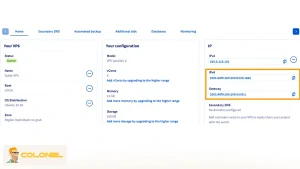
- Eerst, confirm that IPv6 is enabled at the provider level and that your VPS has an assigned IPv6 address, prefix length, and gateway. Most modern VPS platforms support IPv6, but it may be disabled by default or require manual activation in the control panel.
- Second, verify that your operating system has IPv6 enabled in the kernel. Modern Linux distributions ship with IPv6 enabled by default, but previous manual hardening or legacy templates may have disabled it via sysctl parameters. Successful IPv6 configuration of a VPS depends on kernel-level support being active.
Step-by-Step IPv6 Configuration on a VPS
Configuring IPv6 on a VPS is a deterministic process that involves assigning the address correctly at the operating system level, validating routing, and ensuring the network stack treats IPv6 as a first-class protocol. The exact steps depend on the Linux distribution and networking stack, but the underlying principles remain consistent across providers.
Voordat u wijzigingen aanbrengt, confirm that your VPS provider has already assigned an IPv6 address, prefix, and gateway. Without these values, local configuration alone cannot establish global IPv6 connectivity.
Verifying Existing IPv6 Assignment
The fastest way to determine whether IPv6 is already active on your VPS is to inspect the current network interfaces. This step avoids unnecessary reconfiguration and helps detect partial or misconfigured IPv6 setups. Use the following command to list IPv6 addresses:
ip -6 addr show
If you see a global unicast address (not starting with fe80::), IPv6 may already be enabled. Echter, address presence alone is not sufficient; routing and firewall behavior must still be validated later in the process.

Goedkope VPS-server
Vanaf $ 2,99/maandelijks
IPv6 Configuration on Ubuntu and Debian VPS Systems
On modern Ubuntu and Debian VPS deployments, IPv6 configuration is typically managed through Netplan or traditional ifupdown, depending on the image and version. Choosing the correct method ensures changes persist across reboots and cloud-init events.
Ubuntu 18.04+ and Debian with Netplan
Netplan acts as an abstraction layer over systemd-networkd or NetworkManager. When configuring IPv6 on a VPS using Netplan, accuracy in YAML syntax is critical, as even minor indentation errors can break networking entirely.
The configuration process involves explicitly assigning the IPv6 address, prefix length, default gateway, and DNS resolvers. Once applied, Netplan translates this into persistent network rules at boot time.
After applying the configuration, always validate both the assigned address and the default route using:
ip -6 addr

Windows VPS-hosting
Remote Access & Full Admin
ip -6 route
A working default route indicates that outbound IPv6 traffic can reach the internet, which is essential for real-world usage.
Debian with ifupdown
Some Debian VPS images still rely on /etc/network/interfaces. In these environments, IPv6 configuration is defined as a static interface alongside IPv4.
The key requirement is that IPv6 settings must not conflict with IPv4 DHCP behavior. A dual-stack VPS should explicitly define both families to avoid unpredictable routing behavior.
Restarting networking services applies the configuration immediately, but a full reboot is recommended after major network changes to confirm persistence.
IPv6 Configuration on CentOS, Rocky Linux, and AlmaLinux VPS
RHEL-based distributions rely heavily on NetworkManager, even on headless VPS systems. IPv6 configuration can be applied either via nmcli or by editing interface configuration files directly.
Using NetworkManager (nmcli)
NetworkManager provides a declarative and persistent way to manage IPv6 configuration on a VPS. This approach is preferred in production environments because it integrates cleanly with system services and avoids legacy script conflicts.
When IPv6 is set to manual mode, the VPS uses only the explicitly defined address and gateway, which aligns well with most hosting provider network models.
After bringing the connection up, confirm IPv6 connectivity immediately to avoid silent misconfigurations that only surface under load.
Validating IPv6 Connectivity and Routing
Successful IPv6 configuration on a VPS must be validated at three distinct layers: interface assignment, routering, and external reachability. Skipping any of these checks risks deploying a partially functional setup. Start by confirming the presence of a default IPv6 route:
ip -6 route show default
Volgende, test external connectivity using an IPv6-only destination:
ping6 2606:4700:4700::1111
A successful response confirms that routing, gateway configuration, and upstream connectivity are all functioning correctly.
For application-level validation, tools such as curl-6 provide confirmation that outbound HTTPS traffic works over IPv6, which is critical for package updates, API's, and external services.
Firewall Configuration for IPv6 on a VPS
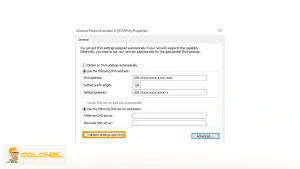
A common failure point in IPv6 configuration VPS setups is firewall policy inconsistency. Many servers are hardened for IPv4 but silently block all IPv6 traffic, resulting in confusing and intermittent connectivity issues.
IPv6 firewalls must explicitly allow required services and essential ICMPv6 traffic. Unlike IPv4, ICMPv6 is not optional; it is required for neighbor discovery and path MTU detection. When configuring firewall rules, ensure that:
- SSH, HTTP, and HTTPS are permitted over IPv6
- Established and related connections are allowed.
- ICMPv6 is not globally blocked.
Treat IPv4 and IPv6 as equal citizens in your security model rather than assuming one inherits rules from the other.
DNS Configuration for IPv6 on a VPS
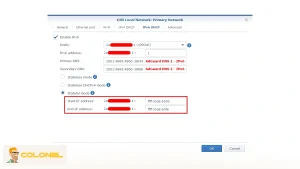
IPv6 connectivity alone does not make services reachable. DNS must advertise IPv6 availability through AAAA records; otherwise, clients will never attempt IPv6 connections.
AAAA Records and Dual-Stack DNS
For each hostname served by your VPS, an AAAA record should point to the IPv6 address while preserving the existing A record for IPv4 users. This dual-stack approach ensures compatibility while enabling modern clients to prefer IPv6 when available.
DNS propagation should be tested using tools that explicitly query AAAA records to avoid cached or resolver-specific results.
Reverse DNS and IPv6 Email Reputation
Reverse DNS is especially important when running mail services on a VPS with IPv6 enabled. Many email providers apply stricter reputation checks to IPv6 senders compared to IPv4.
Configure PTR records through your VPS provider’s control panel and ensure the hostname matches the server’s mail identity. This alignment significantly reduces delivery failures and spam filtering issues.
Security and Hardening Considerations for IPv6 VPS Deployments
IPv6 does not inherently increase or decrease security, but misconfiguration often creates unintended exposure. The most common mistake is enabling IPv6 without auditing listening services.
After IPv6 configuration is complete, audit all services to confirm they are bound only to intended interfaces and ports. Web servers, mail daemons, and APIs often start listening on IPv6 automatically once the protocol is enabled.
Applying least-privilege principles at both the network and application layers ensures IPv6 expands reachability without expanding the attack surface.
Monitoring IPv6 Performance and Availability on a VPS
Production-grade IPv6 configuration on a VPS requires monitoring that explicitly tests IPv6 paths. Many monitoring systems default to IPv4-only checks, leaving IPv6 failures undetected. Configure monitoring probes that:
- Resolve DNS over IPv6
- Connect to services using IPv6 addresses.
- Alert independently from IPv4 checks.
This dual visibility prevents false confidence and helps identify asymmetric failures where one protocol family degrades before the other.
When IPv6-Only VPS Configurations Make Sense
While most VPS deployments begin with dual-stack networking, IPv6-only architectures are becoming increasingly viable for controlled environments. These setups reduce dependency on scarce IPv4 resources and simplify internal addressing.
IPv6-only VPS deployments are best suited for:
- Internal microservices
- Lab and development environments
- Modern applications with minimal legacy dependencies
For public-facing services, IPv6-only should be adopted only when NAT64 or proxy mechanisms are in place to support IPv4-only clients.
Why IPv6 Configuration on a VPS Matters Today
IPv6 configuration on a VPS matters because IPv4 scarcity directly affects cost, schaalbaarheid, and long-term network design. IPv4 addresses are limited, increasingly expensive, and often reused through NAT, while IPv6 provides an almost inexhaustible public address space with cleaner routing semantics. IPv6-only VPS deployments are best suited for:
- Internal microservices
- Lab and development environments
- Modern applications with minimal legacy dependencies
From an operational standpoint, enabling IPv6 improves reachability for users on IPv6-only or IPv6-preferred networks, especially in mobile and ISP-grade environments. For VPS owners, ipv6 configuration of VPS is also a strategic decision. It reduces reliance on legacy addressing, simplifies multi-service architectures, and prepares infrastructure for regions where IPv6 adoption outpaces IPv4 availability.

Strategic Takeaways for Long-Term IPv6 Adoption
Configuring IPv6 on a VPS is not a one-time task but an architectural decision that affects networking, beveiliging, DNS, en monitoring. Teams that treat IPv6 as a first-class protocol gain flexibility, cost control, and future readiness as IPv4 scarcity accelerates.
By implementing a clean dual-stack configuration today and gradually expanding IPv6 usage, you position your VPS infrastructure to scale without artificial constraints. This approach aligns operational stability with long-term internet trends rather than fighting them.
Frequently Asked Questions About IPv6 Configuration on a VPS
What is IPv6 configuration VPS in practical terms?
It refers to assigning, routering, beveiligen, and validating an IPv6 address on a virtual private server so it can communicate reliably over modern internet networks.
Can I enable IPv6 on a VPS without affecting IPv4?
Ja. Dual-stack configurations allow IPv4 and IPv6 to coexist independently without disrupting existing services.
Does IPv6 improve VPS performance?
IPv6 can improve routing efficiency and connectivity in some networks, but performance gains depend on upstream providers and client support.
Is IPv6 required for future VPS deployments?
While not mandatory today, IPv6 adoption is accelerating and will become increasingly important as IPv4 availability declines.
Do all VPS providers support IPv6?
Most modern providers do, but IPv6 availability and configuration methods vary and should be verified before deployment.