
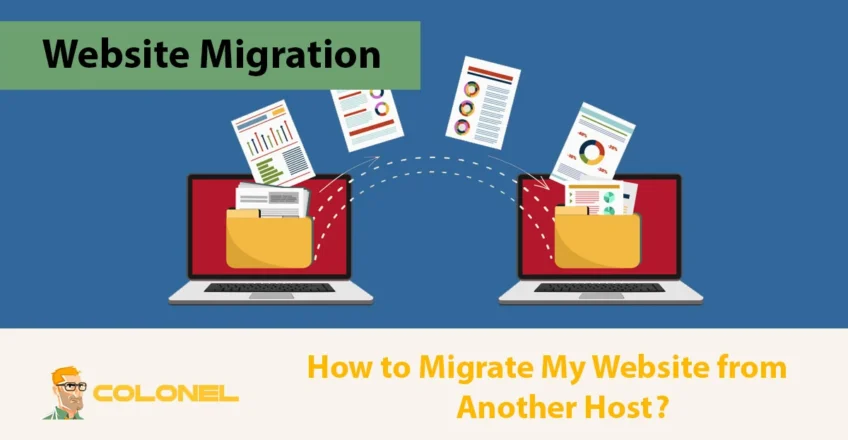

Migrating a website from another host is a structured process that allows you to move all website files, databases, and configurations to a new hosting provider without losing data or causing downtime. When done correctly, a website migration improves performance, beveiliging, schaalbaarheid, and long-term reliability while preserving SEO value and user experience.
Understanding Hosting Migration Before You Begin
Hosting migration is not a single action but a sequence of coordinated tasks that move files, databases, and server configurations from one environment to another. Each step depends on the previous one being completed accurately. Key elements involved in any hosting migration include:
- Website files such as HTML, media, plug-ins, and themes
- Databases used by CMS platforms like WordPress or Joomla
- Email services tied to the domain
- DNS records that route traffic to the correct server
Before starting to migrate a website from another host, it is important to recognize whether the migration will be manual, automated, or managed by the hosting provider. This choice influences timelines, technical involvement, and risk exposure.
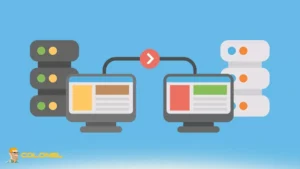
Can You Migrate a Website from Another Host Without Data Loss?
Ja, it is entirely possible to migrate a website from another host without losing data, rankings, or functionality, provided the process follows a controlled and well-documented workflow. Data loss usually occurs due to rushed DNS changes, incomplete backups, or misconfigured databases rather than the migration itself. A safe migration relies on three principles:
- full backups
- parallel testing
- delayed DNS switching
When these are respected, visitors continue accessing the old host until the new environment is fully validated. From an SEO perspective, search engines are not affected by hosting changes as long as URLs, inhoud, and response codes remain consistent. This makes hosting migration a technical operation rather than a visibility risk when executed correctly.

WordPress-webhosting
Vanaf $ 3,99/maandelijks
Why Website Owners Decide to Migrate a Website from Another Host?
Owners migrate a website from another host when the current hosting environment no longer aligns with technical needs, performance expectations, or business growth. This decision is rarely impulsive and usually follows recurring operational or strategic issues that directly affect site stability and user trust. Common motivations include:
- Performance bottlenecks caused by shared resources or outdated infrastructure
- Frequent downtime or unreliable uptime guarantees
- Inadequate customer support during critical incidents
- Security limitations that expose the website to risks
- The need for better scalability, opslag, or server control
As websites evolve, hosting requirements also shift, making migration a necessary step rather than an optional upgrade.

What You Need Before You Migrate a Website from Another Host
Before you migrate a website from another host, first ensure that all technical prerequisites, access credentials, and critical assets are fully prepared. A structured preparation phase allows you to migrate a website from another host methodically, without unnecessary downtime or data inconsistency.
- Domain ownership and DNS access
You must have full administrative control over the domain registrar account. This includes the ability to modify nameservers, DNS-records, and domain locks. Without verified domain ownership, finalizing the migration or correcting DNS propagation issues becomes impossible. - Active hosting plan on the new provider
The destination hosting environment must already be live and properly configured. This includes server resources, PHP version compatibility, storage allocation, and control panel access. Migrating without a ready hosting plan often leads to rushed configurations and misaligned server settings. - Access to website files
Complete access to all website files is essential, whether through FTP, SFTP, SSH, or a hosting file manager. This ensures that core files, thema's, plug-ins, media assets, and configuration files are transferred accurately without omissions that could break functionality. - Database credentials and backups
If the website relies on a database, you must secure database access credentials and a full backup prior to migration. This allows you to import data safely into the new host and verify integrity before switching DNS, reducing the risk of data loss or corruption. - File transfer and management tools
A reliable FTP client or direct file manager access is required to move files securely and efficiently. Using proper transfer tools minimizes failed uploads, permission errors, and incomplete file synchronization during the migration process.
Step-by-Step Guide to Migrate Website from Another Host
Migrating a website from another host requires a sequential process where each step depends on the accuracy of the previous one. Skipping or rushing any stage usually leads to broken pages, database errors, or extended downtime. Following a structured workflow minimizes technical risk and keeps the migration controlled.
Stap 1: Create a Full Website Backup
The first and most critical step before you migrate a website from another host is creating a complete backup of all website assets. This backup acts as your recovery point if anything fails during the migration process.

Goedkope VPS-server
Vanaf $ 2,99/maandelijks
A proper backup includes all website files, databases, configuration files, En, if applicable, email data. Relying solely on hosting-provider backups is not sufficient, since access may be limited after cancellation. Storing backups locally or in secure cloud storage ensures full control throughout the migration.

Stap 2: Export and Prepare the Database
For database-driven websites, exporting the database ensures that all dynamic content, such as posts, user data, and settings remain intact after migration. This step must be executed carefully to avoid encoding or compatibility issues.
Before importing the database into the new host, it is essential to verify database versions, character sets, and table integrity. Mismatched database configurations are a common cause of errors after migration and should be addressed proactively.
Stap 3: Upload Website Files to the New Host
Uploading website files transfers the core structure of the site to the new hosting environment. This process involves copying all public directories, media assets, and application files to the correct root directory on the new server.
During this step, file permissions and directory ownership must be validated. Incorrect permissions often lead to inaccessible pages or security warnings. A clean file transfer ensures the website behaves identically on the new host.

Windows VPS-hosting
Remote Access & Full Admin
Stap 4: Update Configuration Files
Configuration files connect your website to its database and server environment. After you migrate a website from another host, these files must be updated with new database credentials and server paths.
For CMS platforms, this step typically involves editing a single configuration file. Echter, custom-built websites may rely on multiple configuration layers. Verifying these settings prevents database connection failures and server errors once the site goes live.
Stap 5: Test the Website Before DNS Change
Testing is the safeguard that prevents public-facing issues. Before you migrate a website from another host completely, the website should be tested on the new server using a temporary URL or hosts file modification.
In dit stadium, functionality, ontwerp, forms, media files, and internal links must be reviewed thoroughly. Any detected issue is significantly easier to fix before DNS propagation than afterward.

Choosing the Right Hosting Plan Before Migration
Selecting the correct hosting plan before you migrate a website from another host determines long-term success more than the migration steps themselves. A technically perfect migration into an unsuitable hosting plan only postpones future problems. The hosting plan should match:
- traffic volume
- complexiteit van applicaties
- growth expectations
- administrative control requirements
A mismatch here often leads to repeated migrations, which increase operational risk.
Matching Website Needs to Hosting Types
Different websites demand different hosting architectures, and understanding this alignment is critical before committing to a provider.
- Shared hosting works for low-traffic personal websites but becomes restrictive under growth.
- VPS hosting offers isolation and flexibility, making it suitable for scaling projects.
- Dedicated servers provide maximum control and performance for enterprise workloads.
- WordPress hosting optimizes the environment specifically for WordPress-based sites, reducing maintenance overhead.
Selecting the appropriate hosting type ensures that once you migrate a website from another host, the new environment supports both current and future demands.
Security Considerations When Migrating a Website
Security is a foundational factor when moving a website between hosts because migration temporarily exposes files, credentials, en databanken. A reliable hosting provider implements server-level firewalls, malware scanning, isolation mechanisms, and regular patching. From an operational standpoint, secure migration also involves:
- Using encrypted connections such as SFTP instead of FTP
- Protecting database exports and configuration files
- Resetting passwords after migration
- Verifying file permissions on the new server
Ignoring security during migration often leads to compromised websites shortly after launch on the new host.

Betrouwbaarheid, Uptime, and Performance Expectations
Migrating a website is often driven by reliability concerns, especially frequent outages or inconsistent performance. Uptime directly affects revenue, credibility, and search engine trust.
A professional hosting provider offers a measurable uptime guarantee, typically 99.9 percent or higher, backed by infrastructure redundancy. This ensures that once you migrate a website from another host, availability improves rather than deteriorates.
Performance also plays a direct role in SEO and user retention. Faster servers, optimized caching, and modern hardware reduce page load times and improve Core Web Vitals. Migration offers an opportunity to address these performance limitations structurally rather than through surface-level optimizations.
Speed and Its Impact After Hosting Migration
Website speed is not only a usability factor but also a ranking signal. Hosting environments with slow disk I/O, overloaded CPUs, or distant server locations negatively affect response times regardless of frontend optimization. You should evaluate the following parameters during migration:
- server location
- SSD or NVMe storage
- caching layers
- PHP or runtime versions
A faster hosting stack allows your website to perform better without code changes. For growing websites, speed improvements after migration often translate into lower bounce rates and higher conversion rates, making hosting migration a strategic performance investment.
Customer Support as a Migration Factor
Support quality becomes most visible during hosting migration, when timely responses prevent downtime and configuration errors. A provider with limited or delayed support increases risk during critical migration stages.
Effective hosting support offers 24/7 toegang, multiple communication channels, and technical competence beyond scripted responses. This is especially important when unexpected issues arise during database imports or DNS propagation.
DNS Switching and Going Live Safely
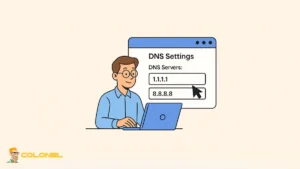
DNS switching is the moment when traffic begins routing to the new host. Although technically simple, this step determines whether users experience downtime or a seamless transition. To reduce risk, DNS records should only be updated after the new website environment is fully validated.
Lowering TTL values in advance helps speed up propagation and shortens the transition window. Once DNS changes propagate, monitoring traffic and error logs becomes essential to detect unexpected behavior early.
Manual vs Automated vs Managed Website Migration
Manual migration, automated tools, and managed migration services each serve distinct technical needs depending on website complexity, available expertise, and tolerance for operational risk. The following comparison clarifies how these migration types differ in practice.
| Migration Method | Level of Control | Technical Skill Required | Risiconiveau | Beste gebruiksscenario |
| Manual Migration | Volledige controle over bestanden, database, and configuration | Hoog | Medium to High | Complex websites with custom server settings, proprietary code, or non-standard configurations |
| Automated Migration | Limited to tool-supported actions | Low to Medium | Medium | Standard CMS-based websites with minimal customization and predictable file structures |
| Managed Migration | Control delegated to hosting provider | Laag | Laag | Business-critical websites where uptime, data accuracy, and post-migration validation are essential |
Common Mistakes When Migrating a Website
Most website migration failures stem from procedural mistakes rather than technical constraints. Understanding the most common mistakes during the migration of a website from another host helps ensure the process remains controlled, verifiable, and reversible at every stage:
Changing DNS records before migration testing is complete
Updating DNS too early redirects live traffic to an unverified environment. If files, databases, or configurations are not fully tested, users may encounter broken pages, missing content, or application errors. DNS changes should only occur after the migrated site has been validated using temporary URLs or hosts file overrides.
Relying on incomplete or unverified backups
A common mistake during migrate a website from another host is backing up only website files while neglecting databases, media uploads, or configuration files. In some cases, backups exist but have never been tested for restoration. A migration should never begin without a full, restorable backup that includes files, databases, and critical settings.
Ignoring email services tied to the domain
Many websites rely on domain-based email accounts that are affected by DNS changes. Failing to migrate email data or update MX records correctly can result in lost emails or prolonged delivery failures. Email configurations must be reviewed and preserved as part of the migration plan, not treated as an afterthought.

Overlooking server-specific configurations
Custom PHP versions, extensies, cron jobs, rewrite rules, or caching layers may not exist on the new host by default. Assuming that the new environment matches the old one often leads to broken functionality. Server settings should be audited and replicated before the site goes live.
Skipping post-migration validation and monitoring
Completing the file transfer does not guarantee a successful migration. Failing to test forms, login systems, payment gateways, and SEO-related settings can leave critical issues undiscovered. Continuous monitoring during the first days after migration helps catch errors before they affect users or search engine visibility.
SEO Impact After You Migrate a Website from Another Host
Hosting migration does not inherently damage SEO, but mismanagement can cause temporary ranking fluctuations. Search engines primarily react to changes in site availability, response codes, and page consistency. Volgens Google Search Central:
“Changing hosting providers does not affect search rankings as long as URLs, inhoud, and site structure remain unchanged.”
Maintaining identical URLs, content structure, and internal linking ensures that search engines view the migrated site as unchanged. Monitoring crawl errors and indexing status after migration helps detect potential issues early.
A well-executed migration often improves SEO indirectly through better performance, faster load times, and higher uptime reliability.

Final Thoughts on Migrating a Website Successfully
Migrating a website from another host is a technical transition that demands planning, accuracy, and validation rather than speed. When executed correctly, migration becomes an opportunity to improve performance, beveiliging, and scalability without disrupting users or search engines.
The key to success lies in preparation, structured execution, and post-migration monitoring. Treating migration as a controlled process rather than a simple transfer ensures long-term stability in the new hosting environment.
Veelgestelde vragen
Does website migration cause downtime?
Website migration does not cause downtime if testing is completed before DNS changes and the transition is managed correctly.
How long does it take to migrate a website from another host?
Migration time depends on website size and complexity, but most standard websites can be migrated within a few hours.
Can I migrate my website without technical knowledge?
Ja, managed migration services and automated tools allow non-technical users to migrate websites safely.
Will my SEO rankings drop after migration?
SEO rankings remain stable if URLs, inhoud, and site availability remain unchanged during and after migration.