
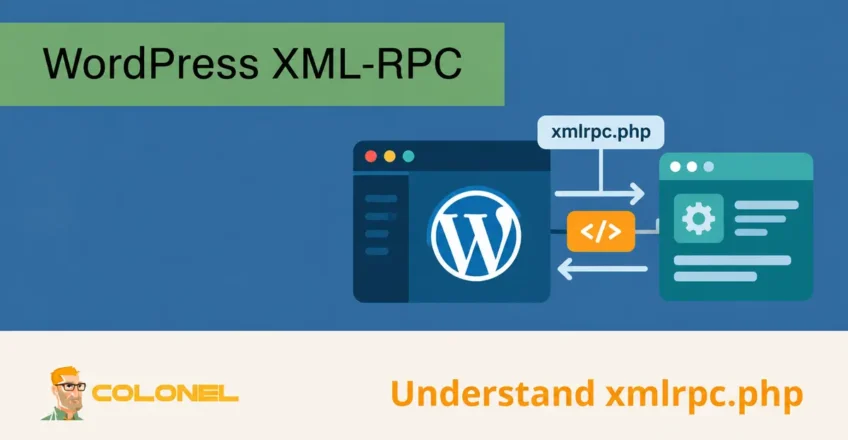
Understanding xmlrpc.php in WordPress
WordPress has included a remote communication system since its earliest releases. This functionality allows external applications and services to interact with a WordPress website without requiring direct access to the WordPress dashboard.
The technology behind this communication system is XML-RPC, which stands for Extensible Markup Language Remote Procedure Call.
XML-RPC combines:
- XML for data formatting
- RPC (Remote Procedure Calls) for executing commands remotely
- HTTP for data transmission
The entire XML-RPC implementation is contained within a file called:
xmlrpc.php
located in the root directory of every WordPress installation.
Historisch gezien, XML-RPC allowed WordPress websites to communicate with:

WordPress-webhosting
Vanaf $ 3,99/maandelijks
- Desktop blogging software
- Mobile publishing applications
- External content management tools
- Remote administration systems
- Third-party integrations
Before modern APIs became available, XML-RPC was one of the primary methods for remotely managing WordPress content.
What Is xmlrpc.php?
De xmlrpc.php file is a core WordPress component that processes remote requests sent through the XML-RPC protocol.
Introduced in the early days of WordPress, it enabled website owners to perform tasks such as:
- Publishing articles remotely
- Editing content remotely
- Managing comments
- Accessing WordPress from mobile applications
- Connecting external services
In older WordPress releases, XML-RPC was disabled by default.
This changed in WordPress 3.5, where XML-RPC became enabled automatically and remains active by default on new installations.
Unlike earlier versions, WordPress no longer provides a built-in setting to disable XML-RPC from the administration panel.

Goedkope VPS-server
Vanaf $ 2,99/maandelijks
Why XML-RPC Was Important
Before the introduction of the WordPress REST API, XML-RPC provided a standardized method for external communication.
Common use cases included:
- Publishing blog posts from desktop applications
- Managing websites through mobile apps
- Synchronizing content between platforms
- Integrating with third-party services
At the time, these capabilities were valuable because web-based content management tools were far less advanced than they are today.
Why xmlrpc.php Is Considered Outdated
Modern WordPress environments now rely primarily on the REST API for external communication.
The REST API offers:
- Better beveiliging
- Improved performance
- More flexibility
- Easier integration
- Enhanced authentication methods
Because of these advantages, XML-RPC is no longer necessary for most WordPress websites.

Windows VPS-hosting
Toegang op afstand en volledig beheer
Many administrators choose to disable XML-RPC entirely to reduce potential security risks.
Security Risks Associated With xmlrpc.php
The primary concern with XML-RPC is not the protocol itself but how attackers can abuse its functionality.
Although legitimate services can use XML-RPC safely, cybercriminals frequently target the endpoint because it can be exploited for several attack types.
The most common threats include:
- Brute force attacks
- DDoS attacks
- Authentication abuse
- Resource exhaustion
Brute Force Login Attacks
One of the most frequently exploited XML-RPC functions is the ability to submit multiple authentication attempts through a single request.
Normally, login attempts occur through:
wp-login.php
where security systems can often detect repeated failures.
With XML-RPC, attackers can submit thousands of username and password combinations more efficiently.
This can:
- Accelerate password guessing attempts
- Bypass certain login protections
- Increase server load
Websites with weak passwords are particularly vulnerable.
Distributed Denial-of-Service (DDoS) Attacks
XML-RPC includes a feature called Pingback.
Pingbacks were originally designed to notify websites when another website linked to their content.
Attackers discovered they could abuse this functionality by forcing large numbers of WordPress websites to send requests to a target.
Als resultaat:
- Large volumes of traffic can be generated
- Server resources become overwhelmed
- Websites may become unavailable
This technique has been used in numerous large-scale DDoS campaigns.
Increased Attack Surface
Every publicly accessible endpoint creates another potential target.
Even if XML-RPC is not actively being used, it remains available for attackers to probe and exploit.
Disabling unused functionality helps reduce the overall attack surface of a WordPress installation.
Should You Disable XML-RPC?
For most modern WordPress websites, the answer is yes.
If your website does not rely on services that specifically require XML-RPC, disabling it is generally recommended.
Voordelen zijn onder meer:
- Reduced brute force attack exposure
- Lower DDoS risk
- Improved security posture
- Fewer unnecessary requests
Echter, some services still require XML-RPC functionality.
Services That May Require XML-RPC
Before disabling XML-RPC, verify whether your website uses any services that depend on it.
Veel voorkomende voorbeelden zijn onder meer:
- WordPress mobile applications
- Legacy publishing tools
- Certain third-party integrations
- Some remote management platforms
One notable exception is Jetpack.
Jetpack Compatibility
Certain Jetpack features rely on XML-RPC for communication between WordPress and Jetpack services.
If Jetpack is being used, disabling XML-RPC may cause:
- Connection failures
- Synchronization issues
- Feature limitations
In these situations, restricting access to trusted Jetpack IP addresses is often a better solution than completely disabling XML-RPC.
WooCommerce extensions that rely on Jetpack integrations may also require XML-RPC functionality.
Methode 1: Disable XML-RPC Using a Plugin
The easiest approach is to install a dedicated plugin that disables XML-RPC automatically.
After activation, these plugins typically:
- Block XML-RPC requests
- Disable Pingback functionality
- Prevent remote XML-RPC access
Some plugins also allow administrators to create exceptions for specific IP addresses when necessary.
This method is suitable for users who prefer not to edit server configuration files.
Methode 2: Disable XML-RPC Using .htaccess
Administrators who prefer a server-level solution can block XML-RPC through Apache configuration.
Before making changes, create a backup of the current .htaccess bestand.
Add the following configuration:
# Block WordPress xmlrpc.php requests

<Files xmlrpc.php>
    order deny,allow
    deny from all
    allow from xxx.xxx.xxx.xxx
</Files>
Replace:
xxx.xxx.xxx.xxx
with an authorized IP address if access should be allowed for specific services or administrators.
Allow Multiple IP Addresses
To authorize additional IP addresses:
# Block WordPress xmlrpc.php requests

<Files xmlrpc.php>
    order deny,allow
    deny from all
    allow from 192.0.2.10
    allow from 198.51.100.25
</Files>
Additional entries can be added as required.
Why .htaccess Blocking Is Effective
This approach blocks requests before WordPress processes them.
Voordelen zijn onder meer:
- Verminderde serverbelasting
- Improved efficiency
- Better protection against abuse
- No additional plugins required
How to Verify XML-RPC Is Disabled
After disabling XML-RPC, verify that protection is working correctly.
Methode 1: Direct Browser Test
Visit:
https://yourdomain.com/xmlrpc.php
If access is blocked, you should receive an error similar to:
Forbidden
You don't have permission to access this resource.
Methode 2: WordPress Mobile App Test
Attempt to connect the website using the WordPress mobile application.
If XML-RPC has been disabled, authentication should fail and display a message similar to:
XML-RPC services are disabled on this site.
This confirms that remote XML-RPC communication is no longer available.
Best Practices for WordPress Security
Disabling XML-RPC is only one part of a broader WordPress security strategy.
Additional recommendations include:
- Use strong passwords
- Enable two-factor authentication
- Keep WordPress updated
- Update plugins and themes regularly
- Use a web application firewall
- Limit login attempts
- Remove unused plugins
- Monitor security logs
- Use secure hosting infrastructure
Combining these measures significantly reduces the likelihood of successful attacks.
Is XML-RPC Still Necessary?
For most modern WordPress websites, XML-RPC has largely been replaced by the WordPress REST API. Unless a specific service requires it, disabling XML-RPC is often a practical security improvement that reduces attack opportunities without affecting normal website functionality.
Before making changes, always verify whether any active plugins, toepassingen, or integrations depend on XML-RPC. Once compatibility has been confirmed, disabling or restricting access to xmlrpc.php can help create a more secure and resilient WordPress environment.