

Het beschermen van uw websitegegevens is een van de belangrijkste verantwoordelijkheden van elke site-eigenaar. WordPress Backup Plugins zijn hiervoor essentieel. Of je nu een persoonlijke blog hebt of een grote zakelijke website, onverwachte problemen zoals hacken, serverstoringen, of menselijke fouten kunnen uw waardevolle inhoud in gevaar brengen. Reliable backup tools ensure that you can quickly restore your files, databases, and settings without stress or downtime. In dit artikel, we look at six trusted solutions that can help you secure your site, keep things running smoothly, and find peace of mind through dependable WordPress backup strategies.
What Are WordPress Backup Plugins and Why They Matter
WordPress websites use dynamic databases, theme files, plug-ins, and media assets that change constantly. Any disruption, whether technical or human, can lead to partial or complete data loss. This is why WordPress Backup Plugins are crucial for managing a professional website. They serve as automated insurance systems that capture your site’s current state and enable quick restoration when issues arise.
Unlike manual backups that depend on human discipline, modern solutions operate quietly in the background. They create restore points before updates, save historical versions, and offer recovery options that reduce downtime. From an E-E-A-T perspective, regular backups indicate professionalism, operational maturity, and technical reliability. These factors can indirectly impact trust and long-term search performance.
Key Features of WordPress Backup Plugins
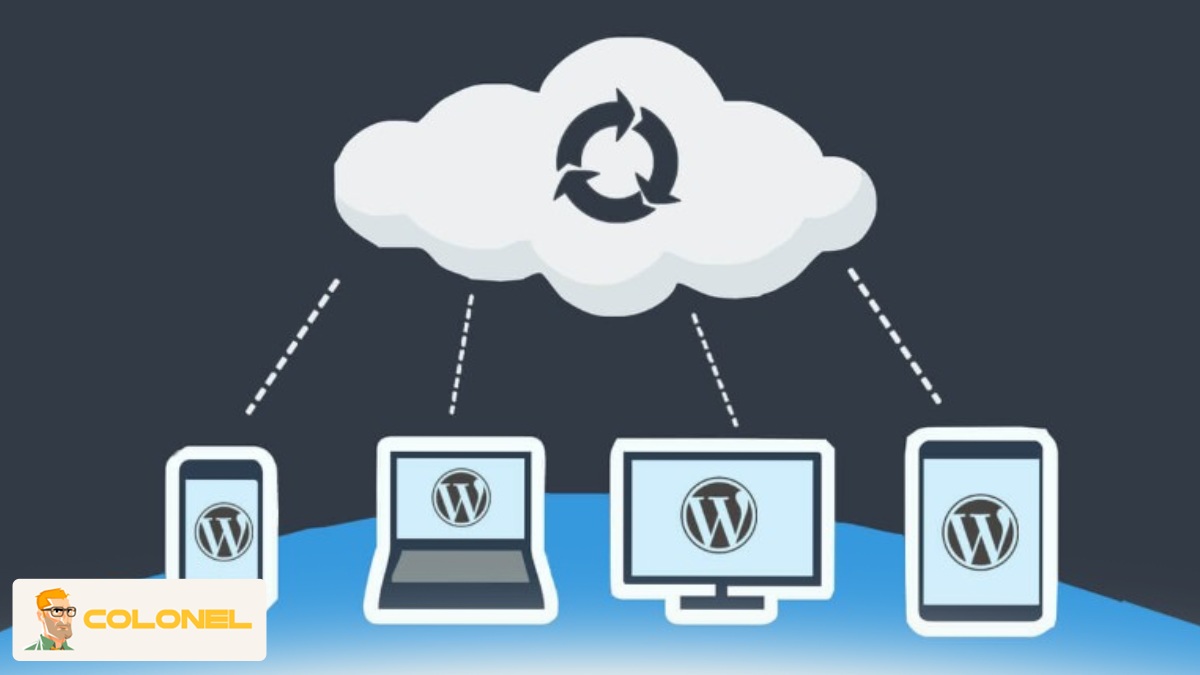
High-quality backup solutions share several important features that distinguish them from basic export tools. The main capability is automation, which ensures that backups run on a schedule without requiring user input. Advanced WordPress Backup Plugins also support incremental backups, meaning only changes are saved rather than duplicating the entire site each time. This lessens server load and storage use.
Other important features include one-click restoration, off-site storage integration, encryption of backup files, and detailed activity logs. Professional plugins also allow selective backups of databases, thema's, plug-ins, or uploads. These specific controls are essential for developers and site owners managing complex WordPress environments.

WordPress-webhosting
Vanaf $ 3,99/maandelijks
How Website Backups Work in WordPress
On a technical level, WordPress backups consist of two main parts: the database and the file system. The database holds posts, pagina's, instellingen, and user data, while the files include themes, plug-ins, afbeeldingen, and core WordPress files. WordPress Backup Plugins package these elements into archives that can be unpacked later to restore functionality.
Most modern plugins use PHP processes along with server cron jobs or WordPress’s internal WP-Cron system. Advanced tools can detect file changes, compress data, verify integrity, and then transfer backups to secure storage locations. This organized approach ensures data consistency and lowers the risk of corrupted restores.
How Often Should WordPress Backup Plugins Run?
Backup frequency depends on how often your site changes. Static websites may only need weekly backups, while eCommerce or news sites require daily or even real-time protection. In high-transaction situations, WordPress Backup Plugins should be set to perform incremental backups several times a day.
A best-practice approach is to match backup schedules with business risks. The more revenue or reputation a site has, the more aggressive the backup strategy should be. Regular testing of restore points is just as important as creating them.

Common Causes of WordPress Data Loss
Data loss rarely comes from a single source. It is usually caused by a combination of technical problems or operational mistakes. Understanding these risks helps justify the investment in strong WordPress Backup Plugins and recovery plans.

Goedkope VPS-server
Vanaf $ 2,99/maandelijks
From hosting issues to cyberattacks, WordPress sites face threats that can escalate quickly if backups are missing or outdated. Prevention alone is never enough; being ready to recover is essential.
Human Errors and Accidental Deletions
Human error is one of the most frequent causes of data loss. Accidental file deletion, misconfigured plugins, failed updates, or incorrect database edits can quickly damage a site. Even experienced developers can make mistakes during deployments or migrations.
In these situations, backups offer an immediate option to revert. Instead of trying to troubleshoot under pressure, site owners can restore a stable version in minutes, keeping uptime and credibility intact.
Server Failures and Hosting Issues
Hosting environments can fail as well. Disk corruption, hardware malfunctions, misapplied updates, or provider outages can wipe out entire accounts. Depending solely on a host’s internal backups is risky because retention periods and recovery options are often limited.
Independent WordPress Backup Plugins ensure that your data is kept separate from the hosting platform. This separation of responsibility is key in smart disaster recovery planning.

Windows VPS-hosting
Remote Access & Full Admin
Reliable WordPress Backup Plugins You Can Trust
Keeping regular backups of a WordPress website is vital for site security, onderhoud, and long-term stability. Server failures, hacking attempts, faulty updates, or simple human mistakes can quickly take a website offline. A reliable backup plugin ensures that you can restore your site quickly with minimal data loss. Below, we look at six trusted WordPress backup plugins valued by professionals and site owners.

UpdraftPlus
UpdraftPlus is one of the most popular WordPress backup plugins, with millions of active installations. Its popularity stems from a strong balance between ease of use and advanced features. The plugin lets users create both scheduled and on-demand backups, giving them control over how often data is saved. You can back up files, databases, or both based on your needs.
One of UpdraftPlus’s biggest advantages is its extensive cloud storage support. It integrates effortlessly with Google Drive, Dropbox, Amazon S3, Microsoft OneDrive, and several other remote storage services. This ensures that backups are stored safely off-site, protecting them from server failures. The free version already offers powerful features, while the premium version adds options like incremental backups, multisite support, database encryption, and cloning. Algemeen, UpdraftPlus is an excellent choice for both beginners and advanced users.

Jetpack Backup (formerly VaultPress)
Jetpack Backup is a premium solution made by Automattic, the company behind WordPress.com. What makes Jetpack Backup stand out is its real-time backup capability. Instead of backing up the site at scheduled times, it automatically saves every change as it happens. This is especially useful for eCommerce stores, membership sites, or blogs with frequent updates.
Restoring is straightforward and can be done with just a few clicks, even if your site is completely down. Since backups are stored securely on Jetpack’s servers, the performance impact on your hosting environment is minimal. Jetpack Backup also integrates with Jetpack’s security features, providing additional peace of mind. While it is pricier than many alternatives, its reliability, automatisering, and professional support make it a top choice for business-critical websites.

BackupBuddy
BackupBuddy is a premium WordPress backup plugin developed by iThemes. It has been a trusted name in the WordPress community for years. It provides complete backups of your website, including files, thema's, plug-ins, and the database. Users can schedule automatic backups or run them manually whenever needed.
One of BackupBuddy’s standout features is its strong migration and restoration tools. The plugin makes it easy to move a WordPress site to a new host or domain without technical complications. Backups can be stored locally or sent to remote locations like cloud storage or BackupBuddy’s own Stash service. While there is no free version, BackupBuddy’s comprehensive features, solid support, and reliability make it a smart investment for professionals managing multiple sites.

BlogVault
BlogVault is a powerful backup solution designed for performance and reliability. Unlike traditional plugins that run backups on your server, BlogVault performs off-site backups on its own infrastructure. This approach greatly reduces server load and ensures that your website remains fast and responsive during backup operations.
The plugin provides automated daily backups and real-time backups for WooCommerce sites. Restores are quick and reliable, even for large websites. BlogVault also includes advanced features, such as staging environments, site migration, and built-in security scanning. Its dashboard lets users manage multiple sites from a single interface, making it perfect for agencies and developers. While BlogVault is a paid service, its focus on performance and advanced tools justifies the cost for serious website owners.

WPvivid Backup Plugin
WPvivid Backup Plugin is a modern and user-friendly solution that has quickly gained popularity. It offers both manual and scheduled backups and supports storing backups locally or on popular cloud services like Google Drive, Dropbox, and Amazon S3. The interface is clean and easy to use, making it accessible even for those with little technical experience.
In addition to backups, WPvivid includes built-in migration and staging features, allowing users to clone or move their websites easily. The free version offers many features, while the premium version unlocks advanced scheduling, incremental backups, and white-label options. WPvivid is a great all-in-one solution for users who want backup, migratie, and staging capabilities in one plugin.
BackWPup
BackWPup is a solid free backup plugin that offers essential backup functions without the cost. It allows users to create complete backups of their WordPress sites, including files and databases. Backups can be stored in multiple external locations such as Dropbox, FTP servers, Amazon S3, or even sent via email.
While its interface isn’t as modern as some newer plugins, BackWPup remains reliable and flexible. Advanced users can fine-tune backup jobs and automate processes according to their needs. A premium version is available, providing faster support and easier restores. For small websites or users looking for a dependable free option, BackWPup is a strong choice.
How WordPress Backup Plugins Protect Your Website Data
Protection involves more than just copying files; it’s about ensuring continuity. WordPress Backup Plugins create multiple layers of safety by preserving historical versions, enabling quick restores, and supporting off-site redundancy.
This proactive approach reduces downtime, prevents permanent loss, and helps meet data retention requirements. For businesses, backups are essential tools—not optional extras.
Security Benefits of WordPress Backup Plugins
Backups are crucial for cybersecurity. When a site gets compromised, cleaning malware by hand takes time and is prone to mistakes. Clean backup versions let administrators quickly restore the site to a safe state.
“A reliable backup is the quickest and safest way to recover from a successful attack without negotiating with attackers or risking reinfection.”
This capability significantly cuts recovery costs and protects your reputation.
Role of Backups in Malware and Hack Recovery
After a hack, restoring from a clean backup is often better than trying partial fixes. WordPress Backup Plugins enable administrators to identify the last uncompromised version and redeploy it with minimal disruption.
This process is especially critical for sites handling sensitive data, where extended exposure can lead to compliance violations and loss of user trust.
Cloud Storage Options for WordPress Backup Plugins
| Storage Option | Key Advantage | Beste gebruiksscenario |
|---|---|---|
| Google Drive | Easy access and sharing | Small to medium sites |
| Amazon S3 | High scalability | Enterprise websites |
| Dropbox | Simple setup | Personal blogs |
| Remote FTP | Volledige controle | Geavanceerde gebruikers |
Using cloud-connected WordPress Backup Plugins guarantees that backups remain accessible regardless of hosting status.
Types of Website Backups Explained
Not all backups serve the same purpose. Different types of backups meet various operational needs, and understanding these differences aids in strategic planning.
Choosing the right mix depends on site size, frequentie bijwerken, and level of risk tolerance.
Full Backups vs Partial Backups
Full backups capture the entire website—database and files—at a specific time. They are thorough but resource-heavy. Partial backups focus only on certain components, like the database or uploads directory.
Professional WordPress Backup Plugins often combine full weekly backups with daily incremental ones. This hybrid strategy balances safety with efficiency.
Manual Backups vs Automated Backups
Manual backups need human effort and can be inconsistent. Automated backups run on schedules and respond to events like updates or changes.
Automation removes the burden from memory and lowers operational risk. In professional settings, manual backups should only act as secondary safeguards.
Performance and Storage Considerations
Backup processes consume server resources, and poor setup can harm performance. Efficient WordPress Backup Plugins are designed to limit CPU usage and avoid peak traffic hours.
Understanding these effects helps site owners keep speed while ensuring protection.
Impact of Backups on Website Speed
Heavy backup activities can slow down websites if done during busy times. Incremental backups and scheduling during off-peak hours can reduce this risk significantly.
Quality plugins also use throttling and background processing to prevent disruption of user experience.
Managing Backup Storage Efficiently
Storage management is often overlooked. Keeping too many backups raises costs and complicates things, while too few increase risk.
Best practices include setting retention policies, automatically deleting outdated backups, and regular audits to confirm restore integrity.

Choosing the Best WordPress Backup Plugins for Your Site
Selecting the right solution involves assessing features, schaalbaarheid, en ondersteuningskwaliteit. WordPress Backup Plugins should match your site’s technical complexity and business needs.
A plugin suitable for a personal blog may not work for a high-traffic commercial site.
Mistakes to Avoid When Using WordPress Backup Plugins
Common mistakes include storing backups on the same server, never testing restores, and ignoring encryption. These errors can undermine your entire backup strategy.
Regular testing and proper documentation are key for true preparedness.
Compatibility with Hosting Providers and Themes
Not all plugins function equally across hosting environments. It’s important to check compatibility with managed hosts, caching systems, and custom themes before deployment.
Professional backup solutions offer documentation and support to reduce integration challenges.
“Before choosing a backup solution, it’s important to understand how your hosting environment can affect backup performance. Learn more about the difference between Managed vs Unmanaged WordPress Hosting to make an informed decision.”
Final Thoughts and Best Practices
Backups are not a technical afterthought; they are vital for responsible WordPress management. A solid backup strategy protects data, winst, and reputation.
By choosing reliable tools, configuring them properly, and testing frequently, site owners show expertise and trustworthiness. This is what modern search engines and users expect.