

Setup Kubernetes Cluster Using Kubeadm is among the most effective ways of establishing a robust Kubernetes environment within your own server. Kubeadm is capable of reducing the complexity involved in setting up clusters through a simple yet organized procedure. This makes the whole process easier for developers trying out their applications in container environments or IT professionals creating highly available infrastructures. The use of Kubeadm guarantees full control of your Kubernetes setup and its components.
What Is Kubeadm?
Kubeadm is a command-line tool used for the easy creation of Kubernetes clusters. Rather than having to set up each individual part yourself, Kubeadm will automate parts of the process by creating the control plane, certificates, and other components of your cluster setup. The use of Kubeadm in Kubernetes clusters has been highly recommended due to its ease of use.
Why Should You Use Kubeadm for Your Kubernetes Cluster?
There are several reasons why Kubeadm would be the best choice for setting up your cluster. First of all, Kubeadm provides the right amount of control compared to other tools that do all the work for you. Aanvullend, Kubeadm can also help you learn how Kubernetes works, which can be helpful when using it in production.
Requirements for Configuring a Kubernetes Cluster Using Kubeadm
To create a Kubernetes cluster using Kubeadm, certain requirements should be met. You will require at least one computer running a compatible version of Linux (Ubuntu/ CentOS) and having enough CPUs and memory resources. You will also require one or more computers to act as worker nodes in the cluster. All these should be capable of communicating via a network.
Apart from hardware requirements, there are software requirements that you will need to meet. Such include disabling of swap, configuring hostname, and ensuring network communication. The system will require the installation of container runtimes like containerd or Docker because Kubernetes requires them to run its workloads.

WordPress-webhosting
Vanaf $ 3,99/maandelijks
Install Necessary Components on Your Server
Once the setting up process is complete, the following step involves installation of all required Kubernetes components. In particular, there will be a need to install kubeadm, kubelet, and kubectl. Kubeadmm helps to initialize the clusters, kubelet takes care of node management, and kubectl helps in interacting with the cluster.
Below are the main Kubernetes components:
| Onderdeel | Role in Cluster |
|---|---|
| kubeadm | Initializes and manages the cluster setup |
| kubelet | Runs on each node and manages containers |
| kubectl | Command-line tool for interacting with the cluster |
Na installatie, it is important to hold the package versions to prevent unintended upgrades. Version mismatches between nodes can cause cluster instability. Proper installation and version management form the backbone of a stable Kubernetes deployment.
Kubeadm Init to Start the Kubernetes Master Node
Initiating the master node is one of the most crucial parts in establishing a Kubernetes environment. The process is done through kubeadm init, whereby Kubeadm creates the master nodes including the API server, scheduler, and controller manager. Besides, Kubeadm generates a token needed when configuring other nodes.
The process of initialization includes providing a join command by Kubeadm, which will help add other nodes in the future. It is essential to save this command safely. After the initialization process, you need to set the kubeconfig file to have access to kubectl.

Goedkope VPS-server
Vanaf $ 2,99/maandelijks
Adding Worker Nodes to the Kubernetes Cluster
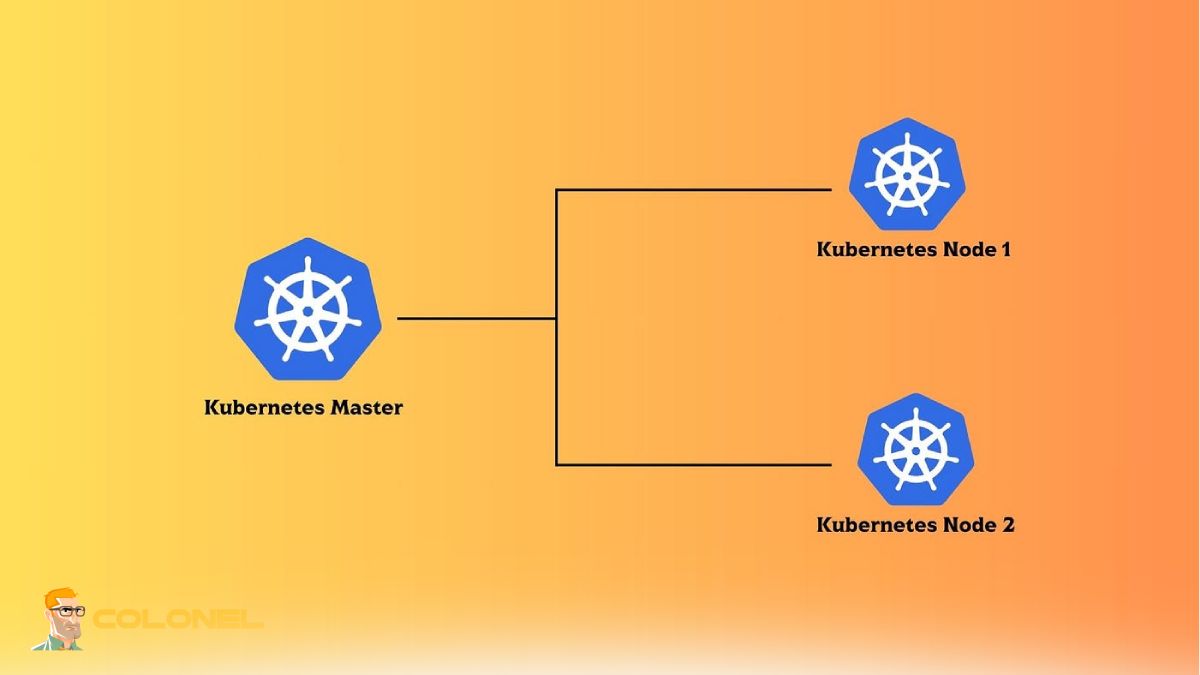
Once the master node initialization process is complete, worker nodes can be joined to the cluster through the join command created previously. The join command contains a token as well as the IP address of the master node for secure communication. It is important to ensure that the required software packages are already installed on each worker node before proceeding.
Keep in mind that the following conditions should be met in order to add worker nodes:
- There should be working communication between worker nodes and the master node
- The token should still be valid
- Required ports are available
Once the addition process is successful, the worker nodes become members of the cluster.
Networking Setup in Kubernetes
Networking is a key aspect of Kubernetes since this is how your containers will be communicating with one another. Once your cluster is initialized, you should deploy a container network interface (CNI) plugin such as Calico or Flannel. It is important to note that your pods won’t be able to communicate if you don’t have a network plugin installed.
Pod Networking in Kubernetes and CNI Plugins
Pod networking in Kubernetes guarantees that all pods in your cluster will be able to communicate with one another without network address translation. All this is done with the help of CNI plugins through IP assignment and routing rules. The choice of which plugin to use depends on specific requirements and characteristics of your application.

Windows VPS-hosting
Remote Access & Full Admin
The optimal CNI plugins provide good performance, schaalbaarheid, and security features, depending on your use case. Bijvoorbeeld, Calico offers better network policies than Flannel, but the latter may be easier to configure. Proper networking will greatly improve the overall performance of your application. In case you’re also looking to optimize for speed, you may find our guide Hoe u een CDN instelt voor snellere websites useful.
Verification and Management of Your Kubernetes Cluster
Once the cluster is deployed, you will need to verify whether all components are working properly. This can be done by issuing some basic commands like kubectl get nodes and kubectl get pods. In a healthy cluster, you should see all nodes as “Ready.”
Cluster management includes monitoring, schaalvergroting, and updating of resources. Applications can be deployed, services created, and workloads managed using kubectl or any other suitable tool. Updating Kubernetes versions and certificate rotations are among some other important tasks that must be performed regularly.
Problems That May Occur While Using Kubeadm Cluster Installation
Despite doing everything correctly, you still might face difficulties while installing your cluster. Such problems can be related to failed node joining, networking or container runtime configuration mistakes, etc.
Some basic steps that you should take to find an answer to why your installation is wrong may include:
- Viewing logs using journalctl to see possible kubelet error messages
- Checking if swap is turned off in all your cluster nodes
- Making sure that required ports are opened and working properly
Learning how to solve these common problems is essential since you will probably have to deal with similar problems in the future.
Conclusie
The process of deploying Kubernetes cluster with Kubeadm is systematic and efficient, which involves automation and flexibility at once. Every stage from requirements preparation to cluster configuration has its importance, without which the entire deployment will fail. While Kubeadm simplifies many processes, you are still able to be in full control of your system.
Having followed all best practices and understood all key concepts, you can create a reliable and scalable Kubernetes environment. This skill may come in handy not only when studying Kubernetes but also when deploying workloads in real-world environments.