
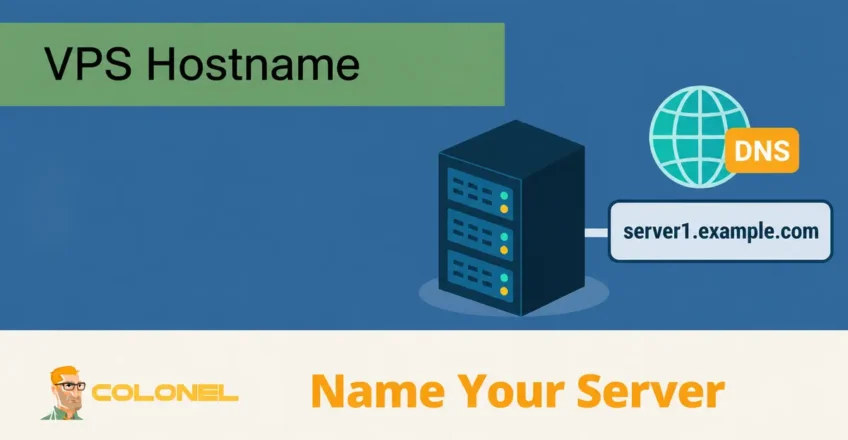
Understanding VPS Hostnames
Servers are addressed through IP addresses and often given descriptive names for administration. While computers communicate using IP addresses, humans generally prefer names that are easier to remember. This is where hostnames become important.
A VPS hostname is a unique name assigned to your Virtuele privéserver. It acts as the server’s identity on a network and helps administrators, toepassingen, and services locate and communicate with the server more easily.
Instead of connecting to a server using a numerical IP address such as:
192.168.1.100
you can use a more descriptive hostname such as:
server1.example.com
This makes server administration significantly easier, especially when managing multiple servers and services.
What Is a Hostname?
A hostname is a human-readable label assigned to a device connected to a network.

WordPress-webhosting
Vanaf $ 3,99/maandelijks
Voorbeelden zijn onder meer:
web01.example.com
mail.example.com
db01.example.com
vps1.companyname.com
The hostname identifies the server both locally and across networked environments.
Besturingssystemen, toepassingen, mailservers, monitoringsystemen, and control panels frequently use the hostname when communicating with other systems.
Why Does a VPS Need a Hostname?
Hostnames serve several important purposes.
Server Identification
When managing multiple VPS instances, hostnames make it easier to identify which server performs which task.
Voorbeelden:

Goedkope VPS-server
Vanaf $ 2,99/maandelijks
- web01.example.com
- web02.example.com
- mail.voorbeeld.com
- backup.example.com
Mail Server Functionality
Many mail servers rely on proper hostnames and reverse DNS records to improve email delivery and reduce spam classification.
System Administration
Logboeken, monitoringplatforms, back-upsystemen, and security tools frequently reference hostnames.
Using descriptive hostnames simplifies troubleshooting and server management.
Professional Appearance
A properly configured hostname creates a more professional environment than generic system-generated names.
Hostname vs Domain Name
Many users confuse hostnames and domeinnaamS, but they serve different purposes.
| Hostnaam | Domeinnaam |
|---|---|
| Identifies a specific server | Identifies a website or organization |
| Used primarily by systems and administrators | Used primarily by visitors |
| Can be a subdomain | Usually the main domain |
| Voorbeeld: server1.example.com | Voorbeeld: voorbeeld.com |
Voorbeeld
Domein:

Windows VPS-hosting
Toegang op afstand en volledig beheer
example.com
Hostnames:
web.example.com
mail.example.com
vps01.example.com
In dit scenario, the domain represents the organization, while each hostname identifies a specific server or service.
What Makes a Good VPS Hostname?
Choosing the right hostname improves organization and management.
Keep It Descriptive
Your hostname should clearly indicate the server’s purpose.
Voorbeelden:
web01.example.com
mail.example.com
backup.example.com
Use a Fully Qualified Domain Name (FQDN)
A Fully Qualified Domain Name contains both the hostname and domain.
Voorbeeld:
server01.example.com
Avoid using only:
server01
Many applications and mail services function better when a full hostname is configured.
Keep It Simple
Gebruik:
- Letters
- Numbers
- Hyphens
Avoid:
- Spaces
- Underscores
- Special characters
Good example:
vps01.example.com
Poor example:
my_server#1.example.com
Reflect Server Function
Naming conventions help larger infrastructures remain organized.
Voorbeelden:
web01.example.com
db01.example.com
vpn01.example.com
node01.example.com
Hostname Requirements
DNS name limits differ from operating-system computer-name limits. The values below describe DNS names; check your OS and directory-service requirements before changing a computer name. A DNS hostname does not need to identify only one physical machine.
Most Linux and Windows systems follow similar hostname rules.
Algemeen:
- Maximum length: 253 characters
- Individual labels: tot 63 characters
- Letters, numbers, and hyphens allowed
- Cannot begin or end with a hyphen
Recommended format:
hostname.domain.com
How DNS Works with Hostnames
DNS translates hostnames into IP addresses.
Bijvoorbeeld:
server01.example.com
may resolve to:
203.0.113.50
When someone accesses the hostname, DNS directs them to the appropriate server.
Zonder DNS, users would need to remember numerical IP addresses.
Wat is omgekeerde DNS (rDNS)?
Reverse DNS performs the opposite function of normal DNS.
Instead of translating a hostname into an IP address, reverse DNS translates an IP address back into a hostname.
Voorbeeld:
203.0.113.50
resolves to:
mail.example.com
Reverse DNS is particularly important for:
- Email servers
- Reputation systems
- Spam prevention
- Security validation
Many mail providers check reverse DNS before accepting email messages.
How to Check Your Current Hostname
Linux
Display the current hostname:
hostname
Display the fully qualified hostname:
hostname -f
Ramen
Open Command Prompt:
hostname
The system will display the current hostname.
How to Change a VPS Hostname on Linux
Changing the local hostname does not create DNS or PTR records. Configure the A/AAAA record in your DNS zone and request PTR changes through the IP provider. Existing control panels and mail services may need their own supported hostname-change procedure.
View Current Hostname
hostnamectl
Set a New Hostname
Voorbeeld:
sudo hostnamectl set-hostname server01.example.com
Verify the Change
hostnamectl
Update Hosts File
Bewerking:
/etc/hosts
Voorbeeld:
127.0.0.1 localhost
127.0.1.1 server01.example.com server01
Opnieuw opstarten (Optioneel)
sudo reboot
Most modern distributions apply hostname changes immediately.
How to Change a VPS Hostname on Windows
Open Server Manager
Navigeer naar:
Server Manager → Local Server
Edit Computer Name
Selecteer:
Computer Name → Change
Enter the new hostname.
Restart the Server
Windows typically requires a reboot for hostname changes to take effect.
Common Hostname Mistakes
Using Generic Hostnames
Avoid names such as:
server
vps
test
These become confusing over time.
Not Using a Domain
A hostname such as:
server01
may work locally but can cause issues with email services and some applications.
Mismatched Reverse DNS
Ervoor zorgen:
Forward DNS
En
Reverse DNS
match whenever possible, especially for mail servers.
Frequent Hostname Changes
Changing hostnames repeatedly can cause issues with monitoring systems, SSL-certificaten, back-ups, and email configurations.
Hostname Best Practices
Follow these recommendations:
- Use Fully Qualified Domain Names
- Match reverse DNS records
- Use descriptive names
- Keep naming conventions consistent
- Avoid special characters
- Document naming standards across infrastructure
Voorbeelden:
web01.example.com
mail01.example.com
db01.example.com
backup01.example.com
Laatste gedachten
A VPS hostname is much more than a simple server label. It plays an important role in system administration, DNS functionality, toezicht houden, email delivery, and overall infrastructure management.
Choosing a clear, descriptive hostname and configuring DNS correctly helps create a more organized, professional, and reliable server environment. Whether you’re managing a single VPS or an entire fleet of servers, proper hostname planning can simplify administration and improve long-term maintainability.
