
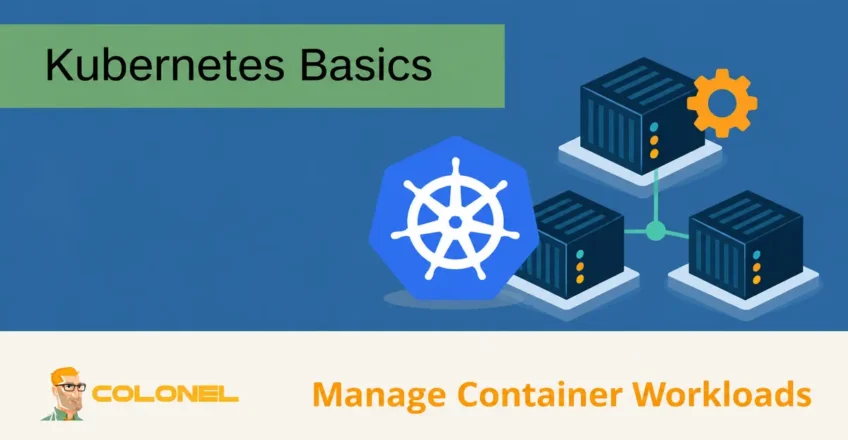
Understanding Kubernetes
Modern applications are expected to deliver more features, support more users, and release updates faster than ever before. As software systems become increasingly complex, managing the infrastructure that supports them becomes a significant challenge.
Containerization has become one of the most effective ways to simplify application deployment and management. Containers package everything an application requires to run, inbegrepen:
- Applicatiecode
- Runtime-omgeving
- Bibliotheken
- Afhankelijkheden
- Configuratiebestanden
Because containers include everything needed to operate, they can run consistently across development, testen, enscenering, en productieomgevingen.
Managing a small number of containers is relatively simple. Echter, large-scale applications may consist of hundreds or thousands of containers spread across multiple servers. This is where Kubernetes becomes essential.
What Is Kubernetes?
Kubernetes, often abbreviated as K8s, is an open-source container orchestration platform designed to automate the deployment, schaalvergroting, beheer, and operation of containerized applications.
Its primary goal is to help organizations manage containers efficiently while reducing operational complexity.

WordPress-webhosting
Vanaf $ 3,99/maandelijks
Kubernetes allows administrators and developers to:
- Deploy applications automatically
- Scale services on demand
- Manage container lifecycles
- Balance workloads
- Recover from failures
- Automate infrastructure operations
By handling these tasks automatically, Kubernetes enables development teams to focus more on building applications and less on infrastructure management.
Who Created Kubernetes?
Kubernetes originated at Google.
The platform was inspired by Google’s internal experience managing large-scale containerized workloads using an internal system called Borg.
After years of operating containerized infrastructure at massive scale, Google used lessons learned from Borg to create Kubernetes as an open-source project.
In 2018, stewardship of Kubernetes was transferred to the Wolk Native Computing Foundation (CNCF), where it continues to evolve with contributions from thousands of organizations and developers worldwide.

Goedkope VPS-server
Vanaf $ 2,99/maandelijks
Vandaag, Kubernetes is widely regarded as the industry standard for container orchestration.
Why Kubernetes Is Important
Applications are no longer confined to a single server.
Modern deployments often span:
- Multiple virtual machines
- Multiple datacenters
- Public clouds
- Private clouds
- Hybrid cloud environments
Managing these distributed environments manually quickly becomes difficult.
Kubernetes solves this problem by automating the deployment and management of containers across infrastructure resources.
Organizations use Kubernetes to:
Windows VPS-hosting
Toegang op afstand en volledig beheer
- Improve reliability
- Accelerate deployments
- Increase scalability
- Simplify operations
- Reduce downtime
How Kubernetes Works
Kubernetes manages groups of servers known as clusters.
A cluster contains multiple machines working together to host containerized applications.
The platform continuously monitors resources and automatically determines where containers should run based on available capacity and workload requirements.
When demand increases, Kubernetes can launch additional containers.
When demand decreases, it can reduce resource usage automatically.
This dynamic resource management helps organizations operate applications more efficiently.
The Purpose of Kubernetes
Kubernetes serves as a centralized system for running and managing containerized workloads.
Its primary responsibilities include:
- Container orchestration
- Automated deployment
- Service discovery
- Resource management
- Load-balancering
- High availability
- Self-healing infrastructure
These capabilities make Kubernetes suitable for both small applications and large enterprise environments.
Benefits of Kubernetes
Kubernetes offers numerous advantages for organizations deploying modern applications.
Automated Deployments
Kubernetes automates much of the deployment process.
Administrators can define the desired application state, and Kubernetes continuously works to maintain that state.
This reduces manual intervention and minimizes deployment errors.
Automatic Scaling
Applications often experience fluctuations in demand.
Kubernetes can automatically scale workloads up or down based on resource consumption and traffic levels.
Voordelen zijn onder meer:
- Better performance
- Improved resource efficiency
- Reduced operational overhead
Self-Healing Capabilities
If a container crashes or becomes unavailable, Kubernetes can automatically:
- Restart containers
- Replace failed workloads
- Reschedule applications
- Restore desired service levels
This improves application availability and resilience.
Load-balancering
Kubernetes distributes incoming traffic across available containers.
This helps prevent individual instances from becoming overloaded and improves overall application performance.
Draagbaarheid
Applications managed by Kubernetes can run across multiple environments with minimal changes.
Organizations can deploy workloads on:
- Private clouds
- Public clouds
- Toegewijde servers
- Hybrid infrastructures
without significantly altering application architecture.
Resource Optimization
Kubernetes continuously evaluates available resources and schedules workloads accordingly.
This helps maximize:
- CPU-gebruik
- Memory utilization
- Infrastructure efficiency
while reducing wasted capacity.
Core Kubernetes Components
Understanding Kubernetes requires familiarity with several key components.
Clusters
A Kubernetes cluster is a collection of machines that work together to run containerized applications.
Clusters provide:
- Schaalbaarheid
- High availability
- Centralized management
Every Kubernetes deployment is built around one or more clusters.
Control Plane
The control plane acts as the brain of the cluster.
Its responsibilities include:
- Managing cluster state
- Scheduling workloads
- Monitoring resources
- Making orchestration decisions
The control plane continuously communicates with worker nodes to maintain application health.
Nodes
Nodes are the machines that execute workloads.
A node may be:
- A physical server
- A virtual machine
- A cloud instance
Nodes run containers and provide the computing resources required by applications.
Pods
Pods are the smallest deployable units in Kubernetes.
A pod contains one or more containers that share:
- Network resources
- Storage resources
- Runtime-omgeving
Containers within a pod are managed together and typically support the same application or service.
Pods are temporary by design and may be created, destroyed, or replaced as workloads change.
Services
Services provide stable network access to groups of pods.
Because pods can be created and destroyed dynamically, services ensure applications remain reachable regardless of infrastructure changes.
Services provide:
- Interne communicatie
- External access
- Traffic routing
- Service discovery
Kubelet
Kubelet runs on every node within a Kubernetes cluster.
Its responsibilities include:
- Managing containers
- Monitoring workloads
- Communicating with the control plane
- Ensuring pods remain healthy
Without Kubelet, nodes would not be able to participate in cluster operations.
Kubectl
Kubectl is the command-line tool used to interact with Kubernetes.
Administrators use Kubectl to:
- Deploy applications
- Manage pods
- Inspect resources
- Troubleshoot clusters
- Modify configurations
It serves as the primary interface between administrators and the Kubernetes environment.
Common Kubernetes Use Cases
Organizations use Kubernetes for a wide range of workloads.
Application Hosting
Kubernetes is commonly used to deploy and manage:
- Websites
- API's
- SaaS-platforms
- Enterprise applications
Microservices Architectures
Many modern applications are built as collections of smaller services.
Kubernetes helps manage these distributed architectures efficiently.
Continuous Deployment
Development teams use Kubernetes to support:
- CI/CD pipelines
- Automated deployments
- Rapid software releases
Multi-Cloud Deployments
Organizations running workloads across multiple cloud providers often use Kubernetes as a common deployment platform.
Development and Testing Environments
Kubernetes allows teams to create environments that closely resemble production systems, improving testing accuracy and consistency.
Getting Started with Kubernetes
A typical Kubernetes setup begins with installing the platform and several supporting tools.
Common tools include:
Kubectl
Used for cluster management and administration.
Kind
Allows Kubernetes clusters to run locally for development and testing.
Minikube
Provides a lightweight Kubernetes environment for local experimentation.
Dokwerker
Frequently used for building and managing container images before deployment.
Container Runtime
Each node requires a compatible container runtime capable of running containers and communicating with Kubernetes.
The runtime must support the Container Runtime Interface (CRI).
Kubernetes Best Practices
Store Secrets Securely
Sensitive information should never be embedded directly into application configurations.
Use secure secret management systems for:
- Passwords
- API keys
- Certificates
- Access tokens
Define Resource Limits
Specify CPU and memory requirements for workloads.
This helps:
- Prevent resource exhaustion
- Improve cluster stability
- Optimize scheduling decisions
Centralize Configuration Management
Store deployment configurations in version-controlled files.
Voordelen zijn onder meer:
- Easier troubleshooting
- Consistent deployments
- Better change management
Monitor Cluster Health
Continuous monitoring helps identify:
- Performance issues
- Resource bottlenecks
- Failed workloads
- Security concerns
before they impact production services.
Common Kubernetes Challenges
Beveiliging
Kubernetes environments contain many moving parts and require careful security planning.
Organizations should implement:
- Role-Based Access Control (RBAC)
- Network policies
- Secrets management
- Regelmatige veiligheidsaudits
Interoperability
Applications running across multiple platforms may require additional configuration to ensure seamless communication.
Standardized APIs and cloud-native designs can help reduce compatibility issues.
Scaling Complexity
Although Kubernetes simplifies scaling, large clusters can generate significant operational data.
Proper monitoring and autoscaling policies are essential for maintaining performance.
Why Kubernetes Has Become the Industry Standard
Kubernetes has transformed the way organizations deploy and manage applications. By automating container orchestration, schaalvergroting, recovery, netwerken, and resource allocation, it enables teams to operate complex workloads more efficiently and reliably.
Whether running a small development environment or a large-scale production platform, Kubernetes provides the flexibility, automatisering, and resilience required to support modern containerized applications across virtually any infrastructure environment.