
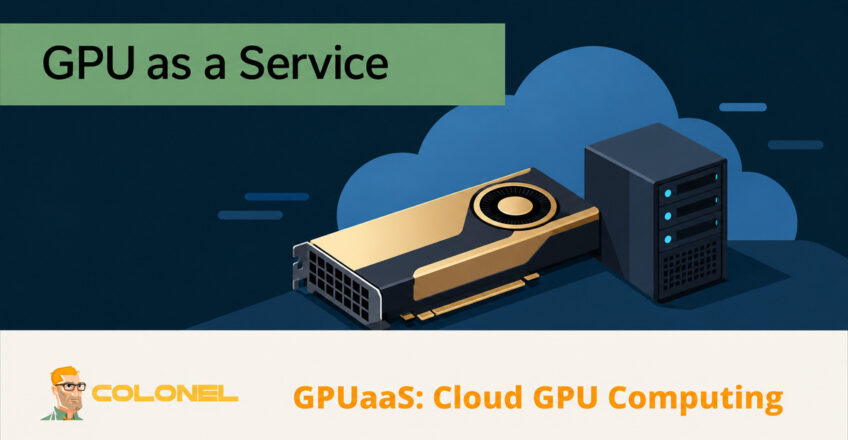
Understanding GPU as a Service
Graphics processing units have become a core component of modern computing. From artificial intelligence and machine learning to scientific simulations, video rendering, and data analytics, organizations increasingly depend on GPU acceleration to process large workloads efficiently.
As demand for GPU resources continues to grow, many businesses are looking for alternatives to purchasing and maintaining expensive hardware. One solution that has gained significant traction is GPU as a Service, commonly known as GPUaaS.
GPUaaS allows organizations and individuals to access powerful GPU resources through a cloud-based platform. Rather than investing in dedicated hardware, users can rent GPU capacity as needed and access it remotely through the internet.
Understanding how GPUaaS works, how it differs from other GPU hosting models, and where it fits into different workloads can help organizations select the most suitable infrastructure strategy.
What Is GPU as a Service (GPUaaS)?
GPU as a Service is a cloud-delivered computing model that provides on-demand access to graphics processing units without requiring users to purchase physical hardware.
In a GPUaaS environment, the hosting provider manages the underlying infrastructure, including servers, networking, cooling systems, hardware maintenance, and resource allocation. Users simply provision GPU resources and begin running their workloads.

WordPress Web Hosting
Starting From $3.99/Monthly
The service operates similarly to other cloud computing platforms. Resources can often be deployed within minutes, and users typically pay based on usage, allocated resources, or subscription plans.
GPUaaS is commonly used by:
- AI and machine learning engineers
- Data scientists
- Software developers
- Researchers
- Video editors
- 3D artists
- Simulation and modeling teams
Because infrastructure management remains the responsibility of the provider, users can focus entirely on their applications and projects.
Advantages of GPUaaS
GPU as a Service offers several practical benefits for organizations seeking high-performance computing resources.
Lower Capital Investment
Purchasing enterprise-grade GPU servers requires significant upfront spending. Beyond the hardware itself, organizations must also account for cooling, power, rack space, and maintenance costs.
GPUaaS eliminates these capital expenses by providing access to GPU resources through operational spending models.

Cheap VPS Server
Starting From $2.99/Monthly
Flexible Resource Scaling
Workloads rarely remain constant. Some projects require substantial computing power for a short period, while others may run continuously.
GPUaaS platforms allow users to increase or decrease resources according to workload demands without purchasing additional hardware.
Improved Resource Utilization
Traditional hardware often sits underutilized between projects. GPUaaS enables organizations to consume resources only when needed, improving overall efficiency.
Access to Modern Hardware
Cloud providers frequently refresh their infrastructure with newer GPU generations. Users gain access to advanced hardware without the need to purchase upgrades or replace existing equipment.
Global Accessibility
Because GPU resources are delivered through the cloud, users can access their environments from virtually any location with internet connectivity.
This supports remote work, distributed teams, and collaborative projects across multiple regions.

Windows VPS Hosting
Remote Access & Full Admin
Reduced Administrative Overhead
Hardware maintenance, monitoring, firmware updates, infrastructure repairs, and physical security remain the responsibility of the hosting provider.
This reduces the burden on internal IT teams and allows technical staff to focus on business objectives.
GPUaaS vs On-Premise GPU Infrastructure
Organizations evaluating GPU infrastructure often compare cloud-delivered GPU services with locally installed GPU servers.
Cost Structure
GPUaaS
- No large upfront hardware investment
- Predictable usage-based billing
- Reduced operational expenses related to cooling and power
On-Premise GPU Servers
- Significant hardware acquisition costs
- Ongoing power consumption expenses
- Infrastructure and maintenance responsibilities
Organizations with intermittent workloads often benefit from GPUaaS, while businesses with constant GPU demand may evaluate the long-term economics of owning hardware.
Scalability
GPUaaS
Resources can typically be increased or reduced within minutes based on changing requirements.
On-Premise GPU Servers
Scaling requires purchasing additional hardware, installing equipment, and allocating physical infrastructure.
Performance Characteristics
GPUaaS
Modern cloud platforms offer high-performance GPUs, but network latency may affect applications requiring immediate response times.
On-Premise GPU Servers
Processing occurs locally, minimizing latency and providing direct access to hardware resources.
Management Requirements
GPUaaS
The provider manages infrastructure maintenance, updates, and hardware replacement.
On-Premise GPU Servers
Organizations remain responsible for system administration, upgrades, troubleshooting, and hardware lifecycle management.
Security and Compliance
GPUaaS
Security controls depend on the provider’s platform and compliance certifications.
On-Premise GPU Servers
Organizations maintain complete control over data location, security policies, and compliance frameworks.
GPUaaS vs Cloud GPU
GPUaaS and cloud GPU are overlapping commercial terms, rather than standardized technical categories. Neither label alone tells you how much of the software stack is managed.
Service Scope
Cloud GPU services can offer virtual machines, containers, dedicated hardware or managed platforms. Some include ready-to-use frameworks and notebooks; others provide infrastructure that customers administer themselves.
Operational Responsibility
Before ordering, confirm who maintains the operating system, drivers, frameworks, security updates and backups. Hardware maintenance and application management are separate responsibilities.
Pricing and Customization
Compare GPU allocation, memory, minimum billing periods, storage, data transfer and support. Check whether the environment provides the operating-system and driver access your workload requires.
GPUaaS vs Bare Metal GPU Servers
A more useful comparison is a shared or virtualized GPU service versus dedicated bare metal GPU hosting. Bare metal can itself be sold as GPUaaS; the distinctions below describe deployment choices, not strict product definitions.
Performance
GPUaaS
Shared or virtualized GPU services allocate resources through a virtualization or container layer. GPUaaS offerings can also provide dedicated GPUs or entire physical servers.
While performance remains excellent for many workloads, virtualization can introduce minor overhead.
Bare Metal GPU Servers
Users receive exclusive access to physical hardware with no virtualization layer.
This approach provides maximum performance and is frequently used for latency-sensitive applications.
Hardware Control
GPUaaS
Users operate within predefined service environments and platform limitations.
Bare Metal GPU Servers
Complete control over hardware, operating systems, drivers, and software configurations.
Scaling Capabilities
GPUaaS
Additional resources can often be provisioned quickly through a management portal or API.
Bare Metal GPU Servers
Scaling generally requires deploying additional physical servers.
Cost Considerations
GPUaaS
Well suited for temporary, project-based, or fluctuating workloads.
Bare Metal GPU Servers
Often more economical for organizations running sustained GPU workloads around the clock.
Maintenance
GPUaaS
Infrastructure maintenance remains fully managed by the provider.
Bare Metal GPU Servers
Users manage operating systems, security updates, and software maintenance, unless managed services are purchased.
Security Requirements
GPUaaS
Suitable for many business workloads but may not satisfy every regulatory requirement.
Bare Metal GPU Servers
Offers greater control over data governance, security frameworks, and compliance implementation.
Common GPUaaS Use Cases
GPUaaS supports a broad range of workloads across multiple industries.
Artificial Intelligence and Machine Learning
Training large neural networks requires substantial parallel processing capabilities. GPUaaS enables organizations to access powerful GPU clusters without building dedicated infrastructure.
Data Analytics
Complex analytical models often benefit from GPU acceleration, reducing processing times and improving productivity.
3D Rendering
Animation studios, visual effects teams, and architectural firms use GPU resources to accelerate rendering workflows.
Scientific Computing
Research organizations leverage GPUs for simulations, modeling, and computational analysis across various scientific disciplines.
Software Development
Developers use GPUaaS for testing, application development, and specialized compute workloads.
Video Processing
GPU acceleration significantly improves encoding, transcoding, and post-production workflows.
How to Select a GPU Hosting Provider
Choosing the right provider involves evaluating both technical and operational requirements.
GPU Performance
Review available GPU models, VRAM capacity, memory bandwidth, and overall compute capabilities to ensure they meet workload demands.
Pricing Structure
Compare hourly, monthly, and long-term pricing models. Evaluate total costs, including storage, bandwidth, and any additional service fees.
Scalability
Verify that resources can be expanded as workloads grow and that multi-GPU configurations are supported when required.
Storage and Networking
Fast storage and reliable connectivity can significantly affect performance, particularly when processing large datasets.
Reliability
Look for providers that offer strong uptime commitments, redundant infrastructure, and clearly defined service level agreements.
Support Services
Technical support quality becomes increasingly important for business-critical workloads. Providers with experienced GPU specialists can help resolve issues more efficiently.
Security Features
Review security controls such as network protection, encryption options, access controls, and compliance certifications relevant to your industry.
Provider Experience
Research customer feedback, case studies, and service history to evaluate long-term reliability and platform maturity.
Determining Whether GPUaaS Is the Right Choice
GPU as a Service provides a practical path to high-performance computing without the financial and operational burden of purchasing dedicated GPU hardware. Organizations gain access to modern GPU technology, flexible resource allocation, and managed infrastructure while maintaining the ability to scale according to workload requirements.
For businesses with variable demand, development environments, research projects, rendering pipelines, or AI workloads, GPUaaS can deliver significant operational advantages while reducing infrastructure complexity and capital expenditure.
